
Speechify Review 2026
Speechify Review — AI TTS app for speed listening. Is it good?
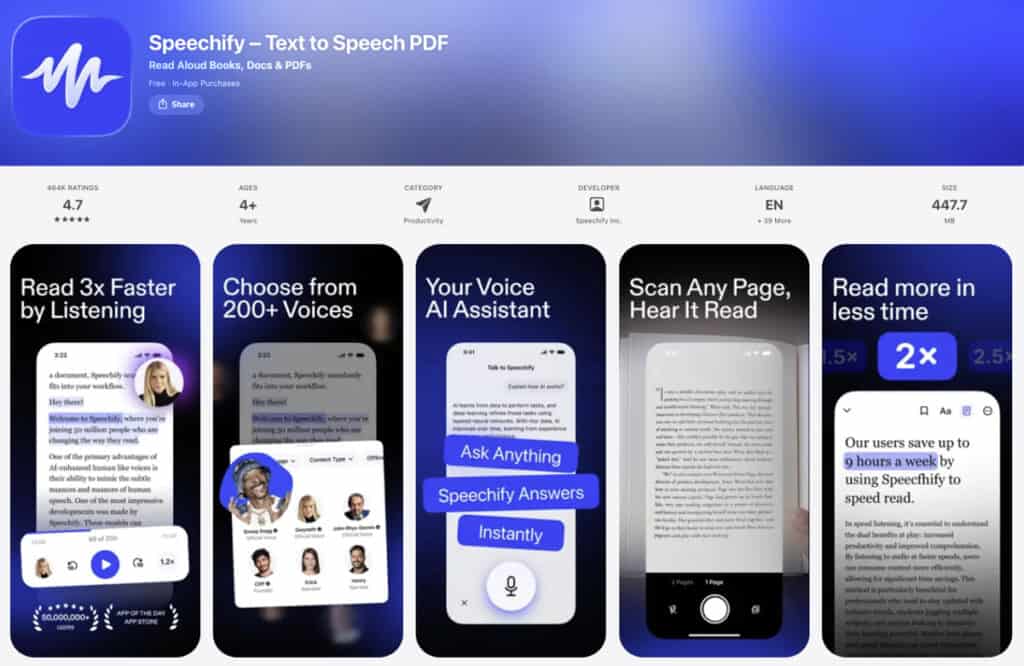
The popular Speechify app started as a workaround. Cliff Weitzman was a Brown University student with severe dyslexia. He built a crude text-to-speech tool just to survive his reading load.
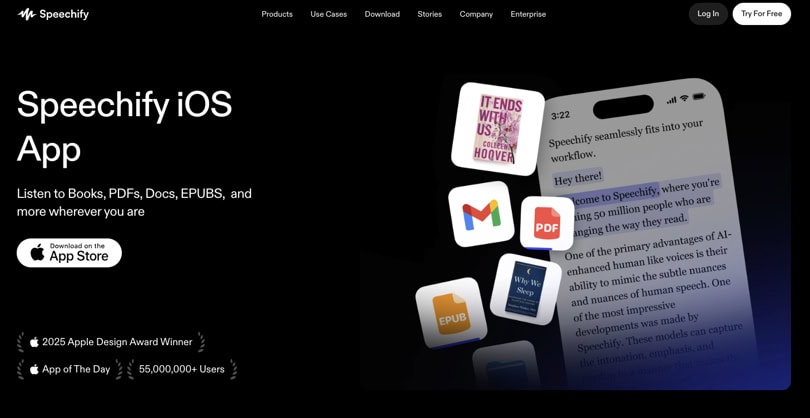
Well, that tool went on to become one of the most downloaded productivity and TTS apps on the planet. Today, it has 55 million users and an Apple Design Award for accessibility.
This accessibility award stands for a specific promise: assisting individuals who find it challenging to engage with text, making written content more accessible. Additionally, it deliberately favors those who prefer speed listening to audio rather than reading text.
There is also another claim in the marketing. Speechify positions itself as a speed-reading app—one that trains you to take in information faster at 2x, 3x, even 4.5x your normal rate. This Speechify review examines whether that claim holds, who genuinely benefits, and looks at all the features, pros, and cons in detail.
Speechify — Overview
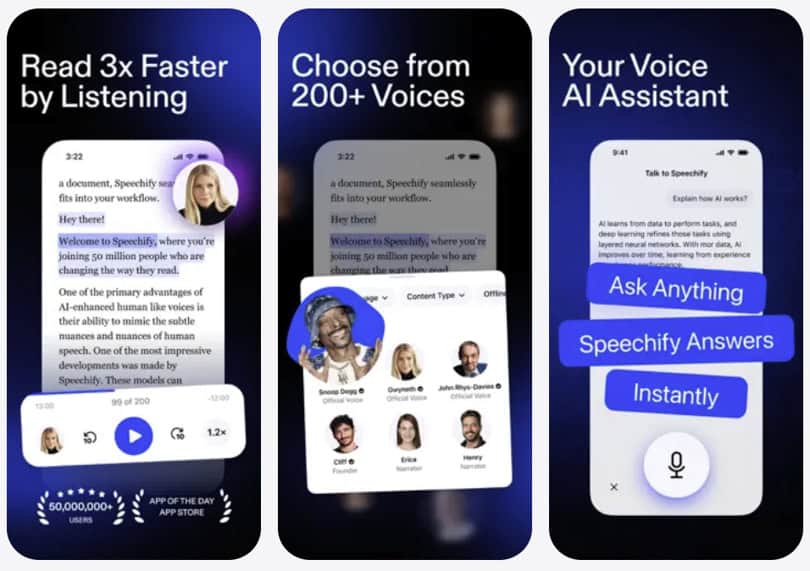
In a nutshell, Speechify (visit website) is an AI text-to-speech app available on iOS, Android, Chrome, Mac, and the web. It converts written content into spoken audio through a large library of AI voices at variable speeds up to 4.5x. Content sources include PDFs, web articles, ebooks, Google Docs, and physical pages via OCR camera scan.
The company is San Francisco-based and heavily venture-funded. That funding explains both the pace of feature additions and the celebrity voice licensing program. The current product is considerably more complex than its university-dorm origins would suggest.
Market position: Speechify sits in the space of active listening productivity. The core idea is that outsourcing visual processing to your ears frees cognitive bandwidth and speeds up content consumption.
Primary audience: Students, knowledge workers, and professionals moving through large volumes of articles, research, reports, and ebooks. Also, significantly, users with dyslexia, ADHD, visual impairments, or processing differences — for whom audio access is a functional need, not a convenience.
Secondary audience: Commuters and multitaskers who want to absorb written content while doing something else.
Who Speechify is NOT for: Anyone whose goal is improving silent reading speed through skill development. Speechify replaces reading with speed listening. That is a different goal entirely, and the distinction matters enormously for readers of this site.
Speechify features at a glance

- Variable speed TTS playback up to 4.5x
- Hundreds of AI voices across 60+ languages, including celebrity voices (Premium)
- AI Quiz, AI Chat, AI Summaries, and AI Recap
- OCR camera scanning for physical documents
- Chrome extension for web articles and PDFs
- Cross-platform sync across iOS, Android, Mac, and web
- Imports from Google Drive, Dropbox, email, and direct file uploads
- Word highlighting synchronized to audio playback
- Offline listening on mobile (iOS reliable; Android limited)
- Visit website for more information.
Speechify App — Main Features, Highlights
1. TTS playback and speed controls
The core text-to-speech engine is genuinely good. Speed ranges from 0.5x to 4.5x, with fine-grained controls for gradual step-ups. At 1x to 1.5x, the voices sound natural and unhurried. At 2x to 2.5x, where most users settle after a few days, clarity holds well.
Push toward 3x and above, and comprehension depends heavily on voice quality and the complexity of what you are reading. For a knowledge worker reviewing familiar industry reports, 2.5x is certainly manageable. But for a student working through dense academic material for the first time, 3x will likely outpace retention.
New users can start at 1.25x and move up gradually. That mirrors how audio listeners naturally calibrate, and it is a thoughtful design choice
Where the Speechify app falls short is everything beyond the speed setting itself. There is no mechanism that responds to comprehension signals. In other words, speed here is an audio preference rather than a cognitive training variable.
2. AI voices and celebrity options
Without doubt, voice quality is Speechify’s most marketed differentiator, and it earns that billing. The Ultra-quality voices on iOS produce natural prosody and appropriate pacing. Listener fatigue during long sessions is noticeably lower than with most TTS competitors.
For a knowledge worker running hour-long listening sessions through research papers, that naturalism is not cosmetic. It is the difference between building a daily habit and abandoning the tool after two weeks.
Having said that, I found Speechify’s standard AI voices compelling enough for sustained daily use without ever reaching for the celebrity options.
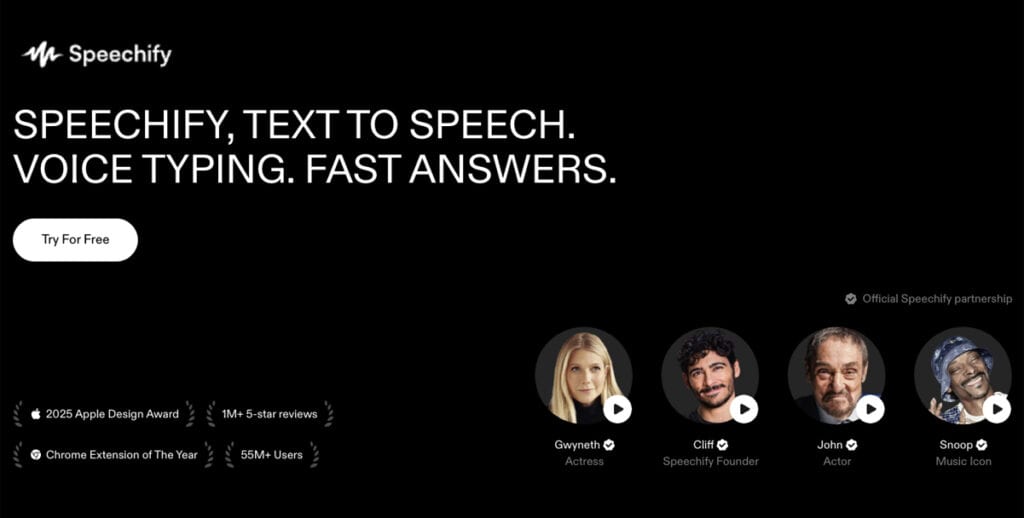
Those celebrity voices — Snoop Dogg, Gwyneth Paltrow, and others gated behind Premium — also yield mixed verdicts. The novelty is real and genuinely lowers the friction of starting a new document.
And whether the celebrity survives a week of daily use is a different question, and in my experience, it usually does not. Most serious and ambitious users likely return to standard AI voices within days.
3. AI Quiz, AI Chat, and comprehension tools
A genuine and material addition to the Speechify AI experience
This is where the current product diverges significantly from its earlier reputation. And any up-to-date Speechify review has to acknowledge this plainly.
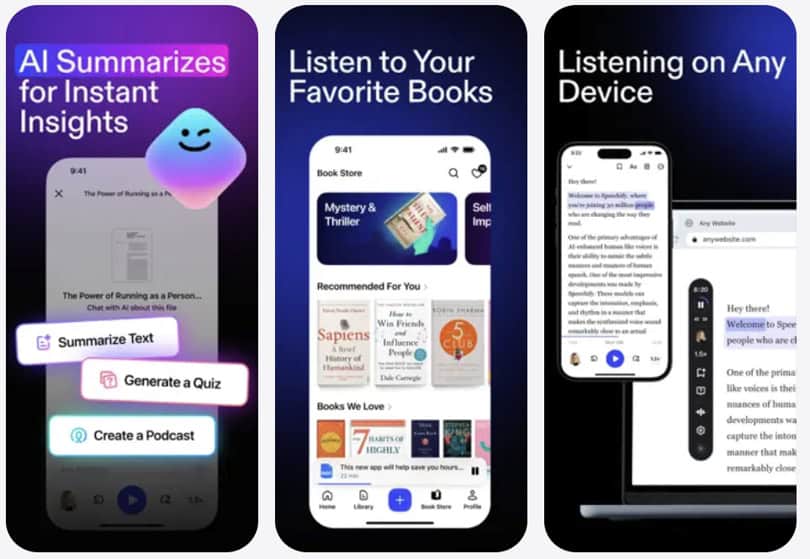
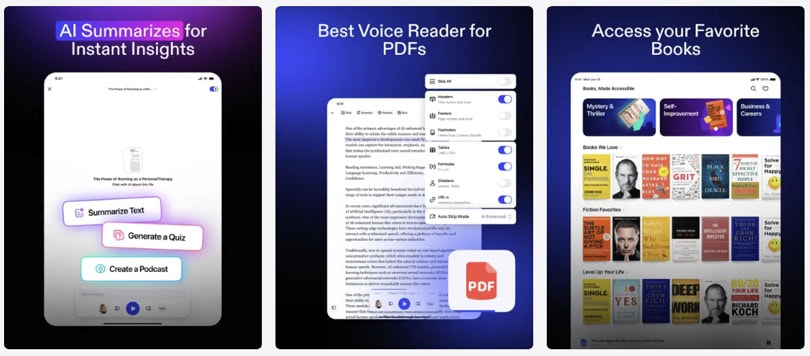
The Speechify app now includes a feature called AI Quiz, which generates 5, 10, 15, or 20 comprehension questions from any imported document. Think: you finish speed listening to a 3,000-word research article and immediately test whether you actually absorbed it. Sounds great, and it is.
AI Chat, on the other hand, allows conversational Q&A grounded directly in the uploaded content. You can ask document-specific questions, probe for details, or check your understanding of a complex argument. AI Summaries condense material before you listen, helping you decide whether a full session is warranted at all.
To be frank, these are real feature additions. They are not rebadged features or marketing labels dressed up as functionality.
Where the comprehension features still fall short
From a speed reading perspective, the tools in Speechify exist to help you create a faster reading experience. Unfortunately, they do not yet form a learning system. There is no spaced repetition. Progress is not tracked across sessions. The quiz does not adapt to your performance or adjust its difficulty over time.
If you look at this practically, a student who listens to fifty hours of material, runs occasional quizzes, and never revisits weak areas has no mechanism to force that review. The features are there. However, the architecture that would make them compound into measurable knowledge gains over time is simply not there yet.
4. OCR camera scanning
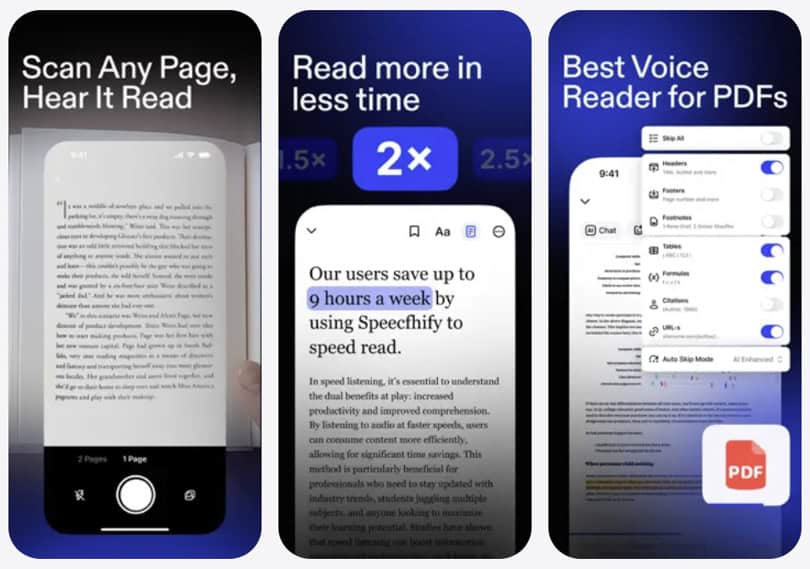
Point your phone camera at a printed page, and Speechify reads it aloud. For a commuter who reads physical books but wants to switch to audio on the train, this is a genuinely useful feature.
On clean, standard typography — a printed novel, a magazine, a laser-printed document — accuracy is high, and the scan-to-audio pipeline is fast.
On older books with yellowed pages, unusual fonts, or academic layouts with footnotes and multi-column formats, accuracy drops noticeably.
I would rely on this confidently for mainstream publishing. For academic texts or densely formatted reference material, test it before building a workflow around it.
5. Document import and content sources
Import breadth is one of the strongest practical qualities of this AI text-to-speech app. PDFs, ePubs, Google Docs, Dropbox files, emails forwarded to a dedicated Speechify address, and direct web links all import cleanly in most cases.
PDF handling deserves a specific note. Simple PDFs with clean text layers work well. Scanned, image-based PDFs rely on OCR, with all the caveats above.
However, complex academic PDFs with equations, footnotes, and multi-column layouts will produce formatting problems. This is an industry-wide TTS limitation, not unique to Speechify. But “PDF support” does not mean every PDF will behave cleanly.
6. Word highlighting and synchronized reading
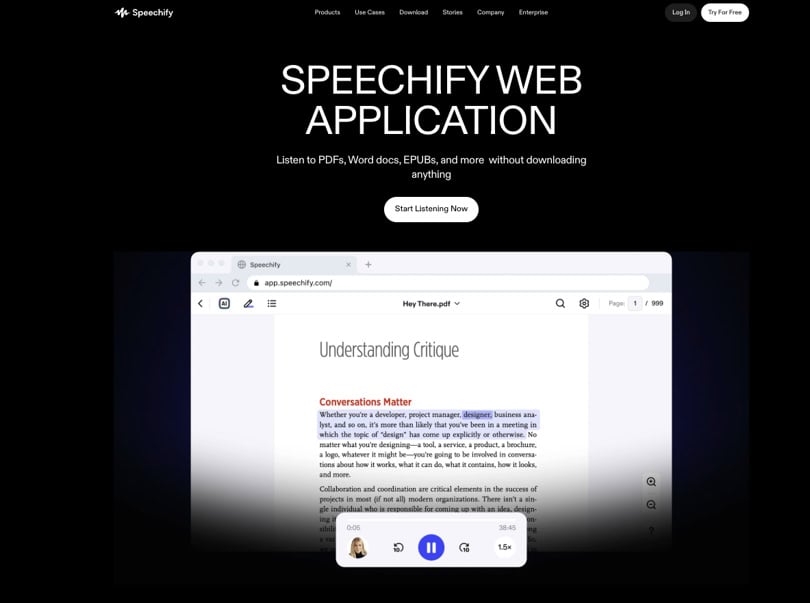
As audio plays, Speechify highlights the corresponding word or phrase on-screen.
For a student with dyslexia who benefits from seeing and hearing simultaneously, this is one of the app’s most practically valuable features. The sync is accurate, and highlighted areas are clearly visible. The combination supports a kind of dual-channel processing that can reinforce retention.
Whether this constitutes speed reading in any technical sense is where the marketing and the mechanics part ways. It is synchronized listening with a visual aid. Trained in rapid serial visual presentation, it is not. For users with dyslexia or processing differences, though, it is genuinely useful in ways that go beyond the description.
7. Chrome extension for text-to-speech on any webpage
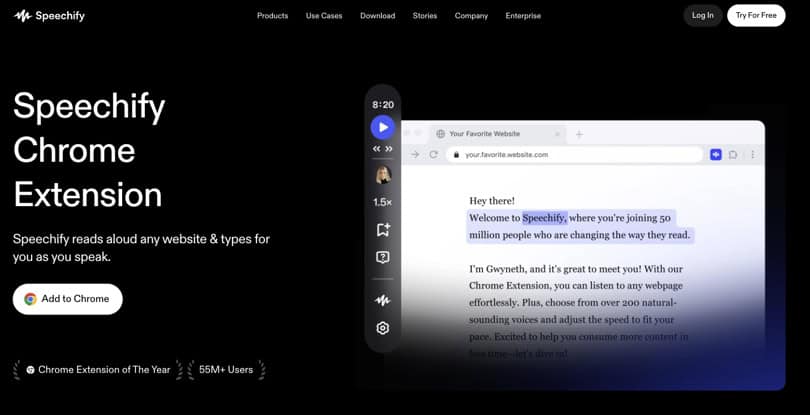
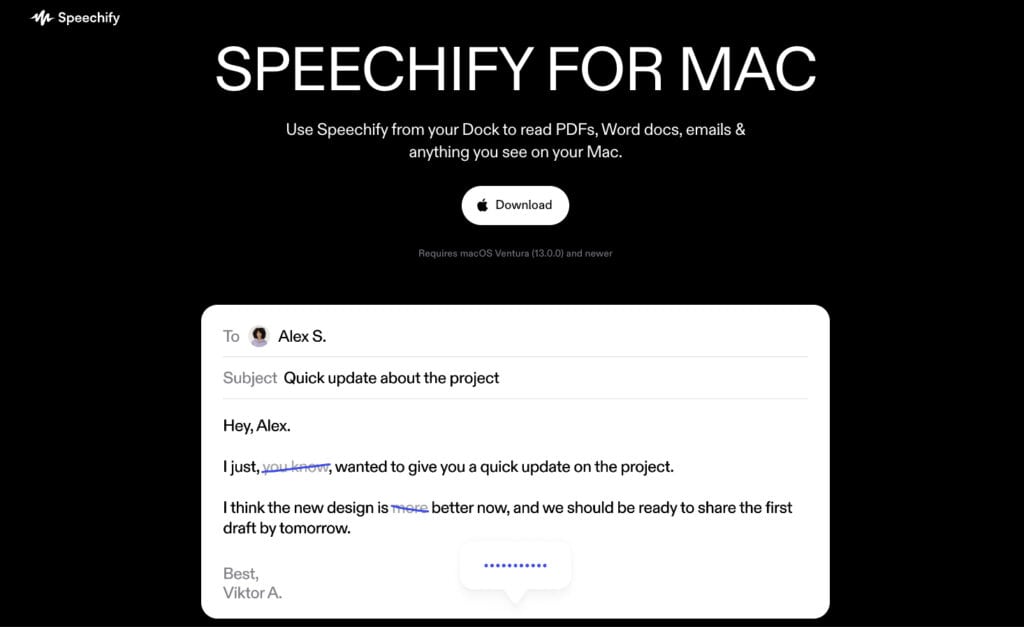
The Chrome extension is, especially for knowledge workers, the most practically useful part of Speechify. Navigate to any article, click the extension, and the main content is isolated and read text aloud.
Major publications, newsletters, Wikipedia, and most content-heavy sites work reliably. For someone working through a queue of saved articles during a commute or a gym session, this is the use case where Speechify earns its annual fee most clearly.
The Speechify extension historically lagged behind the mobile apps in natural voice quality. That gap has narrowed considerably. Premium users get full voice access through the extension, and speed controls behave consistently.
It still occasionally stumbles on heavily structured pages with data tables or multi-column layouts, where content extraction can produce a jumbled reading order.
8. Offline listening and sync
Downloaded content plays offline on iOS, which matters for commuters in tunnels and travelers without reliable connectivity. Offline support for Speechify for Android is more limited and draws persistent complaints in user forums — a meaningful platform gap worth knowing about before you commit.
Cross-device sync works reliably for most library items. Start an article on your phone and pick it up on a desktop without losing your position. One real-world friction point: the Premium tier carries a 150,000-word monthly cap on AI voice usage.
By the way, that ceiling is not prominently advertised. Heavy users running long-form documents daily can hit it. Downloads for offline listening count against the same quota, which compounds the problem for frequent travelers.
Speechify key features summary
- Speed controls are well-calibrated for gradual acclimatization — a practical strength for new listeners
- AI voice quality is a genuine differentiator, especially Ultra voices on mobile
- AI Quiz and AI Chat are real additions, not marketing labels
- OCR works reliably for clean printed text; complex academic layouts remain unreliable
- Chrome extension is the strongest use case for digital-content consumers
- A 150,000-word monthly AI voice cap applies to Speechify Premium — verify before committing
- Visit website for all features and try it for free.
Reading tip: If you want AI to actually save reading time, start with a focused overview instead of scattered tips. The main AI speed reading guide walks you through my 3‑Step AI Speed Reading Method and shows where tools, AI summaries, and listening apps realistically help.
From there, you can dive into tutorials on AI‑supported reading workflows such as our ChatGPT for speed reading guide — and compare carefully selected AI speed reading apps and text-to-speech apps or AI summarization tools before committing to any subscription.
Speechify — The Origin Story. What It Means for You
Ok, I hope you are not out of breath yet after discussing the features. Let them settle briefly, then shift your focus to Speechify’s original story. Their story is not background noise. It is the primary trust signal the company uses with new users, and understanding it is necessary for an honest evaluation.
Cliff Weitzman’s story is compelling and verifiable. A student with severe dyslexia who could not read fast enough built a workaround, then turned it into a company.
The accessibility outcome is real. Speechify does meaningfully improve text access for users with dyslexia, ADHD, visual processing differences, and low vision. That is not marketing copy. It is a functional outcome that the product consistently delivers.
The analytical question is what happens when that story becomes the trust signal for an audience that does not share the original use case. A productivity user borrowing the credibility of the accessibility narrative is evaluating a product whose value proposition for them is considerably less established.
Speechify does not separate these audiences in its marketing. The same emotional story serves both, and the evidence behind each claim is not equivalent.
A user with dyslexia accessing a textbook through Speechify is achieving something measurable and important. A user without reading difficulties, hoping to absorb information faster and retain more of it, is placing a bet that the research does not clearly support.
Thus, recognising which of those users you are is the most important step before purchasing.
Speechify — AI Features and Reading Workflow
1. AI voices: genuine differentiation in a crowded TTS market
The AI voice engine is Speechify’s most substantive technical achievement. Ultra-quality voices produce natural prosody and appropriate pacing on complex sentences.
For anyone spending thirty to sixty minutes per day listening to articles or reports, voice naturalism directly affects whether the habit takes hold. On this dimension, Speechify AI leads most direct competitors. The difference is audible from the first session.
2. AI-powered comprehension: what Speechify can now do
What has changed materially in recent releases is the comprehension layer. AI Summaries let users evaluate whether content is worth a full listen before committing. AI Quiz generates targeted questions from any imported document — 5, 10, 15, or 20 per session. On the other hand, AI Chat enables conversational engagement with document content.
These features connect meaningfully to our 3-Step AI Speed Reading Method used across SpeedReadingLounge.com.
AI Summaries map onto Step 1‘s pre-reading filter: reduce what you need to engage with before committing time. AI Quiz maps onto Step 3‘s active retrieval principle: force your brain to retrieve what it heard, rather than assume passive listening locked it in. That alignment is genuine.
3. What Speechify’s AI cannot do
Beyond voice generation, summarisation, quiz generation, and conversational chat, the AI layer thins quickly. There is no adaptive difficulty, no spaced repetition, nor is there a session-to-session progress model.
Thus, Speechify does not know whether you retained what you heard, or whether your quiz performance last week should shape your priorities this week.
These are not features in a simplified form. They are absent. For a product moving toward learning-tool positioning, this remains both a material gap and a lucrative opportunity. The comprehension tools exist; the infrastructure that compounds them into measurable learning over time does not yet.
4. Speechify in the 3-Step AI Speed Reading Method
Based on the 3-Step AI Speed Reading framework mentioned above, I can precisely place Speechify within that workflow.
It fits most naturally into Step 2, the hybrid consumption phase, specifically audio listening at 1.5x to 2x on familiar material. The guide recommends exactly this for industry reports and review content, where existing knowledge lets audio processing flow without overloading working memory.
A workflow I’d recommend for knowledge workers:
Use an LLM like ChatGPT or Claude for the Step 1 structural pre-scan. Speechify’s AI Summary is a lighter version of this, useful for quick triage but not a replacement for a full analytical pass. Then listen via Speechify at 1.5x to 2x for the main content pass. Use Speechify’s AI Quiz as a first-pass Step 3 retrieval check.
Follow that with a more demanding prompt in ChatGPT 24 hours later for the spaced repetition layer that Speechify itself cannot provide.
That is a legitimate and productive hybrid workflow. Speechify covers Step 2 well and contributes lightly to Steps 1 and 3. It cannot carry those steps alone, and being clear about that boundary is more useful than overstating what the tool can do.
If you feel a bit lost now, you can use my free tool to see this method in action.
Reading tip: Tools and apps are useful, but most lasting gains come from a few solid tutorials you revisit. If you suspect habits, not software, are holding you back, do this. Start with a fundamentals guide on how to speed read, then move into practical lessons on skimming and scanning, and reading word chunks.
Speechify Review — Speed Claims vs. Reality
Here’s an interesting question: Does using Speechify at high speeds actually improve reading ability?
The honest answer is almost certainly not — at least not in any way that transfers.
Audio acceleration is not reading development.
Increasing playback from 1x to 3x trains your auditory processing system to extract meaning from faster speech. That is a real and useful cognitive skill. Frequent TTS users do become faster at processing accelerated audio over time.
However, what they are not developing is eye-movement control, peripheral vision expansion, fixation reduction, or chunked reading. Because these are separate cognitive systems. Training one does not transfer to the other.
The 4.5x ceiling is a listening limit, not a reading ceiling.
At 4.5x, very few users retain meaningful comprehension of complex material. Many users calibrate toward 2x to 3x on familiar content.
Claiming that this constitutes speed-reading training requires evidence that is absent from the peer-reviewed literature. Speechify’s own cited research should be read critically and independently verified.
The comprehension gap has narrowed, but not closed.
AI Quiz and AI Chat now provide mechanisms to test retention after listening. A student who listens to articles at 2x and immediately takes a 10-question quiz is doing more than just passive listening.
What those reading tools still cannot provide is a systematic approach to identifying gaps across sessions or reinforcing weak areas over time. The tools are a step forward. They are not a solution yet.
What Speechify genuinely develops is a consistent listening habit.
For users who previously consumed no long-form content and transition to daily listening sessions, the increase in intake volume is real. Reading-equivalent words per hour can increase substantially through consistent use.
But whether that is “speed reading” or “accelerated audio consumption” is partly a matter of semantics. The label matters when you are deciding whether Speechify solves your actual problem. Therefore, name this problem correctly before you buy.
Speechify — Accessibility. Who It Genuinely Serves
Accessibility with Speechify is genuinely strong, and many users with learning disabilities discover it as a dyslexia reading app or an ADHD reading app.
Dyslexia
For users with dyslexia, the combination of word-by-word highlighting, high-quality TTS audio, and variable speed allows text access that silent reading often cannot reliably provide.
The multimodal reinforcement — seeing the highlighted word while hearing it spoken — suits the phonological processing differences that characterize dyslexia. Speechify won the Apple Design Award in 2025, in part for exactly this capability. That is peer validation by the platform’s own design authority, and it is meaningful.
ADHD
For users with ADHD, external audio pacing provides structure that self-paced silent reading often cannot. Audio that moves forward regardless of attention drift maintains engagement with long-form text in ways that solo reading frequently does not.
Users with ADHD consistently cite variable speed as the feature that makes Speechify worth the cost. The ability to set a rate that matches personal processing pace has real functional value, not just theoretical benefit.
Low vision or visual fatigue
Last but not least, for users with low vision or visual fatigue, audio output removes the visual processing burden entirely. Combined with Speechify’s broad import capability, most digital content becomes accessible without reformatting or special preparation.
One honest friction point deserves naming. At approximately $139/year (always verify pricing before purchasing), Speechify is not inexpensive for users who need it as assistive technology rather than a productivity tool.
Free-tier restrictions — speed capped at 1.5x and natural voice quality noticeably reduced — limit the features most critical for extended daily use.
Tip: US K-12 students can apply for free Speechify Premium grants, which changes that calculation considerably for those who qualify.
Speechify Pricing + Subscriptions
The Speechify app operates on a freemium model with a deliberate and meaningful gap between the free and functional experiences. Visit website for pricing and subscription plans.
Speechify Free Plan
Free tier includes basic TTS playback with a limited voice selection, a 1.5x speed cap, and restricted import options. It is sufficient to evaluate the core product. It is not sufficient for serious daily use. Natural voice quality on the Speechify free tier is noticeably lower than Premium, and that gap is exactly what the upgrade decision is built on.
Speechify Premium Plan
Speechify Premium is priced at approximately $139/year. However, pricing has changed without prior notice in the past, so keep that in mind. The figure above reflects the current rate across the board and what people paid, according to user reviews.
Premium unlocks the full AI voice library, Ultra-quality voices, celebrity voice options, maximum speed up to 4.5x, AI Quiz, AI Chat, AI Summaries, unlimited imports, and the full Speechify Chrome extension feature set.
Good to know
One figure to keep in mind: Speechify Premium includes a 150,000-word monthly cap on AI voice usage. Heavy users running long documents daily can reach it. Downloads for offline listening count against the same quota. This does not appear prominently in the purchase flow.
At approximately $139/year, Speechify costs more than Spotify Premium and more than most direct TTS competitors. For knowledge workers consuming original documents and research, the case can be made. For users who primarily want to listen to books, an Audible membership covers more content at a comparable cost.
Tip: Always verify the current Speechify cost and pricing before purchasing.
Speechify Pros and Cons
What Speechify does well – Pros
Voice quality leads the TTS category.
The Ultra-tier AI voices on mobile are among the best in consumer text-to-speech. Extended listening is less fatiguing than with most competitors. Natural prosody handles sentence complexity better than most alternatives.
In my experience, this is the single feature most likely to determine whether a user builds a lasting daily listening habit — and Speechify clearly wins it over its main rivals.
Import breadth is a genuine practical strength.
Speechify Chrome extension, OCR camera scanning, Google Drive, email forwarding, Dropbox, and direct file upload together mean that almost any written content reaches the AI voice generator app without minimal friction.
For professionals and heavy users who move across formats daily — PDFs in the morning, web articles at lunch, Google Docs in the afternoon — this breadth adds up to real daily convenience.
AI comprehension tools now exist and matter.
AI Quiz, AI Chat, and AI Summaries are live and functional. For a student who wants to check comprehension after a listening session, or a professional who needs to quickly triage a long report, these are genuine workflow additions.
They do not form a complete learning pathway, but they are a real improvement over passive listening alone.
Accessibility function is proven and externally validated.
The Apple Design Award in 2025 is external recognition worth taking seriously. Word highlighting, audio pacing, and high voice quality combine to create a multimodal experience that better serves users with dyslexia, ADHD, and visual processing differences than most alternatives to Speechify can.
Cross-platform sync works.
Starting on mobile and continuing on desktop is smooth enough for practical daily use. A small thing — but many competitors get it wrong.
What falls short – Cons
The comprehension tools exist, but they do not cohere into a learning system. AI Quiz generates questions and scores your answers. It does not track performance patterns across sessions, surface recurring gaps, or use your results to adjust what you engage with next.
In a nutshell, while the infrastructure is present, the architecture that compounds it into measurable progress is not. And, I have no idea whether that will ever happen.
Speed-reading branding remains misleading in a consequential way.
Using Speechify does not develop faster silent reading. Users who purchase this AI text-to-speech app hoping to read physical books faster will be disappointed. The skill it builds — faster auditory processing — does not transfer cleanly to visual reading. That distinction should appear in the App Store description. But it does not.
Billing and cancellation friction is a documented problem.
Multiple verified Speechify user reviews report unexpected charges, difficult self-service cancellation, and automatic renewal without clear notification. However, I’m not saying here that this happens all the time, ok.
Customer service generally resolves these issues when contacted, but the pattern is consistent enough to warrant a warning. The best practice is to take a screenshot of your cancellation confirmation if you use the trial period.
Android experience is significantly below Speechify for iOS.
Android users report more crashes, more syncing failures, and more billing errors. If you are on Android, test thoroughly during the trial period before committing to an annual plan.
Speechify’s free tier is a preview, not a working product.
Speed capped at 1.5x, voice quality reduced, import restrictions in place. This is a legitimate business model. It means the Speechify free tier cannot accurately represent what the paid product feels like in daily use.
Celebrity voices are novelty, not utility.
The logic of using a familiar voice to lower friction on a new document has some merit in the short term. After the initial novelty fades — usually within days — most serious users return to standard AI voices.
Speechify vs. its alternatives
| Feature | Speechify | Voice Dream Reader | Readwise Reader | Spreeder |
|---|---|---|---|---|
| Voice quality | ★★★★★ | ★★★★ | ★★★★ | N/A |
| Price model | ~$139/yr (view) | ~$19.99 one-time* | $7.99/mo | $67 one-time |
| AI Quiz / Comprehension | Yes (Quiz, Chat) | No | Highlights + notes | No |
| OCR scanning | Yes | No | No | No |
| Chrome extension | Yes | No | Yes | Yes |
| Spaced repetition | No | No | Partial | No |
| Accessibility features | Strong | Strong | Moderate | Low |
| Offline listening | iOS solid; Android limited | Yes | Limited | Yes |
| Silent reading training | No | No | No | Yes |
| Billing and cancellation | Documented issues | Generally clean | Generally clean | Generally clean |
Speechify alternatives
Spreeder (read review) is the right alternative for readers who came to Speechify hoping to improve silent reading speed and found that the two tools solve entirely different problems.
Spreeder uses RSVP technology — words flash one at a time at a controlled speed, training eye movement control, fixation reduction, and chunking ability. These are the cognitive mechanisms that actually underpin faster silent reading. It does not compete with Speechify on audio quality or import breadth.
Voice Dream Reader (read review) is the strongest alternative for accessibility users and power users who want deep customization without a recurring subscription. The one-time pricing model becomes more attractive as Speechify’s annual fee compounds over the years.
Readwise Reader (read review) is the better choice for knowledge workers who want a text reader app as part of a broader retention workflow that includes highlighting, annotation, and spaced-repetition review. Voice quality does not match Speechify’s — that trade-off is real and worth knowing. What it offers that Speechify cannot yet match is a direct, structural connection between what you hear and what you measurably retain.
Speechify pros and cons key takeaways
- Speechify leads in voice quality and import breadth across the TTS category
- AI Quiz and AI Chat are real additions, but no spaced repetition or learning system exists
- Speed-reading branding is misleading for users trying to improve silent reading
- Billing friction and Android instability are real and documented concerns
- Voice Dream Reader is the better value for accessibility users watching their budget
- Readwise Reader is the stronger choice for retention-focused knowledge workflows. NaturalReader is another one.
Speechify Review 2026 – Verdict
Our Speechify review rating is: 8.5 / 10.
Speechify (visit website) earns an 8.5, and I want to be precise about what that number reflects. If evaluated mainly as a speed reading training tool, the score would be lower.
Evaluated as what it actually is — a premium text-to-speech and audio consumption app — the picture is considerably stronger. Voice quality is genuinely best-in-class. Import flexibility leads the category.
The Speechify Chrome extension is a real productivity asset for heavy digital content consumers. AI Quiz and AI Chat represent honest, material progress toward a comprehension layer.
For users with dyslexia, ADHD, or visual processing differences, this is an Apple Design Award winner with no meaningful competitor at the same level of polish.
The 8.5 Speechify review rating also reflects two things working simultaneously. On one side: a product that delivers on its core promise at a high level, with strong platform breadth, excellent voice quality, and a growing AI feature set that independent reviewers consistently rate at 4.5 to 4.6 out of 5.
On the other side: some documented billing issues, Android instability, an opaque monthly usage cap, and speed-reading marketing claims that exceed what the product can actually deliver for users trying to improve silent reading. Those are real deductions on a score that would otherwise sit higher.
Note that other Speechify reviews may rate differently here. That is because they take a different perspective and focus.
Who should download the Speechify app?
Students with dyslexia or ADHD who need reliable, high-quality text access. Knowledge workers consuming large volumes of web articles and PDFs who want to recover commute or exercise time for content intake. Anyone who has tried free TTS tools and found voice quality a genuine barrier to consistent daily use.
Who should skip the Speechify app?
Readers whose primary goal is improving silent reading speed and comprehension. Speechify will not help with this, and the annual fee is better directed toward tools that directly address reading skill development.
Anyone primarily interested in listening to books will also find that Audible or a library app offers more content at a comparable cost. Android users with a low tolerance for technical instability should carefully consider alternatives to Speechify.
Consider these Speechify alternatives
For TTS within a real reading-and-retention workflow, explore Spreeder or Readwise Reader. For high-quality TTS without a recurring subscription, Voice Dream Reader remains a compelling one-time purchase. We provide a full review of all three of them here on the website.
For the broader landscape of tools that match your reading goals, my AI Speed Reading Guide is the right starting point. Use the site navigation above.
| Product Name | Speechify |
| Developer | Speechify Inc. |
| Platform | iOS / Android / Chrome Extension / Mac / Web |
| Price | Free tier available; Premium ~$139/year (verify at speechify.com) |
| Free Trial | Yes — limited Speechify free tier (1.5x speed cap, voice restricted) |
| App Store Rating | 4.8/5 (400,000+ ratings) |
| Play Store Rating | 4.3/5 (verify current count on publication day) |
| AI Features | Neural TTS voices, AI Quiz, AI Chat, AI Summaries, AI Recap, OCR |
| Best For | Accessibility users and digital-content consumers needing high-quality TTS |
| Not For | Users seeking to improve silent reading speed or develop reading comprehension skills |
| SPL Rating | 8.5/10 |
Is Speechify worth it?
That depends entirely on what you are trying to do. For users with dyslexia, ADHD, or anyone consuming large volumes of articles and PDFs daily, the voice quality alone justifies the cost. For users hoping to read physical books faster, it will likely not help, and no amount of acclimatization at 3x will change that.
Interesting sources:
If you like to see what the evidence actually says about speed reading and reading tech, it’s worth dipping into original research rather than app marketing. These non‑commercial sources on RSVP reading, bionic reading, eye movements, regressions, comprehension, and retention are a solid starting point:
Curious what science says about RSVP, bionic reading, eye fixations, and regressions? These original studies and reviews are a good starting point:
- Modern Speed‑Reading Apps Do Not Foster Reading Comprehension (Rayner et al., 2016):
https://pubmed.ncbi.nlm.nih.gov/29461715/ - Perceptual Learning in an RSVP Reading Task (Chung, 2014):
https://pmc.ncbi.nlm.nih.gov/articles/PMC4274879/ - Guiding the Gaze: How Bionic Reading Influences Eye Movements (2025):
https://pmc.ncbi.nlm.nih.gov/articles/PMC12565662/ - Eye Movements and Fixation‑Related Potentials in Reading – Review (Schuster et al., 2020):
https://pmc.ncbi.nlm.nih.gov/articles/PMC7157570/ - A Cognitive Model of Regressive Eye Movements During Reading (von der Malsburg & Vasishth, 2020):
https://pmc.ncbi.nlm.nih.gov/articles/PMC7888242/
Disclosure: This post contains affiliate links to some partners. Speed Reading Lounge may receive a commission for purchases made through these links. It does not add any extra costs. All reviews, opinions, descriptions, and comparisons expressed here are our own.