
AI Speed Reading Guide – 3 Step Method
The 3-Step AI speed reading method to read fast with AI.

Information overload is no longer a metaphor. It is the background noise of every workday. Traditional speed reading strategies promised faster eyes, but they never solved the real bottleneck: your brain’s limited working memory and fragile reading comprehension.
This guide introduces a different approach: AI speed reading. You combine large language models, visual formatting tools, and text-to-speech into a simple 3-step hybrid reading system suitable for the age of AI.
The goal is not to blaze through more pages. It is to decide how to access digital information with AI, to understand more of what you read, remember it longer, and feel less exhausted by the process.
Speed Reading is Dead. Long Live AI Reading

Why “Hybrid” beats “Manual” every time
Do traditional speed reading techniques fail?
Not quite. But here’s what I’ve learned after testing these techniques for years: asking your eyes alone to handle today’s relentless information load is like trying to empty the ocean with a teaspoon. Technically possible. Exhausting. Pointless.
We’ve spent decades optimizing the wrong thing. Faster eyes. Faster page turns. Faster movement through text. The brain—the actual bottleneck—was maxed out the entire time, processing at maximum capacity.
Enter AI.
The conversation has shifted beyond velocity toward intelligence. This is the era of AI speed reading and Hybrid Reading: using AI not just to summarize text, but to fundamentally alter how your brain consumes it.
Why our brains (likely) need an AI reading copilot
Start with the biology.
Cognitive scientist Keith Rayner spent his career studying how we read. The data is clear and has been for decades: above 600 words per minute, comprehension collapses. Not gradually. It falls off a cliff.
- At 500 WPM, you lose 40% of what you read.
- At 1,000 WPM, another 20% disappears.
This isn’t an opinion. It’s the biology of your working memory, which directly impacts reading comprehension. The high cognitive load of decoding text means it can only juggle so many pieces of information before the connections break.
Traditional approaches to how to speed read try to force your biological hardware to run faster. It fails. AI speed reading accepts your biological limits and uses various technologies to bypass them. It doesn’t force your eyes to move faster; it changes the data stream so your brain can process it differently.
AI reading rests on three core abilities. Let’s explore and preview them first to build a solid foundation. We will then turn them into a simple 3-step AI Speed Reading method. Good?
Step 1 Preview: AI Synthesis
Before you read a single word, AI can build the map.
This is where large language models—ChatGPT, Perplexity, Claude, NotebookLM—become your cognitive architects. They sit underneath most serious AI summarizers, but here you’re working with them directly. Those models ingest the material and extract the structure: the core argument, the supporting evidence, the gaps, the contradictions.
Your brain doesn’t process information randomly. It organizes incoming data into existing mental structures. By having AI build that structure before you read, you give your brain the scaffolding it needs.
Neuroscientists refer to this as “cognitive scaffolding.” It sounds technical. In practice, it’s simple: you ask the AI for the three key takeaways before diving into the text (see the framework below).
What happens next is the difference. Your brain doesn’t spend the first fifteen pages struggling to understand what the material is about. It already knows. It reads with purpose, recognizing patterns instead of searching for meaning.
This is the foundation of the entire method. Step 1 of the 3-Step AI speed reading process relies entirely on AI synthesys.
Step 2 Preview: AI Visuals and AI Audio
AI-Assisted Reading (Visuals)
When you do need to read visually, AI changes the text’s surface.
You might have seen “Bionic Reading”—an AI-driven formatting tool that bolds the first few letters of every word. Other tools use RSVP (Rapid Serial Visual Presentation) in combination with AI to flash words one by one, eliminating eye movement entirely.
Those tools act like digital hand pacing, guiding the eye and reducing the brain’s processing load. They also help you start reading chunks of words rather than individual letters.
Does it work? The research is mixed. For some, it’s a breakthrough. For others, a distraction. But it represents the core philosophy of this method: don’t change your eyes, change the text.
AI tools can now instantly reformat, highlight, and restructure dense text, turning a wall of words into a visually navigable map. Whether it’s bolding text or flashing words, this is an AI-assisted visual processing technique.
Some tools also adjust contrast, spacing, or typography based on readability science. Others use AI to identify and highlight the most semantically important words.
The result is the same: your visual attention stays focused where it matters most.
AI Audio – AI Listening
Now here’s where AI gets you past a major biological bottleneck.
A UC study tracked graduate students and found something striking. After one week, students who listened to the material at 1.5x speed retained 52% of it. The manual speed readers? Only 23%.
This is where AI text-to-speech (TTS) apps—such as Speechify, OpenAI’s TTS, and Google Play Books—come into play.
Why does AI audio work better? It eliminates the mechanical friction of reading. Your brain stops managing eye movement, saccades, and line tracking. It focuses entirely on one thing: comprehension.
By using AI voices to handle the input, you free up the cognitive resources that once went to the act of reading for the purpose of reading—understanding. Ironically, you often read faster and understand more when you stop forcing your eyes to rush.
Step 3 Preview: Active Retrieval
Finally, there is the problem of forgetting.
We typically read passively, hoping information sticks. It rarely does. Research on the “Forgetting Curve” shows we lose about 50% of new information within an hour and 70% within 24 hours.
The antidote is Active Retrieval. Instead of re-reading text (which is passive), you force your brain to retrieve the answer to a question. This effort signals to your brain that the information matters.
Traditional speed reading ignores this. AI speed reading automates it. By using AI to quiz you immediately after reading, you convert short-term inputs into long-term knowledge. This is the science behind Step 3.
Context determines the (AI) reading tool
One AI speed reading method doesn’t fit all. Real efficiency comes from matching the AI tool to the content type. Think of this as your new operating system:
- New, Complex Ideas: Use the AI Architect first (synthesis via LLM). Then read visually at a natural pace, using AI formatting if it helps. Audio is too fast for unfamiliar concepts.
- Familiar Review Material: AI Audio at 1.5x to 2.0x. Existing knowledge structures process information fast. Let the AI voice feed it to you at speed.
- Standard Professional Reading: Hybrid. Use the AI Architect to summarize the frame, then read the details visually at your natural pace.
- Technical Documentation: Visual Precision. Here, accuracy outweighs velocity. Use AI formatting to highlight the variables, then think for yourself.
Pushing beyond these ranges hits the same comprehension wall. Using AI doesn’t change your brain’s cognitive ceiling—it just ensures you’re always operating right at the limit of it.
The Hybrid Reading Mindset
This isn’t just theory. It changes how you approach a document.
- Stop Forcing Speed. Your brain has a limit. Respect it. Use AI to optimize the input, not to force the throughput.
- Delegate Processing, Not Thinking. This is the golden rule. Use AI to handle the mechanical work—building structure via synthesis, formatting visuals, and converting to audio. Your job is the thinking.
- Free Your Mind. By offloading the mechanics to AI, you free your mental capacity for what humans do best: critical thinking, synthesis across ideas, and judgment.
You’re not just reading anymore. You’re managing an information pipeline with AI.
Ok, well done. That’s the foundation. You understand the why. Now, we move to the how. The next section gives you the exact 3-step AI reading method to put these tools into practice immediately.
The 3-Step AI Speed Reading Method™
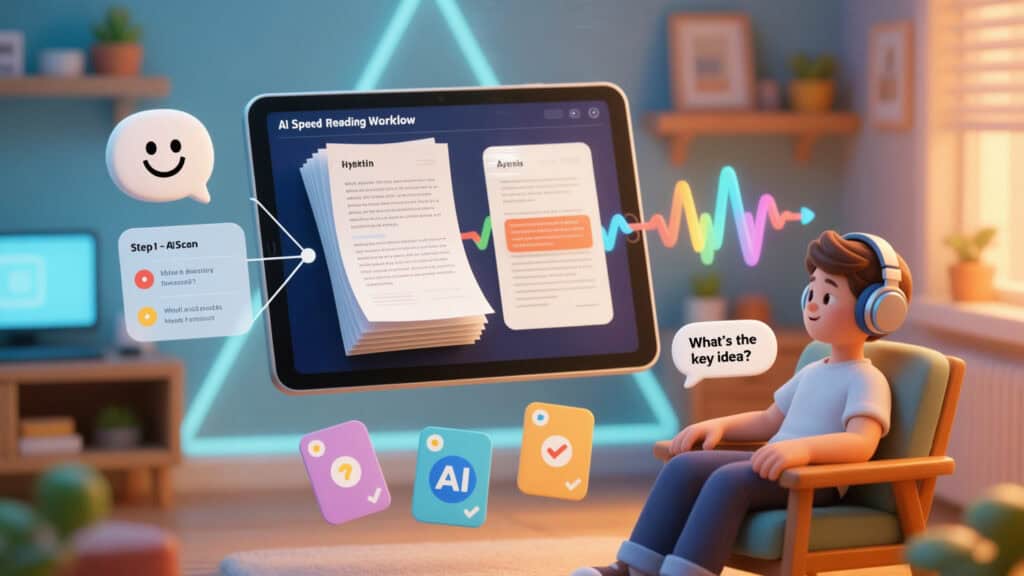
How to use an AI speed reading method to read a 50-page document in 30 minutes?
Well, most traditional reading advice feels a bit like a trap. It assumes you have endless, uninterrupted time to sit, take notes, and reflect. An ideal world.
Reality is often different. You have 30 minutes before a meeting. A 50-page report lands in your inbox. You need to understand it. Not tomorrow. Now.
Here’s what works. Remember the three core abilities from the previous section?
- AI Synthesis,
- AI Visuals, and AI Audio
- Active Retrieval
The 3-Step AI Reading Method is how you deploy those skills in a sequence.
Step 1: The AI Scan (AI Synthesis)
Before you read a single word, let AI create a mental map.
Why this matters: This is traditional skimming and scanning on steroids. Your brain works best when it already knows the structure. When you eventually read the full text, your brain recognizes patterns instead of struggling to understand them. The structure comes first. Everything else follows.
What you do:
Open ChatGPT or Claude. Paste the document (or just the first few pages if it’s massive). Use this prompt:
“I’m about to read this document. Create an executive summary in exactly 3 bullet points—the core argument, the most important evidence, and one key insight I should remember. Then tell me: what’s the author’s main position, and what evidence contradicts it?”
That’s it. Read the response. Takes 5 minutes.
What happens: Your brain now has anchors. When you read the full document, these patterns jump out immediately. Your brain stops struggling to find meaning and starts recognizing it.
Why it works: This is called cognitive scaffolding. You’re building a framework before filling in the details. Your brain organizes incoming data into existing mental structures. By creating that structure upfront, you give your brain the slots to file information into.
Without a framework, you’re holding pieces and wondering where they go. With one, each piece makes sense immediately. Neuroscience research shows that this improves retention by 30-40% compared to linear reading from start to finish. The difference is measurable. The difference is real.
Step 2: Hybrid Consumption (AI reading, AI listening)
Now consume the actual content. But strategically.
You have three options. Pick the one that fits your situation in this moment.
Option A: visual reading (text + guidance)
Use AI-assisted visual tools like Bionic Reading or BeeLine Reader—this is Pillar 2 (The Lens) in action. Read at your natural pace with visual guides focusing your attention on what matters.
When to use: Technical documentation, complex arguments, material you need to annotate or highlight. Anything requiring precision and care.
Option B: audio listening (1.5x to 2x speed)
Use Speechify or your browser’s text-to-speech. Listen while you move around, cook, or work out. Content flows into your ears while your body stays busy.
Your brain processes audio differently from visual text. It bypasses the need for subvocalization entirely. No eye control needed. No pace management. Just content flowing in naturally. Comprehension for familiar or narrative content actually increases because you’re not fighting to keep up.
When to use: News summaries, industry reports, review material you’ve encountered before. Anything where you’re building on existing knowledge rather than learning something entirely new.
Option C: hybrid (scan key sections, listen to the rest)
Read the introduction and conclusion visually. Listen to the middle sections at 1.5x speed.
You get the structure from reading the frame, then process details via audio while your visual attention rests. You’re not forcing your eyes to work the entire time, which matters more than people realize.
When to use: Long reports (20+ pages), dense methodology sections, documents where you need the frame but not every detail.
Pick one based on your situation:
- Tired and need rest? Audio.
- Need to highlight/annotate? Visual.
- Time pressure? Hybrid (saves 40% of reading time).
- Complex, unfamiliar material? Visual.
- Familiar subject matter? Audio.
Step 3: Active Interrogation and Retrieval (lock it in memory)
You’ve read it. Now force your brain to retrieve what it learned.
Go back to ChatGPT. Paste your notes. Use this prompt:
“I read this material. Here are my key takeaways: [your notes]. Now quiz me with 3 tough questions—things I might misunderstand or miss. Then tell me where I’m probably wrong about this topic.”
Answer the questions out loud or in writing. Let AI tell you where you’re wrong.
Why this works: Active recall creates memory. Passive review creates the illusion of memory. You think you understand something until you try to explain it and realize you don’t. This prompt forces that moment to happen now, while you can still revisit the material. It’s uncomfortable. That discomfort is where learning happens.
A second step (if important):
After 24 hours, ask ChatGPT:
“Quiz me again on the same material—different questions this time.”
This is spaced repetition with AI. Your brain consolidates memory across time gaps. Information encountered and later revisited is encoded more deeply than information reviewed immediately.
You’ll retain 65-75% at one week, compared to the typical 40% for passive readers. The gap between 40% and 75% is the difference between forgetting and knowing.
Why this AI speed reading method works (the mechanics)
Step 1 activates: Cognitive scaffolding. Instead of wandering into a dense forest, you start with a map of the trails. You’re not building understanding from scratch. The pieces know where they belong.
Step 2 balances: Working memory isn’t overloaded. You’re choosing a consumption method strategically based on material type, not forcing artificial speed on everything. You’re respecting how your brain actually works.
Step 3 locks in: Retrieval practice and spaced repetition. You’re forcing your brain to actively retrieve information, not just encounter it passively. You’re making your brain work for understanding.
Together, these three steps hit every angle of how human memory works. Framework first. Strategic consumption second. Retrieval practice third. That’s the sequence. It is speed reading with AI, designed around biology instead of against it.
Real-world example AI speed reading method
Scenario: You have a 30-page market research report due Monday. It’s Friday afternoon. You have 1 hour. The weekend is coming. You don’t want to work through it.
Step 1 (5 minutes):
Paste the first 5 pages into ChatGPT. Ask for the 3-bullet summary and contradicting evidence. You now know the report found a surprising market shift, but one region contradicts the trend. The structure is clear.
Step 2 (30 minutes):
You go hybrid. Read the intro and conclusion visually (10 minutes). You understand the methodology and key findings. Listen to the regional analysis sections at 1.5x speed (20 minutes). Your ears handle the detailed breakdowns while you rest your eyes. Your brain stays engaged.
Step 3 (15 minutes):
Go back to ChatGPT. Paste your 5-bullet notes. Ask the quiz prompt. Answer the questions. AI asks you about the contradicting region. You stumble. AI points out that you missed why that region diverges. You go back, find the explanation, and lock it in.
Total time: 50 minutes. You understand the report. You can discuss it on Monday. You’ll remember the key points on Wednesday. You have your weekend.
Compare that to traditional: 2 hours of linear reading, 40% comprehension, forgotten by Tuesday. Plus, your weekend is gone.
Common mistakes (how to avoid them)
Mistake 1: Skipping Step 1
“I don’t have time for the AI scan. I’ll just read.”
Fix: Do the scan. It saves time overall because your AI speed reading workflow becomes more focused rather than scattered. Upfront investment saves backend time.
Mistake 2: Choosing audio for complex material
Audio works for review and narrative. For new, complex concepts, your brain needs visual text to slow down and reprocess.
Fix: Match the method to the material. Technical? Visual. News summary? Audio.
Mistake 3: Skipping Step 3
“I read it. I understand it. Done.”
Fix: Force the quiz. Let AI expose the gaps. Your brain then consolidates what it learned. Discomfort is the signal that learning has happened.
Mistake 4: Only doing this once
“I read it on Friday. I’ll remember it forever.”
Fix: Ask ChatGPT the same quiz questions again 24 hours later (with different questions). Takes 5 minutes. Increases retention from 40% to 70%.
Adapting for different content types
Academic papers:
Step 1 = read the abstract + conclusion first. Step 2 = visual reading (papers need careful attention). Step 3 = write a one-paragraph summary, then quiz yourself on it.
Industry reports:
Step 1 = scan the executive summary section. Step 2 = hybrid (skim visually, listen to details). Step 3 = pull 3 actionable takeaways, then ask how you’d apply each.
News articles/newsletters:
Step 1 = read the headline + first paragraph. Step 2 = audio at 1.5x speed (quick processing). Step 3 = one sentence summary per article.
Books (learning focus, not pleasure):
Step 1 = read table of contents + intro + conclusion. Step 2 = visual reading (build engagement). Step 3 = quiz yourself on each chapter.
Legal or compliance documents:
Step 1 = AI scan focuses specifically on obligations and deadlines. Step 2 = visual reading only (requires precision and care). Step 3 = create a checklist of requirements and quiz yourself on it.
Why AI reading is different from traditional speed reading
Traditional speed reading trains your eyes to move faster. It trades comprehension for velocity. Your working memory can’t keep up, so you forget most of what you’ve read.
The AI reading method trains your brain to process efficiently. You consume each material at the right speed. You force memory consolidation through retrieval practice.
Speed reading makes you read faster. The 3-Step AI Reading Strategy makes you think smarter about what you read. The results are different. So is the experience.
When you move to Section 3, you’ll see how specific AI tools amplify each step. But the method itself works with tools you already have. The framework comes first. The tools are secondary.
The AI Reading Stack – Tools
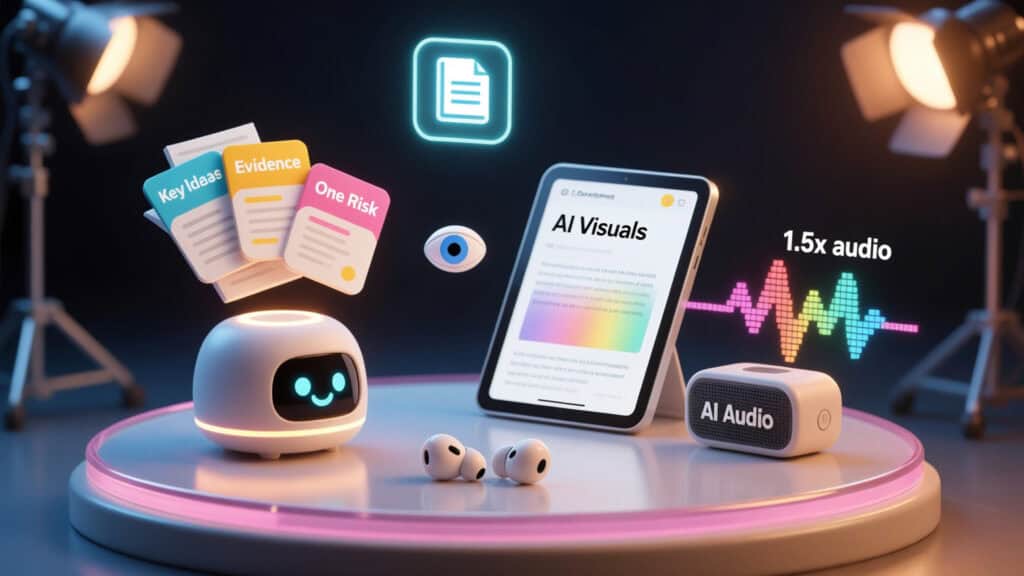
Building your machine for speed and insight
Tools don’t create skill. But the right tools remove friction so skill can emerge.
In the previous sections, we built the method: AI Scan (Synthesis), Hybrid Consumption (Visual/Audio), and Interrogation (Retrieval). Now we build the engine to run it all: your AI speed reading stack—a small set of AI reading tools that work together.
But relax, you don’t need everything on this list or expensive software. You need one tool for each step that fits your workflow and your current reality.
Step 1 Tools: AI Scan + Synthesis
These tools handle Step 1. They build the map before you enter the territory. While there are dozens of specialized AI summarization apps on the market, we focus on foundational models that handle scaffolding best because they think like research minds.
1. Claude (The Deep Reader)
Claude excels at massive documents. Its context window—the amount of text it can hold in memory simultaneously—is significantly larger than standard models. You can upload a 100-page PDF, and it “reads” the whole thing at once, not just chunks. It also doesn’t forget context halfway through; big plus.
Best for: Legal contracts, academic papers, full books, anything where coherence across pages matters.
The “Deep Dive” Workflow:
Don’t just ask for a summary. That gives you surface details. Instead, upload your PDF and use this structural prompt:
“I am analyzing this text for [specific goal, e.g., a marketing strategy]. Map the document’s structure. Identify the three core arguments, the methodology used to support them, and the single weakest point in their conclusion. Give me page references for each.”
This transforms Claude from a summarizer into a research assistant. It points you exactly where to look during your visual reading pass. Then ask a follow-up:
“Which of these three arguments would an industry critic most attack, and why?”
This primes your skepticism before you read. Your brain enters the text already looking for flaws.
2. Google NotebookLM (The Podcast Generator)
This is the most interesting tool of 2025 because it refuses to simply shrink information. Instead, it converts your documents into a dialogue. You upload a report, and two AI hosts discuss it like a podcast debate.
Why it works: It turns dry text into a social conversation. Your brain is wired to track voices and debate. Listening to the “Audio Overview” for 10 minutes often gives you a better mental map than an hour of skimming text.
The “Director’s Cut” Hack:
Don’t just upload the source text. Upload a separate text file with your own questions or specific angles you want the “hosts” to cover. The AI will prioritize those topics in the generated audio.
For example, if you’re reading a market analysis, upload a note:
“Focus on the emerging competitive threats and the author’s response to them.”
The podcast will emphasize exactly what you need. You’re not passive; you’re directing.
3. ChatGPT (The Versatile Assistant)
The standard choice. It’s fast, accessible, and good enough for most shorter articles. Sometimes simplicity wins.
Best for: Web articles, newsletters, emails, anything you find on a given morning.
Pro Tip: Use it for “Pre-Mortem” analysis.
Ask: “Based on this title and first paragraph, predict what the author will argue. Then tell me three counter-arguments I should look for.”
This primes your brain to look for conflict, which dramatically increases attention and retention.
Step 2 Tools: AI Reading + AI Audio
AI reading tools handle Step 2 of the AI reading method when you need to read visually. They change the text’s surface to reduce eye strain and friction. For a complete breakdown of options, see our guide to AI speed reading apps. These are the essential ones for this workflow because they work.
1. Jiffy Reader (The Free Workhorse)
Bionic Reading is a well-known brand, but Jiffy Reader is a free browser extension that does the same job just as effectively. It instantly bolds the first few letters of every word on any webpage.
Best for: Long web articles, documentation, online course material, anything on a screen at 2 AM.
The Experience: It looks jarring for the first sixty seconds. Then your brain adjusts. Your eyes stop fixating on every letter and start gliding over words. The friction disappears. It is particularly effective for coding documentation or technical specs, where you need to skim for specific variables while reading the logic carefully.
2. BeeLine Reader (The Gradient Guide)
Instead of bolding letters, BeeLine applies a color gradient to the text. The end of one line is the same color as the start of the next (e.g., red to blue). This guides your eye from line to line, preventing “line skipping”—a major cause of reading fatigue.
Best for: People with dyslexia or ADHD, and anyone reading late at night when their eyes are tired and their brain rebels.
The Value: It essentially eliminates the micro-movements your eyes make to find the next line. Less movement means less energy used on mechanics, more on meaning. It feels like the text is helping you.
3. Bionic Reading App (The Premium Option)
The official app offers more customization—font weight, fixation points, and saccade rhythm tuning. It converts EPUBs and PDFs seamlessly.
Verdict: Good if you read exclusively on mobile or Kindle (via export). For browser reading, the free extensions are usually sufficient and save you money.
4. Spreeder / RSVP (The Velocity Tool)
Tools like Spreeder (view) or Outread use Rapid Serial Visual Presentation (flashing words one by one at a fixed spot). The latest AI updates now adjust the speed dynamically—slowing down for complex words and speeding up for simple ones.
Best for: (AI) Power-skimming simple text (news, emails) at 600+ WPM.
The Trade-off: It eliminates eye movement entirely, but gives you zero “look-back” context. Use it for throughput, not deep study.
On the other hand, AI audio tools or AI text-to-speech are your heavy artillery for Step 2. Audio allows you to consume content while your body is busy doing something else—commuting, cooking, thinking about nothing in particular.
5. Speechify (The Celebrity Voice)
Speechify (view) is the market leader for a reason. The voices are incredibly high quality—Snoop Dogg, Gwyneth Paltrow, or just hyper-realistic standard voices that sound genuinely human.
The Killer Feature: Optical Character Recognition (OCR). You can snap a photo of a physical book page, and it reads it to you instantly. This bridges the gap between physical books and digital speed. You’re no longer confined to digital documents.
The Strategy: Use it at 1.5x speed for new material. Push to 2.0x or 2.5x for review. The voices remain clear even at high speeds, unlike cheaper tools. Most people take two weeks to adapt to 2.0x speed. Don’t force it immediately. Let your brain adjust.
6. Microsoft Edge Read Aloud (The Hidden Gem)
You probably already have this. The “Read Aloud” feature in the Edge browser is shockingly good. It uses Microsoft’s neural voice technology—the same tech behind premium services—for free. It’s hidden, so most people don’t know it exists.
Best for: Desktop AI reading at work, whenever you need a quick audio pass.
Why use it: It highlights the word as it reads it. This “Dual Coding” (seeing + hearing) is a powerful retention booster. It keeps your eyes focused on the line while your ears process the meaning. Two channels instead of one.
3. NaturalReader (The Reliable Alternative)
A solid middle ground. Good free tier, excellent web app. It handles PDFs better than most browser-based tools because it understands document layout.
Best for: Academic PDFs with complex layouts where text flow is often broken by columns or images.
Step 3 Tools: Quizzing & Retention
You’ve scanned. You’ve consumed. Now you need to lock it in. This is where memory lives.
1. ChatGPT (The Quizmaster)
We used this in Section 2. It remains the best tool for generating retrieval practice questions because it understands what “understanding” means.
The Prompt: “Generate 5 multiple-choice questions based on this text that test conceptual understanding, not just facts. Explain why the wrong answers are plausible but incorrect.”
2. Anki (The Memory Vault)
If you need to remember something forever—medical terms, legal precedents, coding syntax, vocabulary—Anki is the answer. It uses spaced repetition algorithms to show you flashcards exactly when you’re about to forget them.
The Workflow: Ask ChatGPT to “Convert these notes into a CSV format importable to Anki.” It will generate a code block. Save it as .csv. Import into Anki. The tool handles the scheduling automatically. You just do the reviews.
3. Readwise (The Aggregator)
This connects everything. It pulls highlights from Kindle, Instapaper, and web articles, then surfaces them in a daily email automatically.
Why it matters: It automates the “encounter” phase of spaced repetition. You don’t have to remember to review. The review comes to you every morning.
At this point, you have an AI reading toolkit that mirrors the three pillars and the AI speed reading method. Now, …
Putting It All Together: The $0 Stack vs. The Pro Stack
You don’t need to spend money to build your AI reading toolkit. Truly.
The $0 “Bootstrapper” Stack:
- Synthesis: ChatGPT (Free)
- Visual: Jiffy Reader (Free Extension)
- Audio: Microsoft Edge Read Aloud (Free)
- Retention: ChatGPT + Manual Review
The “Pro” Productivity Stack:
- Synthesis: Claude Pro (for massive documents) + NotebookLM
- Visual: Bionic Reading Premium (for Kindle integration)
- Audio: Speechify Premium (for high-speed clarity)
- Retention: Readwise + Anki
A Final Note on the AI Reading Tool Trap
There is a danger here, and I have fallen into it myself. It is remarkably easy to spend more time configuring your AI reading stack than actually reading with it.
Do not do that.
Pick one tool for each pillar. Install it. Learn its shortcuts. Then stop looking for better tools. The goal is not to have the perfect setup. The goal is to read the report before the meeting starts. Real life happens before optimization.
Start with the simplest option. Let the friction of the work tell you when you need to upgrade. If the free voice is annoying, buy the premium one. If the PDF is too big for ChatGPT, switch to Claude.
Let the need drive the tool, not the other way around.
Verdict: Is AI Speed Reading Worth It?

AI speed reading is not a party trick. It is a quiet change in how you relate to information. The AI speed reading method in this guide trades a few minutes of setup for a dramatic reduction in wasted effort and cognitive load.
Step 1 gives you cognitive scaffolding. Step 2 lets you choose the right channel—visual, audio, or hybrid—so your working memory is never pushed past its limit. Step 3 uses retrieval practice and spaced repetition to turn exposure into knowledge.
But don’t worry. You are definitely not outsourcing thinking to machines this way. You are using AI reading tools to handle mechanical work, so your attention can move up the value chain.
The real payoff is not in how quickly you can finish a 50-page report. It is in how confidently you can act on what you remember a week later.
If you do nothing else, adopt the 3-step AI reading method with the $0 stack. Start small, run it for a week, and let your own attention, energy, and retention be the verdict.
FAQs Reading with AI
1. Does AI speed reading improve comprehension, or just help me skim faster?
AI speed reading, done well, is built around comprehension first and speed second. Instead of forcing your eyes to move faster, it reduces cognitive load by changing how information reaches your brain. The 3-step AI reading method in this guide starts with an AI Scan (using LLMs or AI summarization tools) to create cognitive scaffolding before you read. That means your brain already has a mental map of the argument before you touch the full text.
When you then use hybrid AI speed reading—combining visual reading, formats like Bionic Reading, and text-to-speech—you are matching the input channel to the material and to your current energy level. Finally, active retrieval (quizzing yourself with AI) and spaced repetition help convert exposure into long-term memory. So the gain is not just skimming faster; it is better reading comprehension at a sustainable speed.
2. How do I use AI summarization without missing nuance or important details?
AI summarization is safest when it is treated as a preview layer, not a replacement for reading. In the method described here, the AI Scan (Step 1) uses tools like ChatGPT, Claude, or other AI summarization engines to extract the core structure: main claims, key evidence, and potential contradictions. You then read or listen to the original text with that scaffold in mind.
A practical rule: always pair AI summaries with targeted follow-up questions. Ask the model, “What is most likely to be oversimplified or controversial in this summary?” or “Which sections of the full document should I read carefully before making a decision?” This turns the AI into a guide that points you toward nuance instead of erasing it. The combination of a summary, a list of “read these parts in full,” and your own hybrid speed reading pass preserves depth while saving time.
3. What is a realistic AI speed reading workflow for a 20–50 page document?
A realistic workflow uses the full AI reading stack without pretending you can absorb everything at 3x speed. For a 20–50 page report, a practical pattern looks like this:
- Step 1 – AI Scan (5–10 minutes): Use an LLM to generate a three-point executive summary, a list of main arguments, and one section marked “read carefully.” This sets up your cognitive scaffolding.
- Step 2 – Hybrid Consumption (30 minutes): Read the introduction and conclusion visually, using standard text or a tool like Bionic Reading to guide you. Then listen to the middle sections at 1.5x with a text-to-speech app. You keep full control over key pages while letting AI handle the long stretches.
- Step 3 – Interrogation (10 minutes): Ask the AI to quiz you and challenge your notes. This adds retrieval practice and light spaced repetition if you revisit the quiz later.
In 35–50 minutes, you get a solid understanding and durable memory, which is usually better than a rushed, linear read.
4. Is it safe to upload sensitive documents to AI reading tools?
Safety depends entirely on the specific AI reading tools you use and how they handle data. Some cloud-based models log prompts to improve their systems; others offer opt-out modes or local processing. Before uploading confidential reports, contracts, or internal strategy documents, read the provider’s data policy carefully. Look for clear statements on:
- Whether your data is stored and for how long
- Whether it is used to train future models
- Whether there is an enterprise or “no-train” mode available
For highly sensitive material, consider on-device or self-hosted tools, or keep the AI layer narrow by only pasting non-identifying excerpts instead of full documents. AI speed reading works best when you can feed the full text into the system, but privacy and compliance come first. The method is flexible enough to work with partial inputs when needed.
5. How can AI help me remember what I read weeks or months later?
AI helps long-term retention by making retrieval practice and spaced repetition almost frictionless. After finishing a document with the 3-step AI speed reading workflow, you can ask a model like ChatGPT to generate quizzes, flashcards, or “explain this back to me” prompts based on your notes. These become ready-made retrieval exercises.
From there, you can move the most important points into spaced repetition tools such as Anki or Readwise, or simply ask the AI to re-quiz you a day later and again a week later. The key is that AI removes the overhead of building questions and reviewing highlights. You still have to do the remembering yourself, but the AI reading stack handles the logistics. That is where, weeks and months later, the material is still available in your head instead of just in your notes.
Subscribe to our AI Learning Newsletter
Get Weekly AI Learning Hacks – The AI Learning Guy.
Sources
- Rayner reading limits – So Much to Read, So Little Time
- Eye-movement evidence – The American Scholar
- Audio vs Text Study – Text Versus Audio Comprehension
- Forgetting Curve Overview – Ebbinghaus Retention Decline
- Science of prior knowledge impact – GreatMinds ORG
- RSVP reading research – RSVP on smartwatches
- Forgetting curve basics – Wikipedia
- Prior knowledge effects – Prior Knowledge in Reading
- Effects of AI-generated summaries – University of Illinois at Chicago
- Cognitive Overload and AI – AI and Cognitive Overload
Disclosure: This post contains affiliate links to some of our partners. Speed Reading Lounge may receive a commission for purchases made through these links. It does not add any extra costs. All reviews, opinions, descriptions, and comparisons expressed here are our own.