
Best AI Text-to-Speech Apps + Generators
17 AI text-to-speech apps for AI reading workflows + productivity
Most people searching for the best AI text-to-speech apps want one of three things: accessibility support for dyslexia or ADHD, a way to multitask while clearing their reading backlog, or high-quality voices for content creation.
Those are all legitimate needs. But here’s what almost nobody realizes: the same tool that lets you listen while driving can also help you process a 400-page book in half the time—without sacrificing comprehension.
That’s the speed reading angle. And it changes everything.
AI text-to-speech has exploded in the last eighteen months. Neural voices are now indistinguishable from human narration. Speed controls let you listen at 2x, 3x, or even 4x without the robotic pitch distortion that plagued older tools.
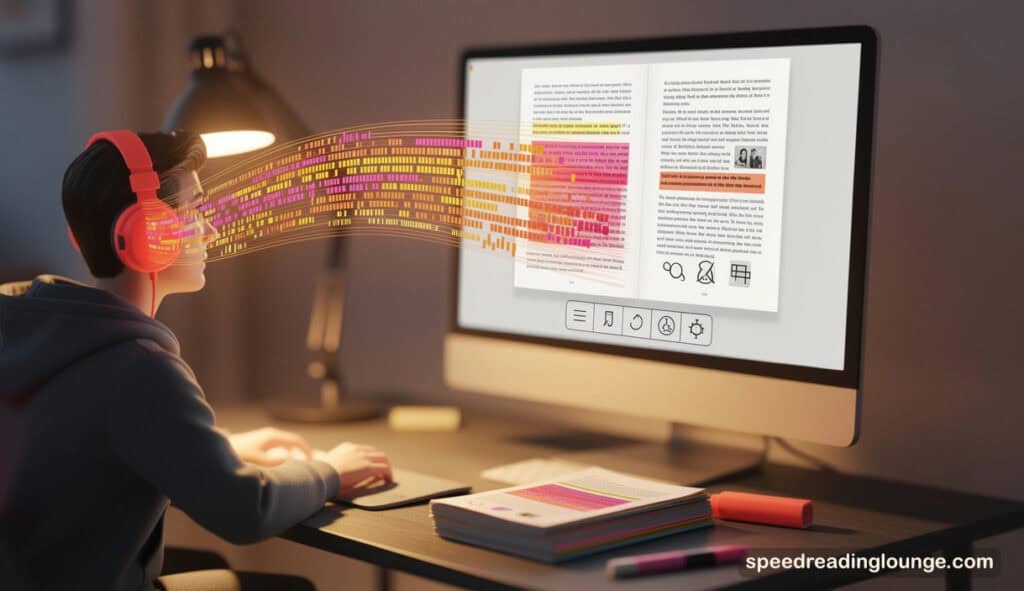
A student might blast through a case study at 2.5x while highlighting key passages on screen—forcing their eyes to keep pace with their ears. That’s immersion reading. And it’s a genuine productivity multiplier.
We’ve tested the 17 best AI text-to-speech apps and AI voice generators currently available.
Twelve are reading-first tools optimized for speed listening, comprehension, and hybrid workflows. Four are creator-focused platforms with exceptional voice quality but entirely different workflows.
Our selection criteria:
- modern AI implementation (2026 updates),
- real-world reading support,
- honest limitations,
- and relevance to at least one of your actual use cases—whether that’s staying on top of research papers, clearing your reading list before the semester ends, or generating podcast-quality narration at scale.
What you’ll find here isn’t a feature-by-feature comparison. It’s a practical guide to choosing the right tool based on what you actually do. Each AI voice generator has genuine strengths and real trade-offs. We’ll show you both.
However, don’t confuse them with AI speed reading apps, which use RSVP technologies to highlight text and boost your reading performance. “Another category text-to-speech apps pair well with is AI summarizers.
Best Text-to-Speech Apps 2026
| Speechify | ReadWise | ElevenReader |
|---|---|---|
 |  |  |
| iOS, Android, Web | iOS, Android, Web | iOS, Android, Web |
| $139/year | $8.99/month | from $96/year |
| ★★★★★ | ★★★★☆ | ★★★★☆ |
| View Store | View Details | View Details |
*Disclosure: This post contains affiliate links. Read the full disclosure below.
1. Speechify

Want to finish a book in your commute instead of over a month? Speechify (visit website) makes that possible by letting you listen at speeds up to 4.5x without audio degradation—turning reading into speed listening.
The AI here is a neural voice engine combined with automatic word-by-word scrolling, which forces your eyes to keep pace with the narration. You’re not passively listening; your brain processes both hearing and seeing simultaneously, creating what neuroscientists call “dual coding”—a stronger form of memory encoding.
This is where Speechify excels: it’s built for velocity without sacrificing comprehension. The trade-off is setup friction—beginners often need to adjust speed and voice preferences before finding their rhythm. Students with semester-long reading lists and professionals clearing document backlogs report genuine time recovery through AI reading workflows.
The celebrity voices (Snoop Dogg, Gwyneth Paltrow) aren’t gimmicks; they prevent listening fatigue during long sessions by maintaining conversational naturalness that standard TTS voices lose at high speeds. For anyone building an AI reading workflow or exploring immersion reading techniques, this is the speed listening app that sets the standard.
Platform: iOS, Android, Web, Chrome Extension, Mac, Windows | Review: ★★★★★
Pricing: Free (limited) / $139/yr Premium (25% student discount)
Info: Visit website.
2. Readwise Reader
This one doesn’t chase pure speed. Instead, it builds reading into learning workflows through AI-enhanced reading tools.
Readwise Reader combines read-it-later management with high-quality neural TTS and Ghostreader—an AI that generates comprehension questions from your saved content before you read it. That’s deliberate: priming your brain with questions is a neuroscientifically proven speed reading technique that improves retention by 30-40%.
The TTS engine pairs with two highlighting options: Bionic Reading (which bolds word starts to anchor your eyes) or standard highlighting. As it reads, your eyes track the text, creating immersive reading—the hybrid AI reading approach that forces engagement.
The actual superpower is integration—your highlights sync directly to Obsidian, Notion, or Logseq, enabling AI speed reading workflows that connect learning to long-term memory.
For students building study systems or researchers synthesizing multiple papers, this closes the loop between reading and retention. The limitation is workflow fit: it’s optimized for web articles and ePUBs, less ideal for complex PDFs requiring advanced AI text-to-speech processing.
Platform: iOS, Android, Web, Chrome Extension | Review: ★★★★☆
Pricing: $8.99/mo
Info: Website | App Store | Play Store
3. NaturalReader

Built specifically for education and accessibility, NaturalReader is one of the best AI text-to-speech apps for handling a wide range of formats.
Its AI feature set is its “Smart Filter”—neural processing that automatically detects and skips headers, footers, page numbers, and metadata so your listening experience isn’t fragmented by non-content text. That matters when you’re processing course materials across formats through AI reading workflows.
It handles 20+ file types (PDFs, Word docs, PowerPoint, ePUBs, scanned images with OCR), which is crucial if you’re juggling diverse materials in speed reading with AI approaches.
The neural voices are natural-sounding, though not quite as premium as other AI voice generators like ElevenReader or Speechify. Here’s the key distinction: NaturalReader offers different feature sets for “Personal” vs. “Commercial” use, so verify which fits your workflow.
The real insight: its TTS speed is deliberately moderate (not racing to 4x like other AI text-to-speech apps). That’s intentional design—it optimizes for comprehension-focused speed listening over pure velocity. If you’re studying for exams rather than clearing a backlog, this immersion-reading pacing helps the material stick longer.
Platform: iOS, Android, Web, Chrome Extension, Mac, Windows | Review: ★★★★☆
Pricing: Free (20 min/day) / $99.50/yr Plus / $199.50/yr Premium
Info: Website | App Store | Play Store
4. ElevenReader
The world’s most realistic AI voices don’t have to cost you anything. ElevenReader uses ElevenLabs’ neural voice technology—the same engine behind premium AI voice generators—but wraps it in a completely free reading app.
Upload a PDF, paste an article, or import an ebook. The text-to-speech app reads it aloud with voices that sound genuinely human, even at normal speed.
Here’s where it gets interesting: ElevenReader’s GenFM feature turns any document into a two-person conversational podcast. Your article becomes a discussion between two AI hosts, which mirrors how your brain naturally learns through dialogue, not monologue.
It’s the speed listening equivalent of having a study partner who never gets tired. The trade-off is speed cap—max around 3x, slower than other best AI text-to-speech apps optimized for pure velocity.
This matters if comprehension beats speed in your use case. Students who value understanding over time savings and audiobook lovers seeking premium voices will appreciate ElevenReader. And anyone building an immersion reading routine without budget constraints will find it one of the best AI voice generators for long-form listening.
The free tier is genuinely generous—2 hours per week of high-quality neural TTS for sophisticated reading workflows.
Platform: iOS, Android | Review: ★★★★☆
Pricing: Free (2 hrs/week) / $96/yr Plus / $219/yr Ultra
Info: Review | App Store | Play Store
5. Voice Dream Reader (Legere Reader)
This text-to-speech app was built by someone who understood dyslexia from the inside. Voice Dream Reader—now rebranded as Legere Reader on Android—pioneered the idea that AI text-to-speech should be deeply customizable for how your brain actually works.
Unlike generic speed listening apps, it offers “Pac-Man Mode,” where text disappears after being read, forcing your eyes forward without regression. “Focused Reading” isolates 1-3 lines at a time, turning your screen into a reading drill.
The neural voices work offline, meaning zero lag and privacy—your reading stays on your device. You control fonts, line spacing, colors, and reading modes to match your cognitive style. The speed range spans 50-700 WPM, allowing experimentation with immersion reading approaches and AI hybrid reading workflows.
The shift from a one-time purchase to a subscription ($99.99/year) frustrated legacy users. But if you have dyslexia, ADHD, or need granular control over your AI reading workflow, this level of customization is unmatched among speed listening apps. It’s the thinking person’s choice for building a personalized learning environment without compromise.
Platform: iOS, Android (as Legere Reader) | Review: ★★★★☆
Pricing: $99.99/yr
Info: Website | App Store | Play Store
6. SwiftRead

Most speed reading apps force you to choose between visual RSVP (one word at a time) and audio TTS.
SwiftRead is the only browser extension that runs both simultaneously, syncing RSVP flashing with AI-powered neural voices. Cognitive science calls this “dual coding”—hearing and seeing the same word triggers stronger encoding than either alone.
Install it on any website. Highlight text. Hit play. The extension flashes words one at a time while reading them aloud at your chosen speed. At 400-600 WPM (2-3x normal pace), this forces your brain to process faster than your internal sub-vocalization allows.
It’s the speed-listening approach designed to break reading speed plateaus through AI text-to-speech and visual pacing. However, the limitation is real: RSVP flashing at high speeds can strain attention after 20-30 minutes. It’s also browser-only (no mobile app).
But if you’re trying to shatter a 300 WPM ceiling or experimenting with AI speed reading workflows that combine visual and audio stimuli, SwiftRead is the only hybrid AI text-to-speech app that truly delivers this dual-input approach. It’s unique in the market.
Platform: Browser Extension (Chrome, Edge, Firefox) | Review: ★★★★☆
Pricing: Free trial / $5/mo Pro
Info: Website | Chrome Store
7. Listening.io
Research papers kill reading momentum. Two columns interrupt the flow. Headers break concentration. Footnotes destroy focus. Listening.io solves this with AI. It detects layouts automatically. It strips academic PDFs into linear text.
Upload a research paper or journal article. The AI analyzes the layout. It removes citations, footnotes, figure captions, and headers. What remains? Pure content that flows naturally. Your speed-listening experience remains unbroken through intelligent AI text-to-speech processing.
This matters for PhD students and researchers. You can listen while exercising, driving, or doing dishes. Your reading speed multiplies. Comprehension stays intact through AI-enhanced listening workflows.
The trade-off is niche—built for academic PDFs. General articles work fine. Dense research papers are where this AI text-to-speech app shines most.
Platform: iOS, Android, Web | Review: ★★★★☆
Pricing: Free basic / $4.99/mo Pro
Info: Website | App Store | Play Store
8. Microsoft Edge Read Aloud

Your browser already has a premium AI text-to-speech app. You just don’t know it. Microsoft Edge’s built-in “Read Aloud” uses neural voices. It’s completely free. No subscription. No sign-up required.
Open any article in Edge. Click the speaker icon. Neural voices begin reading immediately. The “Immersive Reader” strips ads and clutter. Your page becomes clean. Words highlight as they’re read. This forced visual pacing naturally creates an immersive reading experience.
The limitation is obvious—you need the Edge browser. Customization options are minimal compared to dedicated AI voice generators. But if you read web articles daily and want high-quality speed listening without cost, this is it. It’s genuinely good. Most people miss it. That’s your advantage.
Platform: Windows, Mac, Web (Edge browser) | Review: ★★★★☆
Pricing: Free
Info: Website | Download
9. Speech Central
Speech Central leads with honesty. It’s built for ADHD and dyslexia specifically. The app includes “ADHD Profile” and “Dyslexia Profile” settings. These aren’t marketing labels. They’re scientifically optimized configurations.
Enable the ADHD profile. The TTS pace adjusts intelligently. Visual tracking becomes more aggressive. Distraction alerts activate. The AI reading workflow adapts to neurodivergent brains. Same for dyslexia—fonts change. Line spacing expands. Word spacing opens. Colors shift to reduce visual stress.
Beyond accessibility, Speech Central works cross-platform (iOS, Android, Windows, Mac, Apple Watch). The voices are solid. The UI is clean. Pricing is reasonable. The limitation? Polish feels functional versus sleek. That’s intentional design. Form follows function. This is among the best AI text-to-speech apps, winning for accessibility-first, fast reading with AI support.
Platform: iOS, Android, Windows, Mac, Apple Watch | Review: ★★★★☆
Pricing: Free / $9.99 Premium
Info: Website | App Store | Play Store
10. @Voice Aloud Reader
Android users have a secret weapon. @Voice Aloud Reader extracts text from almost any app. It reads it aloud. That simplicity is powerful.
Open a website in your browser. Long-press text. Choose “Read Aloud.” The app captures it. Your commute becomes productive. The AI voices are decent. The feature set runs deep. Accessibility is what makes this tool special.
The “Boldify” feature mimics Bionic Reading. Word starts are bolded. Your eyes anchor naturally. You follow along. This creates intuitive reading without a complex setup. For accessibility seekers and ADHD users, it is among the best free Android AI text-to-speech apps that effortlessly clear reading backlogs.
Android-only and dated interface are the real limitations of this tool. But speed listening workflows here work solidly. Function beats aesthetics. You get results.
Platform: Android | Review: ★★★★☆
Pricing: Free (ad-supported)
Info: Website | Play Store
11. NotebookLM

NotebookLM is Google’s AI research assistant. Upload 50+ sources—papers, articles, videos, PDFs. It understands them all simultaneously.
Then generate “Audio Overviews.” Two AI hosts discuss your sources. They debate. They ask questions. They synthesize findings. Dialogue shapes comprehension better than monologue narration. Your brain learns through conversation naturally. That’s neuroscience-backed learning theory.
NotebookLM’s limitation is speed control. You can’t adjust playback easily. And it’s research-focused, not general reading. But if you’re synthesizing papers or building a comprehensive understanding, this AI speed reading approach is unmatched.
Students studying for exams love it. Researchers building arguments use it constantly. It’s the thinking tool for deep learning through immersion reading workflows.
Platform: Web | Review: ★★★★★
Pricing: Free
Info: Website | Access
12. Reedy

Reedy is pure fast reading. It’s RSVP—one word flashing at a time. Your eyes track. Your brain processes faster than sub-vocalization allows. The speed range theoretically reaches 3,000 WPM. Practical ceiling is 800-1,200 WPM for real comprehension.
Optional concurrent TTS pairs with flashing. Hearing plus seeing creates dual coding. Your brain encodes stronger memories through AI-enhanced immersion reading. The app is simple. Clean interface. Minimal distractions. That’s intentional design.
TTS here serves the RSVP, not the primary. Voices are standard system voices. If audio quality matters most, look elsewhere. But if you’re breaking 300 WPM barriers or experimenting with AI content reading techniques combining visual and audio stimuli, Reedy delivers.
Free tier is generous. Overall, it positions itself as one of the most effective text-to-speech apps, serving as an experimenter’s tool for velocity training.
Platform: Android, Chrome Extension | Review: ★★★★☆
Pricing: Free / $3.49 Pro (one-time)
Info: Website | Play Store | Chrome Store
13. Murf AI

Murf AI (visit website) is a professional voiceover studio. It’s not for reading books. It’s for creating YouTube intros, explainer videos, podcast narration, and e-learning courses. You write a script. The AI generates natural voices. You edit timing, emphasis, and pacing. Export as MP3 or video.
The neural voices sound genuinely human. Emotional range is exceptional—whisper, shout, laugh, pause. You control everything completely. That’s the power here. But here’s the reality: it’s a timeline editor, not a reader. Upload text. Render audio. Pay per minute of output. For someone trying to read a book using Murf, the workflow breaks. Cost scales against you immediately.
If you’re creating AI voice generator content at scale, Murf delivers professional results. For hybrid reading or speed listening workflows, this tool belongs in a different category. It’s among the best text-to-speech apps for content creators, but not a reader’s tool. Know the difference, know your use case.
Platform: Web, API | Review: ★★★★★
Pricing: Free trial / $29/mo Basic / $79/mo Pro
Info: Visit website. | View pricing.
14. ElevenLabs

ElevenLabs (visit website) is the AI voice engine powering dozens of apps. You can access it directly through their platform. Upload text. Generate audio in 75+ languages. Clone your own voice if you want. The neural voices are industry-leading.
The catch? ElevenLabs is a creator platform, not a reader app. You’re generating audio files, not consuming content interactively. No visual highlighting. No immersion reading features. No speed reading workflow integration. You generate. You download. That’s the cycle. The voices are of exceptional quality. The technology is cutting-edge.
But for someone wanting to speed listen to articles or books, this creates friction. You’re always removed from a reading experience. If you’re building AI voice generator products or generating voiceovers at scale, ElevenLabs is best-in-class. For personal reading, use ElevenReader (their consumer app) instead. That’s the optimized tool.
Platform: Web, API | Review: ★★★★★
Pricing: Free / $11/mo Starter / $99/mo Creator
Info: Visit website.
15. Play.ht

Play.ht generates ultra-realistic AI voices through voice cloning. Upload a voice sample. The AI learns it. Clone it at scale. Use that voice for 100 podcasts, 1,000 videos, and unlimited content. The technology is genuinely impressive.
The voices are the best on the market for realism. Emotional nuance is subtle and natural. Accent variation works well. Speed controls exist, but feel secondary to the creation workflow. This is a content producer’s dream. For reading a single PDF? Wrong tool entirely.
The pricing model clearly reflects that intention. You pay per character generated. A 400-page book exhausts your monthly credits immediately. The workflow assumes you’re generating multiple pieces repeatedly. For AI voice generator production at enterprise scale, Play.ht is exceptional. For speed listening or AI speed reading workflows, it’s fundamentally misaligned with how readers work.
Platform: Web, API | Review: ★★★★☆
Pricing: Free / $39/mo Creator / $99/mo Unlimited
Info: Website | Access
16. LOVO AI (Genny)

LOVO AI pairs video creation with AI voiceovers through “Genny.” You input text or describe what you want. The AI writes the script. The AI generates the voiceover. The platform creates video templates. Everything happens in one tool.
The emotional range is exceptional—LOVO captures crying, laughing, whispering, and excitement better than most competitors. That’s because the platform targets storytellers and creators, not readers. Speed controls exist, but feel decorative. Real power is emotional expression and video-sync automation.
For anyone reading a research paper or clearing articles, LOVO is massive overkill. You don’t need a video editor to consume text. You don’t need emotional vocal delivery for study material. The workflow assumes you’re producing content—YouTube videos, social media clips, branded explainers. For that, LOVO shines. For reading, it’s completely mismatched. It’s a creator’s platform first, always.
Platform: Web | Review: ★★★★☆
Pricing: Free trial / $29/mo Basic
Info: Website | Access.
17. Listnr

Listnr bridges two worlds: reading and podcasting. It’s a text-to-podcast platform. Save an article. Listnr converts it to audio. Distribute to Spotify, Apple Podcasts, and YouTube automatically. Your reading list becomes a podcast feed.
The AI voices are solid. Speed controls exist. But the real focus is distribution, not consumption. You’re building a podcast from your blog. You’re automating audio content creation. The Chrome extension for reading feels secondary to the platform’s actual purpose—podcast hosting and generation.
Here’s the limitation: the reading experience is not optimized. Visual highlighting is minimal. Pacing controls are basic. This is a creator’s tool wearing a reader’s clothing.
For bloggers automating content into podcasts, Listnr works well. For individuals looking to speed listen to research papers or clear backlogs, the workflow feels backwards. It’s not built for personal fast reading workflows.
Platform: Web, Chrome Extension | Review: ★★★★☆
Pricing: Free basic / $29/mo Creator
Info: Website | Access.
Choosing the right AI text-to-speech app

Choosing the right and best AI text-to-speech apps depends on three questions. What’s your primary use case? How much speed do you actually need? What’s your budget?
If you’re processing research papers fast
Listening.io strips academic PDFs into listenable text. NotebookLM synthesizes multiple papers into podcast discussions. Speechify hits maximum velocity for pure speed. Pick based on whether you want speed alone or synthesis with understanding.
If you’re building a reading system
Readwise Reader wins. It connects reading to note-taking directly. Highlights sync to Obsidian or Notion. Your reading feeds into your learning system automatically. Cost is $8.99/month. Worth it if you’re serious about retention.
If accessibility matters
Speech Central and Voice Dream Reader both customize for ADHD and dyslexia. You control fonts, colors, pacing, and visual focus. Speech Central costs $9.99/year. Voice Dream costs $99.99/year. Test both free tiers first before committing.
If you want zero cost
Microsoft Edge Read Aloud is genuinely free. No subscription. Neural voices included. Limitation: Edge browser only. For basic speed listening, it’s unbeatable.
If you’re a creator
Murf, Play.ht, LOVO, and ElevenLabs generate voiceovers at scale. It is not for reading but for producing content. Know the difference clearly. Listnr automatically converts blog posts into podcasts—good if that’s your workflow.
If you want to experiment
Reedy ($3.49 one-time) and SwiftRead ($5/month) combine RSVP with optional TTS. These test whether visual+audio hybrid reading works for your brain. Both are cheap entry points. Start here if unsure.
The real decision tree: Speed or retention? Cost or features? Accessibility or general use? Answer those three, and your choice becomes obvious.
Text-to-Speech Apps – Verdict
Let’s wrap up our review of the best text-to-speech apps of 2026.
For students clearing textbooks and course materials
Readwise Reader is the best choice. It pairs TTS with question-priming and note-sync. Your highlights flow into Obsidian or Notion automatically. Comprehension matters more than speed here.
The $8.99/month investment is justified by study efficiency. If the budget is tight, Speech Central ($9.99/year) offers strong customization for ADHD learners.
For researchers drowning in papers
NotebookLM synthesizes your sources into podcast discussions. Two AI hosts debate findings. You learn through dialogue, not monologue. It’s free. It’s powerful. If you need speed instead, Listening.io linearizes PDFs perfectly. Speechify reaches maximum velocity. Choose based on your actual need: synthesis or pure speed.
For professionals processing documents
Speechify (visit website) clears backlogs fastest. You listen at 3-4x speed while auto-scrolling forces visual pacing. The $139/year cost is minor compared to the recovered time.
For comprehension-focused work, NaturalReader’s moderate speed feels safer. It prevents overconfidence in retention. Choose based on your material: routine documents or complex analysis.
For accessibility-first readers
Speech Central ($9.99/year) and Voice Dream Reader ($99.99/year) both offer deep customization for ADHD and dyslexia. Speech Central costs less. Voice Dream offers more depth. Test both free tiers before deciding. Neither feels like corporate compromise. Both are designed for how your brain actually works. That’s genuinely rare.
For creators building at scale
Murf and Play.ht deliver professional voiceovers. ElevenLabs powers your custom integrations. Listnr automates blog-to-podcast conversion. Costs scale with output. Budget accordingly. These aren’t reading tools. These are professional AI voice generators and production tools. Different category entirely.
For speed reading experimenters
Reedy ($3.49) and SwiftRead ($5/month) test whether RSVP plus audio creates your breakthrough. Both are cheap. Both work. Neither is polished. Both answer one question: Does my brain learn faster with visual+audio dual coding? That’s worth $10 to discover.
The verdict: No single TTS app is really the ‘best‘. But the best AI text-to-speech apps will match your actual workflow. Match workflow first. Everything else follows logically.
Best Text-to-Speech Apps 2026
- Speechify
- Readwise Reader
- NaturalReader
- ElevenReader
- Voice Dream Reader (Legere Reader)
- SwiftRead
- Listening.io
- Microsoft Edge Read Aloud
- Speech Central
- @Voice Aloud Reader
- NotebookLM
- Reedy
- Murf AI
- Play.ht
- LOVO AI (Genny)
- ElevenLabs
- Listnr
FAQs AI TTS Apps
Can the best AI text-to-speech apps actually help you read faster?
Yes, but not how you think. The best AI text-to-speech apps force synchronization between your eyes and ears. Your eyes can’t wander. Your brain can’t subvocalize. You’re locked into the pace. At 2-3x normal speed through speed listening, velocity gains feel genuine.
Comprehension remains intact when the app uses high-quality neural voices and visual highlighting. The speed-reading benefit with AI isn’t from TTS alone—it’s from the immersion reading structure. Audio plus visual pacing work together. Audio alone doesn’t unlock the potential for hybrid reading.
Do AI voice generators and AI text-to-speech apps produce the same quality?
No. AI voice generators (Murf, Play.ht, LOVO) prioritize emotional expression and production workflows. The best AI text-to-speech apps prioritize reading speed and comprehension. The voices sound similar, but the technology differs. Generators are timeline editors. AI TTS apps are readers. Don’t confuse the two. AI voice generators cost per output minute. AI voice generators cost monthly. Different business models for different workflows entirely.
Will listening to text instead of reading it hurt your comprehension?
Studies show comprehension stays identical when audio quality is high and pacing is controlled. Your brain activates identical language processing regions for both. The real variable is distraction.
If you’re driving while listening, comprehension drops. If you’re focused, it stays constant. Test your own brain with speed listening experiments. Some people comprehend better through neural voices. Others don’t. Both are normal responses.
Which AI text-to-speech apps work offline?
Voice Dream Reader works completely offline. Neural voices download to your device. Zero lag. Complete privacy for your reading workflows. Most other best AI text-to-speech apps require an internet connection. Microsoft Edge Read Aloud works offline on downloaded pages.
Speechify requires a connection for voice streaming. If privacy and offline access matter for fast reading with AI, Voice Dream is your answer. Everyone else trades offline capability for fresher voices.
How much faster can you actually read with speed listening?
Realistic ceiling is 3-4x normal speed while maintaining comprehension. That’s 900-1,200 words per minute through immersion reading. Your brain’s language processing has actual limits. Push beyond 4x and comprehension collapses.
A lot of people plateau at 2-2.5x (500-600 WPM). Thus, the benefit isn’t infinite velocity but probably more reclaiming time. A 400-page book becomes 3-4 hours instead of 12. That’s the actual win from AI-enhanced listening.
Does bionic reading actually work with TTS?
Yes. Bold words start to anchor your eyes during fast-speed listening. Your visual system tracks the audio more easily. Readwise Reader and Voice Dream both offer this feature. It’s a minor enhancement, not a transformation. Real work is done by pace control and neural voice quality. Bionic reading is the polish on top. Nice to have. Not essential for the effectiveness of AI text-to-speech apps.
Are free AI text-to-speech apps good enough?
Yes, with limits. Microsoft Edge Read Aloud is excellent for web articles. NaturalReader’s free tier gives 20 minutes daily. Speech Central is free. The trade-off: free limits either time or voice quality.
Hence, if you use speed listening casually, a free app or tier works perfectly. If you process hours daily, paid plans ($5-15/month) become an obvious ROI. Speechify’s free tier caps speed at 220 WPM, crippling the reading benefit entirely. Know what each free version offers.
Can AI text-to-speech apps replace actual reading?
No. Some material demands visual scanning and regression. Academic papers need that. But for linear content—novels, articles, research syntheses—speed-reading works perfectly for immersive reading.
As a recommendation, don’t replace reading entirely. Build hybrid workflows. Listen during commutes. Read on screens when you need a reference or annotation. The best reading with an AI approach uses both modalities. One isn’t superior. Context determines which tool works best.
Will using AI TTS apps make your reading speed stagnant?
Opposite. RSVP tools like Reedy and SwiftRead train your eyes to process visual information faster. Speed listening removes the sub-vocalization bottleneck. Used together, these create genuine velocity gains transferring to regular reading.
Your silent reading speed increases from immersion reading training. Tools don’t replace skill; they accelerate it. Training matters intentionally. Just using the best AI text-to-speech apps passively won’t make you faster. Deliberate practice does.
What’s the difference between speed listening and speed reading?
Speed reading uses visual techniques (RSVP, eye tracking, chunking). Speed listening uses audio pacing with TTS. Immersion reading combines both audio plus visual highlighting simultaneously. Your brain encodes more strongly through dual coding.
Speed reading typically tops out at 800 WPM. Speed listening with quality neural voices reaches 1,200+ WPM. Fast reading with AI integration creates the fastest learning path. They’re complementary, not competitive. Best results combine both approaches
Interesting Sources:
- Reading fluency intervention effects on students with learning disabilities
Neural speech synthesis survey covering acoustic models and deep learning frameworks - State-of-the-art assessment methods from the International Speech Communication Association
- Voice cloning risks challenges addressing deepfake and fraud mitigation
- Multilingual synthesis evaluation with SQuId across 65 languages with 50% accuracy gains
- Major challenges of NLP covering language diversity and complexity
- Digital technologies on student learning from OECD research synthesis
Disclosure: This post contains affiliate links to some partners. Speed Reading Lounge may receive a commission for purchases made through these links. It does not add any extra costs. All reviews, opinions, descriptions, and comparisons expressed here are our own.