
Best Typing Software 2026 – Review
What is the best typing software to improve touch typing skills?
There’s something almost meditative about watching someone type without looking at their keyboard. Their fingers move with quiet certainty, finding each key through feel alone. Most of us never reach that point, and it shows.
The average office worker hovers around 40-50 wpm, while trained touch typists cruise at 65-75 wpm without a single downward glance. Good typing software exists precisely for this gap—that difference which, compounded across thousands of daily keystrokes, adds up to hours lost each week.
The best typing programs train your fingers for proper placement, build the muscle memory that keeps your eyes on the screen, and measure progress in words per minute (WPM) and accuracy.
Some tutors now incorporate AI that studies your keystroke rhythms, surfacing weaknesses you didn’t know you had and adapting lessons in real time.
In this guide, we review 16 of the best typing software in 2026, from proven traditional methods to adaptive AI-driven platforms. Whatever your starting point, one of these fits how you actually learn.
Best Typing Software Programs 2026
| Typesy VIP | KAZ Typing | Typing Instructor | Mavis Beacon |
|---|---|---|---|
 |  |  |  |
| Online & PC | Online & PC | PC & Laptop | Online & PC |
| from $9 | $/£29.99 | $29.99 | $29.99 |
| ★★★★★★ | ★★★★★★ | ★★★★☆☆ | ★★★★★☆ |
| Visit Website | Visit Website | See Details | See Details |
*Disclosure: This post contains affiliate links. Read the full disclosure below.
1. Typesy VIP

Typesy VIP (visit website), created by eReflect, offers expert-led touch typing training for college students, professionals, younger learners, and homeschoolers alike.
This cloud-based typing program runs seamlessly across any browser and operating system, so your practice travels with you.
Typesy features AI-powered session analysis that tracks not just speed and accuracy, but error patterns and pause frequency. Thus, it quietly builds an effective learning path shaped around how you actually type.
A standalone feature is that Typesy can turn any Wikipedia article, in any language, into custom typing exercises. You end up learning something new while your fingers learn the keys. Although with AI, you can also generate your exercises.
For visual learners, Typesy includes high-quality instructional videos that guide users through skills, tasks, and various subjects, ensuring comprehensive and engaging learning experiences.
Highlights and Features
- Video tutorials with an expert instructor
- 7 learning strategies and 517 typing lessons
- Create your own classes and individual materials
- Learn in groups, social sharing of materials and results
- Fun games, drills, and exercises, plus AI practices
- Advanced monitoring with AI-driven progress tracking and Smart Goals
- Adaptive AI learning technology. Adjusts lesson difficulty in real time
- Optimize posture and ergonomics
- Individual (VIP) and Homeschool editions available
- 5 user accounts, unlimited system installs
- Cloud version with automated updates.
Like many other popular typing programs, Typesy features an interactive keyboard that demonstrates optimal typing techniques in real time. Detailed finger-by-finger statistics help you spot strengths and weak points quickly.
What sets it apart, though, is the AI engine working behind those numbers. It doesn’t just report your patterns; it generates exercises that target them, focusing your practice where it actually matters.
To keep things from feeling like a grind, Typesy also mixes in skill-building games that sharpen speed and accuracy while breaking up traditional drills.
Apart from these key features, Typesy will also:
- Teach essential skills via interactive tutorials led by professionals.
- Let you practice using your own e-book collection.
- Sync your data to the cloud, so you can pick up from anywhere.
- Run automatic updates. Learn with the latest cloud technology.
Homeschooling: Parents teaching their children at home might be interested in the Homeschool edition (visit website), which adds the teacher-admin interface used in the EDU version for universities. Various plans allow parents to team up and organize typing lessons in a classroom style.
Verdict: Typesy VIP combines proven teaching methods with modern AI personalization, and it shows. Universities and professionals recommend it for good reason: It adapts to you rather than expecting you to adapt to it. A strong choice for this list of the best typing software in 2026.
Rating: ★★★★★ | Bonus: Premium productivity software included.
Price: Visit website. From $9. Try 7 days free.
Info: Typesy Homeschool. From $72/year. Visit website. 2 students. 1 Admin.
2. KAZ Typing

KAZ Typing (visit website) is a well-regarded, Bett Awards-nominated typing program that teaches keyboard layout mastery in as little as 90 minutes.
Suitable for ages 6 and up, this highly rated software has helped over a million users learn touch typing.
Instead of relying on AI typing tutors, KAZ leans on a structured, research-based method that trains muscle memory and cognitive processing in predictable, repeatable steps.
KAZ (short for Keyboarding A-Z) skips flashy gimmicks, instead using the scientifically backed Accelerated Learning method. This approach, developed with dyslexia and cognitive learning experts, focuses on efficient, low-stress learning that builds durable muscle memory.
Highlights
- Accelerated Learning method (use senses simultaneously: sight, sound, touch)
- Learn A-Z keys in just 90 minutes
- Learn the whole keyboard in 4 hours
- 5 course modules to learn it all
- Speed and accuracy training with historical records
- Support for US + UK Keyboards, Accents, Vocabulary
- SEN enabled (Sound, Text, Audio Description)
- Dyslexia edition available
- Junior edition available
- Up to 5 user accounts with Family Edition
Home Editions – KAZ Typing software offers versions for Adult, Junior, and Family learning. The Adult version avoids junior-focused phrases and visuals, while the Junior edition excludes adult content. The Family version combines both, with 5 user accounts for flexible shared learning.
EDU, Business, and Dyslexia Editions – KAZ understands that educators, businesses, and learners with unique needs deserve tailored solutions. The EDU edition empowers teachers to use KAZ as a classroom tool, while the Business edition is designed for organizations needing multi-user licenses.
For those with learning disabilities, especially dyslexia, KAZ offers a specialized version to ensure accessibility, enriched with a City & Guilds accredited edition. This combination of multisensory input and repetition turns spelling and vocabulary into keyboard finger patterns, which can ease both typing and reading for neurodivergent learners.
Accessibility – KAZ works across any device or computer. Various licenses support different learning needs, such as the Desktop version for Mac/Windows and an annual online license accessible via any browser and device.
The Family edition (desktop and online) includes up to five user accounts, accommodating households with multiple learners. KAZ also supports both US and UK English, adapting to differences in spelling, keyboard layouts, and pronunciation.
Verdict – KAZ Typing Tutor may not offer flashy games or AI-driven coaching, yet it delivers a fast, effective method for mastering touch typing that still holds up in an AI-saturated market. Highly efficient and trusted by prestigious clients, KAZ boasts impressive satisfaction rates and was even nominated for the Bett Awards, securing its place among the top typing software available.
Rating: ★★★★★
Price: $/£24.99 Online (visit website). $/£39.99 Download Mac/Windows.
$/£74.99 Family/Homeschool with 5 user accounts.
3. Typesy Homeschool
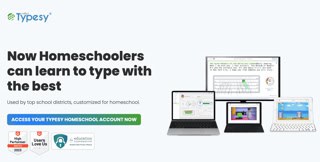
Typesy Homeschool (visit website) takes the core Typesy engine—expert video lessons, adaptive drills, cloud sync—and stretches it into a full family classroom. Of course, you don’t just sit kids in front of random games.
What you will get is a proper typing curriculum, progress dashboards, and the ability to set targets so typing grows alongside reading, writing, and early AI use.
Because it’s cloud‑based and ad‑free, daily practice can move with them, the students. From shared laptop to Chromebook, all without you losing the thread of who’s actually improving.
Verdict – This is one of the best typing software programs when you want typing to be treated like a real subject in your homeschool, not just an app you “try for a week”.
Rating: ★★★★★
Price: Visit website.
Options: Family 72/year with 2 students. 1 Admin. Big Family $132/year with 5 students and 2 admins. Co-Op $360/year with 15 students and 5 admins.
Reading tips: Try new learning strategies with our AI speed reading guide and the best AI summarizers and text-to-speech software to learn faster with AI.
4. RataType
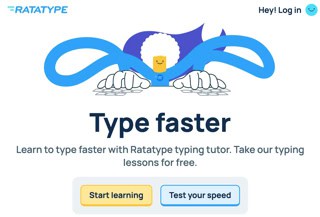
Ratatype is a free online touch typing tutor with a deliberately friendly interface, which helps new typists ease into practice without feeling like they’ve opened exam software.
The lessons are short, feedback appears quickly, and small rewards—stars, targets, lightning bolts—mark each step forward, so progress feels more like levelling up than ticking off tasks.
Under that playful layer sits a straightforward training engine. Ratatype tracks your speed and accuracy on every exercise, highlights recurring mistakes, and lets you repeat specific typing lessons or tests when you want to give a weak pattern more attention.
Teachers can build typing classes, hook in Google Classroom, and see how everyone is doing from a single dashboard, while built‑in certificates offer a simple way for students to show their WPM to schools or employers.
Verdict – Ratatype doesn’t include any AI features. Its adaptivity is rule‑based rather than generative, and that simplicity can be reassuring. Compared with more analytic typing software tools like Typesy or Typing.com, it offers fewer deep metrics and no posture coaching.
However, as a multilingual, free‑first tutor with optional Plus upgrades and a very low barrier to entry, it remains a solid typing tutor for families, homeschoolers, and schools that need something accessible right away.
Review: ★★★★☆
Pricing: Free core tutor and typing tests. Ratatype Plus removes ads.
Info: Visit website.
5. TypingBolt
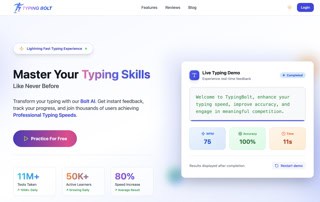
TypingBolt is an online typing tutor that uses its own AI system to study how you type in real time.
It pays attention to small things, for example, where you slow down, which keys you keep missing. The AI then reshapes upcoming practice so those weak letters and key pairs quietly appear more often, without turning every line into nonsense.
Text stays readable, but under the surface, the engine nudges you toward harder combinations as your accuracy improves, adding symbols and trickier sequences when you’re ready rather than on a fixed schedule.
A virtual keyboard, finger hints, and clear post‑exercise stats are there when you need guidance, yet can be turned down once you just want to concentrate on flow.
Verdict – Where Typesy wraps its adaptivity in full typing courses and video coaching, TypingBolt behaves more like a lean, data‑driven coach obsessed with squeezing a few extra words per minute out of your existing habits.
Review: ★★★★☆
Pricing: Free to start. AI typing practice is available without a subscription.
Info: Visit website.
Reading tips: Try new learning strategies with our AI speed reading guide and the best AI summarizers and text-to-speech software to learn faster with AI.
6. Typing.com
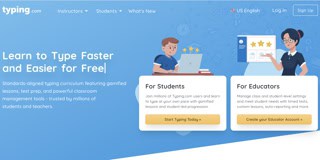
Typing.com is a widely used free typing software platform for schools and individuals, and actually a complete program rather than just a free teaser.
The main course blends touch typing with digital citizenship and basic coding, so one account can support both keyboard practice and broader digital skills for kids, teens, and adults.
It’s built-in AI shines when it comes to personalized practice. Typing.com tracks which keys and key combinations trip you up and, through its TypeAI system, helps you learn to type.
It then turns that data into short stories and typing practice texts built around those weak letters, rather than random word lists. You still type sentences that make sense, yet the engine keeps leaning on the spots that slow you down.
For schools, the free teacher dashboard offers rosters, grading options, and detailed reports, while the Plus plan adds custom goals and priority support.
Verdict – Compared with premium tools like Typesy or KAZ, Typing.com offers less depth in video coaching and posture training, but as a no‑cost, AI‑assisted starting point for whole classrooms, it’s hard to beat.
Review: ★★★★☆
Pricing: Free plan for students and teachers. PLUS edition available.
Info: Visit website.
7. TypingClub

TypingClub is a free, web-based touch typing software tutor available for both individuals and schools, with an optional paid School Edition for deeper classroom management and analytics.
It runs in the browser, supports multiple languages such as Spanish, French, and German, and is designed to grow with learners from early primary grades through to teens and adults.
Users don’t need an account to start. But creating one lets you save progress, earn badges, and collect stars across hundreds of lessons. The main Typing Jungle course walks users through proper hand posture and finger placement. Down the line, specialized tracks cover layouts like Dvorak, one‑handed typing, and cross‑curricular content that blends typing with vocabulary training and digital citizenship.
Rather than using AI, TypingClub leans on variety and structured repetition. Interactive games, videos, and animated story courses keep practice from feeling mechanical, and Jungle Junior gives pre‑K and early elementary learners a gentler, story‑driven way into the keyboard.
Verdict – Compared with AI‑enhanced typing software that actively reshapes content, TypingClub offers a broad, teacher‑friendly curriculum. Here, motivation comes from stars, stories, and clear progress tracking more than from algorithmic personalization.
Rating: ★★★☆☆
Price: Free. Visit website.
8. TypeLift / TypingAcademy
TypeLift feels like the opposite of noisy ed‑tech: open the browser, start a lesson, and the only thing that really changes is your accuracy graph.
Its typing exercises reshuffle text and quietly loop your weak keys, so improvement comes from repetition with intention rather than memorising a script. You can stay on the free tier and still get meaningful stats, or register to unlock custom texts and more detailed tracking when you’re ready to take it seriously.
Verdict – TypeLift is a popular typing software if you like your tools minimalist and honest. In other words, it is less of a “platform” and more of a space to actually practice.
Rating: ★★★★☆
Pricing: Core lessons are free. Optional Pro upgrade.
Info: Visit website.
Reading tips: Try new learning strategies with our AI speed reading guide and the best AI summarizers and text-to-speech software to learn faster with AI.
9. Type.Fit
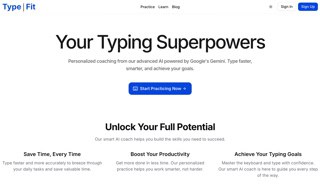
Type.Fit feels like a small typing studio that opens in whatever browser you already use. Instead of marching you through a fixed ladder of drills, it begins by watching how you type right now.
The typing program then lets its AI coach build practice around the slips and hesitations that actually appear on your screen.
Typing exercises stay short and readable. That’s great, as it feels more like typing real snippets of text than grinding through abstract key patterns. When a particular letter or key pair keeps derailing your rhythm, that pattern quietly shows up more often until your fingers stop treating it as a special case.
After each session, simple charts show how your words per minute and error rate are changing over time. That makes it easier to judge whether those quick five‑minute practices between other tasks are actually moving you forward.
Verdict – Where other best typing software wrap their adaptivity into full courses, classes, or video coaching, Type.Fit is closer to a drop‑in session. Open a tab, let the AI take a fresh look at how you’re typing today, and nudge your baseline a little higher without signing up for a whole curriculum.
Review: ★★★★☆
Pricing: Free plan with core AI coach.
Info: Visit website.
10. TypingMaster 12

TypingMaster 12, developed by the Typing Innovation Group, is a touch-typing software program for users who want more than basic drills—particularly students and professionals seeking higher words‑per‑minute benchmarks.
Beyond the standard lessons and tests, it runs a background TypingMeter widget that monitors how you type in real applications and flags real‑world bottlenecks rather than just classroom mistakes.
The standout change in version 12 is its bigram‑focused analysis. Rather than only tracking single keys, TypingMaster 12 logs which key pairs slow you down or trigger errors, then automatically builds short booster exercises that target those transitions.
However, it isn’t a generative AI system, but the data‑driven adaptation gets close in practice. In other words, training quietly shifts toward the exact patterns that hold you back instead of repeating generic content.
Furthermore, touchscreen compatibility and additional typing courses for different keyboard layouts (including Hindi, Colemak, and other regional variants) make it useful across laptops and desktops. Though it remains a single‑user typing program aimed at individual learners, not a school platform.
The interface feels more modern than earlier TypingMaster 10 builds thanks to dark mode and updated games, yet it still reads as a focused utility rather than an entertainment product.
Verdict – For typists who care about measurable improvement, TypingMaster 12 stands out as a strongly analytic, quasi‑AI alternative to more lesson‑centric tools. It watches how you actually type, isolates the key pairs that cost you time, and then turns those hidden weaknesses into highly targeted practice. That’s something many simpler, even AI typing programs, still struggle to match.
Rating: ★★★☆☆
Price: Free.
11. Typing Instructor Platinum

Typing Instructor Platinum by Individual Software is a long-standing typing software program designed for both professionals and students. Supporting English and Spanish, it offers bilingual learning that works well in mixed-language homes or classrooms.
To reduce eye strain, Typing Instructor Platinum guides learners through changing themed backgrounds and progression-based environments, so practice feels more like travelling through different settings than staring at a single static screen.
With over 20 typing plans, users start with basic techniques and move into more complex stroke development, tackling challenging words and sentences at their own pace.
Each plan targets a particular skill level, and the built‑in Dynamic Learning feature continually evaluates your results and builds additional lessons around weak keys, rows, and finger combinations. Practice time is steered toward the places where errors actually occur, even though this logic is rules‑based rather than true AI.
Typing Instructor Platinum also offers goal‑oriented games that reinforce lessons while nudging you out of your comfort zone. Usability is further supported by:
- Personalized statistics to understand mistakes and spot recurring weaknesses.
- Progress reports that make long‑term improvement visible.
- Over 70 tests to challenge your skills as often as you like.
- The option to import your own materials—Word documents, bookmarked web pages, MP3 lyrics—and turn them into custom typing plans.
One drawback is the interface, which still feels anchored in an earlier era of typing software design. Menus and hints resemble classic Windows layouts. Yes, everything works, but anyone used to sleek modern apps may notice the age at first glance.
Verdict – Typing Instructor Platinum doesn’t rely on AI coaches or flashy visuals, yet its Dynamic Learning engine, bilingual support, and deep customization keep it relevant. For individuals and families who care more about structured practice than style, it remains a time‑efficient typing tutor for both Mac and Windows.
Rating: ★★★★☆
Price: $29.99
12. Typing Tournament Online
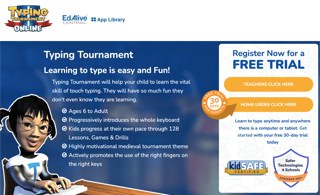
Typing Tournament is an online typing tutor suitable for both schools and individual learners. Originally PC-only, it now runs via EdAlive Central in modern browsers and on devices including Android tablets, iPads, Chromebooks, Macs, and Windows PCs.
The typing course progresses through 16 medieval‑themed levels, each introducing a small group of new keys with linked lessons, drills, tests, and games.
Learning and progression are built on a mastery learning approach. Students only move forward once accuracy and speed targets are met, which helps both children and adults avoid the common trap of repeating the same easy content without real improvement.
Under the hood, Typing Tournament uses EdAlive’s Multiple Progressions Model to adjust goals and thresholds as you improve, dynamically tightening the drills and tests once you unlock higher speed targets.
It isn’t marketed as AI, but the typing program does regulate difficulty based on your results, nudging you toward ambitious yet realistic WPM goals over time.
Verdict – Typing Tournament focuses on structured mastery rather than quick wins. Its research‑backed progression model has been linked with measurable gains in both typing speed and school writing outcomes. If you want a cross‑platform typing software that quietly adjusts challenge while keeping students on a clear 16‑level journey, give it a try.
Rating: ★★★★☆
Price: $60/year subscription for a single-user license.
13. All The Right Type
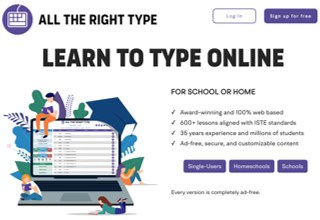
All The Right Type is used in over 50,000 educational institutions across North America and ranks among today’s top typing programs.
Designed to build speed and accuracy, it aims to bring users from basic familiarity to 40–50 words per minute with consistent, focused practice—often in short daily sessions rather than long, exhausting marathons.
Instead of AI‑driven personalization offered by other typing programs, it relies on tightly structured lessons and strict error checking that have been refined over decades in real classrooms.
The typing software takes a straightforward approach to touch typing that doesn’t feel dry. Four lesson types—learn, practice, skill, and test—create a loop where new keys are introduced, reinforced in words and sentences, then checked under gentle time pressure. When sequencing is enabled, students follow a path designed by keyboarding specialists rather than jumping randomly between exercises.
Games sit on top of this structure. Lesson‑based games mirror the letters just learned, while themed typing games introduce number‑pad work and dictation‑style activities that strengthen real‑world keyboard use. All results and scores feed into detailed reports so teachers and parents can see where progress is happening.
Interestingly, bad typing habits are treated as part of the learning process rather than as failures. Letter‑by‑letter error-checking flags indicate which finger should have hit each key.
And when accuracy falls below the set threshold, the typing program simply prompts a redo and offers more targeted practice on those problem patterns. However, this is an old‑school, rule‑based approach rather than an AI‑driven adaptation.
Lessons are 10 to 15 minutes each, presented entirely online, and accounts can be accessed from any internet‑connected device. This makes it easy to maintain a daily rhythm at school and at home without fighting over a particular computer.
Verdict – Educators consistently praise All The Right Type for its structure, clear feedback, and classroom‑friendly management tools. If you want a no‑nonsense online typing software that quietly corrects bad habits while nudging students toward solid everyday typing speed, this might be your choice.
Rating: ★★★★☆
Pricing: Single from $5/month or $40/year.
Schools: Homeschool and school plans are priced per number of users.
14. Rapid Typing

Rapid Typing is a free, traditional typing program developed by Typing Tutor Labs. It is aimed specifically at children and doesn’t use AI coaches or adaptive engines, which keeps things simple but also limits personalization.
Colorful visuals, an on‑screen keyboard with moving hands, and simple typing games turn basic drills into something that feels more like a small arcade than a worksheet.
The typing courses are divided into beginner and more advanced tracks, with typing lessons grouped by rows, symbol keys, and even number pad practice.
Each exercise ends with clear statistics on words per minute, characters per minute, and accuracy, so learners (or parents) can see whether their typing skills are actually improving over time. The software’s custom lesson tools even let you load your own text files or tricky word lists when premade content is no longer enough.
Verdict – One downside is the lack of depth. Lessons stay fairly simple and lack longer sentences or real‑world paragraphs. Thus, confident typists will quickly outgrow the material. But for those who want to get comfortable with the keyboard, Rapid Typing remains a strong no‑cost option, even if newer AI typing programs offer more sophisticated feedback for students.
Rating: ★★★☆☆
Price: Free. Visit website.
15. Tipp10

Tipp10 is a 10‑finger touch-typing tutor available as free, open‑source software for Windows, macOS, Linux, and in the browser. It suits beginners and children, as well as anyone who prefers a clean, distraction‑free environment over animated mascots and AI typing coaches.
The course uses 20 sequential lessons that introduce common characters first, then extend to symbols and numbers. Instead of full-blown AI, Tipp10 relies on intelligent text selection: characters you frequently mistype quietly appear more often in later lines. As a result, you will practice tilts toward your weak spots without feeling like a separate drill mode.
A virtual keyboard highlights which fingers to use, and lesson parameters let you decide how strictly mistakes are handled. Detailed post‑lesson statistics—characters per minute, error rate, and finger‑specific errors—make it easy to track progress.
Verdict – Compared to feature‑rich best typing software like Typesy, Tipp10 is more minimalist, but as a free, open‑source typing tutor, it punches well above its weight.
Rating: ★★★★☆
Price: Free. Visit website.
16. Mavis Beacon Teaches Typing

Mavis Beacon Teaches Typing by Broderbund offers a customizable typing tutor suitable for all ages, from professionals to children as young as eight.
It follows a success-based approach: you set personal goals, follow guided roadmaps, and build skills through a steady sequence of typing lessons, checks, and games rather than open‑ended drills.
What sets Mavis Beacon apart is its target‑setting framework. Users define their typing goals before starting and move through six interactive levels that keep revisiting speed and accuracy until those goals feel realistic, not aspirational.
This approach, combined with options to add personal content, allows for tailored practice that fits both cautious learners and those who prefer to push themselves a little faster.
Mavis Beacon is available in three main versions—Personal, Family, and Kids editions—each with its own drills, teaching methods, and interface tweaks to make the program feel age‑appropriate, whether you’re an adult at a desk or a child still getting comfortable with the keyboard.
This is not the end of the line, though. Mavis Beacon will help your typing by:
- Practicing difficult words identified by the typing software or chosen by you
- Enforcing good technique to utilize on specific keystrokes
- Chaining skills into pairs, chains, words, and sentences so fluency grows naturally
- Offering informative videos and a Game Zone with multiple typing games and timed tests
Verdict – For individuals who value a clear roadmap, gentle step‑by‑step progression, and a clean, low‑distraction interface, this typing software meets everyday typing needs. It remains adaptable and informative rather than AI‑driven, relying on structured pedagogy instead of algorithmic coaching.
Rating: ★★★★☆
Price: $29.99. Visit website.
How to Choose the Best Typing Software
Match the tool to your real life.
Pick typing software that fits how you actually work: studying, researching, or handling email and docs all day. If you live in browsers and PDFs, favour tools that let you practice with real text instead of random sentences.
Prioritise meaningful feedback over cosmetics.
You want clear stats on accuracy, weak keys, and error patterns, ideally with adaptive or AI‑driven drills that respond to your mistakes. If a typing program mostly throws mini‑games and a single WPM number at you, you’ll hit a ceiling quickly.
Check platforms, pricing, and longevity.
Make sure it runs where you read and write (web, desktop, Chromebook, maybe mobile) and that it uses a pricing model you’ll keep paying for. Look for recent updates and active support so you’re not investing in abandonware.
How Typing and Speed Reading Work Together
After looking at 14 of the best typing software, it’s worth asking a simple question: why does typing actually matter for how you read? Most people treat typing and reading as separate skills. True and not. In reality, they feed into the same workflow whenever you use AI to learn, research, or work.
When you read with AI, you’re not just staring at a wall of text. You are constantly doing things with that text—searching, highlighting, prompting ChatGPT, fixing mistakes in summaries, and writing or typing your own notes.
Every one of those actions depends on how comfortably your fingers move on the keyboard. If typing feels clumsy, you hesitate, correct yourself, and lose the thread of what you’re reading. It’s much smoother to type with fewer typos, I can tell.
That’s where the 3‑Step AI speed reading method comes in.
- In Step 1, you scan AI summaries and decide what deserves attention. Fast typing skills let you queue articles, adjust prompts, and tag items quickly so you don’t stall at the start.
- In Step 2, you read selected sections more carefully and annotate them. Again, smooth typing keeps your eyes on the screen while you add comments, corrections, and questions.
- In Step 3, you turn everything into understanding by asking follow‑up questions, building permanent notes, or creating outlines. Here, typing speed directly limits how fast you can iterate with AI.
Of course, good typing doesn’t make you a better reader on its own. But it removes the drag, so your reading—and your reasoning—can actually accelerate. Combine both skills by also taking a speed-reading course.
Best Typing Programs 2026: Review Summary
When you look across the best typing software, they all promise the same thing: more speed, better accuracy, and less effort. But to be honest, the real differences show up in how they teach and how well they fit into an AI‑heavy reading and research workflow.
Recommendation
For an all‑round experience that works for professionals, students, and families, Typesy (visit website) and KAZ Typing (view website) are standout choices.
Typesy combines expert video instruction, cloud sync, adaptive exercises, and even ergonomics training, which makes it easy to plug into a daily routine of AI‑assisted reading and writing.
KAZ Typing skips gimmicks and focuses on its accelerated learning method: teaching the A–Z keys in around 90 minutes using a multi‑sensory, research‑backed approach that helps you reach “think‑type” speed quickly.
If you’re on a tight budget or just starting out, several free typing tools are strong enough to support serious progress.
Typing.com, Ratatype, and other browser‑based typing tutors offer structured lessons, progress tracking, and tests without a subscription. This is more than enough to get you into the 60–70 WPM range that makes AI‑powered reading, prompting, and note‑taking feel fluid.
In the end, the “best” typing software is the one you will actually open three to five times a week—and that quietly supports how you already read and work with AI.
Remember, good typing is not about chasing record WPM scores. You want to remove just enough friction that your reading, learning, note-taking, prompting, and thinking can finally move at the same speed.
Below is a summary again, including some free options. This list is not exhaustive, so feel free to suggest any other noteworthy typing programs.
Best Typing Software 2026
- Typesy VIP
- KAZ Typing
- Typesy Homeschool
- TypingBolt
- TypingClub
- Typing.com
- RataType
- TypeLift / TypingAcademy
- Type.Fit
- TypingMaster 12
- Typing Instructor Platinum
- Typing Tournament Online
- All The Right Type
- Rapid Typing
- Tipp10
- Mavis Beacon Teaches Typing
Pros and Cons of Typing Software
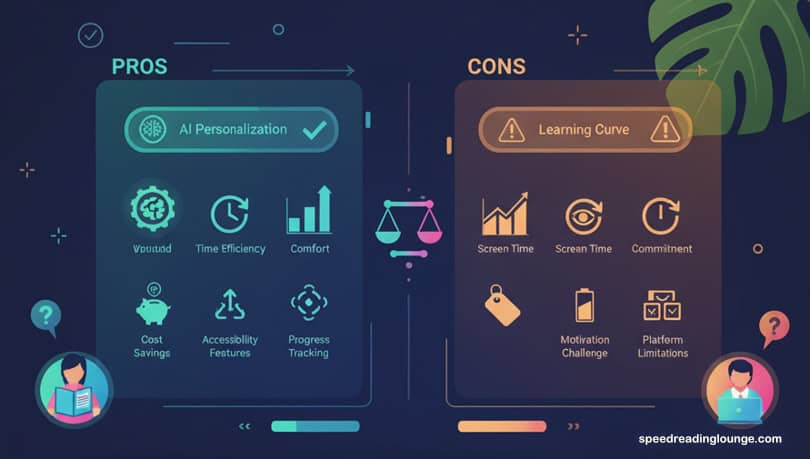
Typing programs promise to skyrocket productivity and hone essential skills—but do they come with a few hidden downsides? Here’s a breakdown of its strengths and challenges, helping you decide if it’s worth adding to your toolkit.
Pros: Such tutors help boost productivity and enhance learning through engaging, adaptive content. They offer practical health benefits by promoting proper ergonomics, reducing repetitive strain injuries, and providing essential digital skills that improve proficiency in other applications.
Cons: Potential downsides include reliance on gamification, limited flexibility in learning methods, and some data privacy concerns with free software. Advanced users may also experience skill plateaus, and the best typing programs may not cater well to all learning styles.
Pros Typing Software
- Improves productivity by increasing typing speed and accuracy.
- Engages users, especially students, through gamified lessons.
- Adapts to user skill levels, offering personalized exercises.
- Promotes ergonomic practices to reduce injury risk.
- Builds foundational digital skills for broader software proficiency.
- Saves time on daily typing tasks like emails and documents.
- Encourages focus and mindfulness during typing practice.
- Boosts competitiveness in the job market with keyboard proficiency.
- Facilitates goal tracking and progress with regular assessments.
- Often includes mobile-compatible options for flexible learning.
Cons Typing Software
- Overuse of gamification may detract from skill-building.
- Limited customization for varied learning preferences.
- Privacy concerns with free versions potentially tracking data.
- Advanced learners may reach a performance plateau.
- Some programs lack innovative or creative practice elements.
- May require paid versions for premium features and security.
- Can be repetitive without fresh content or updates.
- Not all software supports all keyboard layouts.
- May distract from real productivity due to “game fatigue.”
- Compatibility issues with certain operating systems or hardware.
Review Methology of the Best Typing Programs
- Audience fit. We tested from the perspective of students, researchers, and knowledge workers who use AI tools daily and need typing to “disappear” into the background.
- AI and adaptivity. We checked whether the typing tutor truly adapts to your errors and pacing or just rotates through static drills, prioritising tools that analyse keystroke patterns and personalise lessons.
- Learning experience. We looked at lesson structure, feedback quality, ergonomics, and how quickly an average 40–50 WPM user can reach comfortable 60–80 WPM ranges.
- Practical details. We verified platforms (web, desktop, mobile), pricing, data practices, and whether each product is still actively maintained.
FAQs: Best Typing Software

What is the best typing software for beginners?
Look for a structured course with clear finger maps, gentle speed goals, and short, repeatable lessons. Typesy, Typing.com, and Ratatype are frequent picks because they balance hand‑holding with clean, non‑distracting interfaces.
How to increase typing speed fast with typing software?
Most people can move from roughly 30–40 WPM to around 60 WPM in 4–8 weeks with 15–20 minutes of focused practice most days. Consistency and targeted drills on weak keys matter more than marathon sessions
Can I skip typing software and just practice in a document?
You can improve a bit that way, but typing programs surface accuracy, weak fingers, and progress trends you’d otherwise miss. It also nudges you through a progression, so you’re not endlessly re‑typing the same comfortable patterns.
What’s the best free typing program?
Typing.com, Ratatype, and Tipp10 all offer robust free tiers with lessons, tests, and stats that are good enough to reach solid everyday speeds. Paid typing programs mainly add polish, extra content, and deeper analytics.
Do I really need AI features in my typing tutor?
AI or adaptive engines help once the basics are in place, because they analyse keystrokes and focus on your specific error patterns and pacing. If you’re plateaued or type all day alongside AI tools, that extra precision can be worth paying for.
What is a good typing speed for students and professionals?
Around 40–50 WPM is workable for school or office tasks; 60–80 WPM feels comfortably fast for most knowledge work. Beyond that, accuracy and low strain matter more than squeezing out a few extra words per minute, especially when reading and prompting AI all day.
Please feel free to ask any questions about your favorite typing tutor or share your experience in the comments below.
Further Reading Sources
Wikipedia | Speed Reading Apps | Vocabulary Apps | Language Learning Apps | Typing Rules
- Typing Speed Research – National Institutes of Health
- Processing Speed and Reading – National Institutes of Health
- Fast Typist Traits Study – University of Cambridge
- Cognitive Benefits of Typing – National Institutes of Health
- Fine Motor Skills Research – Frontiers in Psychology
- Typing and Cognitive Function – Nature Scientific Reports
Do you like this curated list of the best typing software? Feel free to share with your favorite social media service.
Disclosure: This post contains affiliate links. Speed Reading Lounge may receive a commission for purchases made through these links. It does not add any extra costs. All reviews, opinions, descriptions, and comparisons expressed here are our own.