
Voice Dream Reader App Review
Voice Dream Reader TTS: Is it still worth it in 2026?

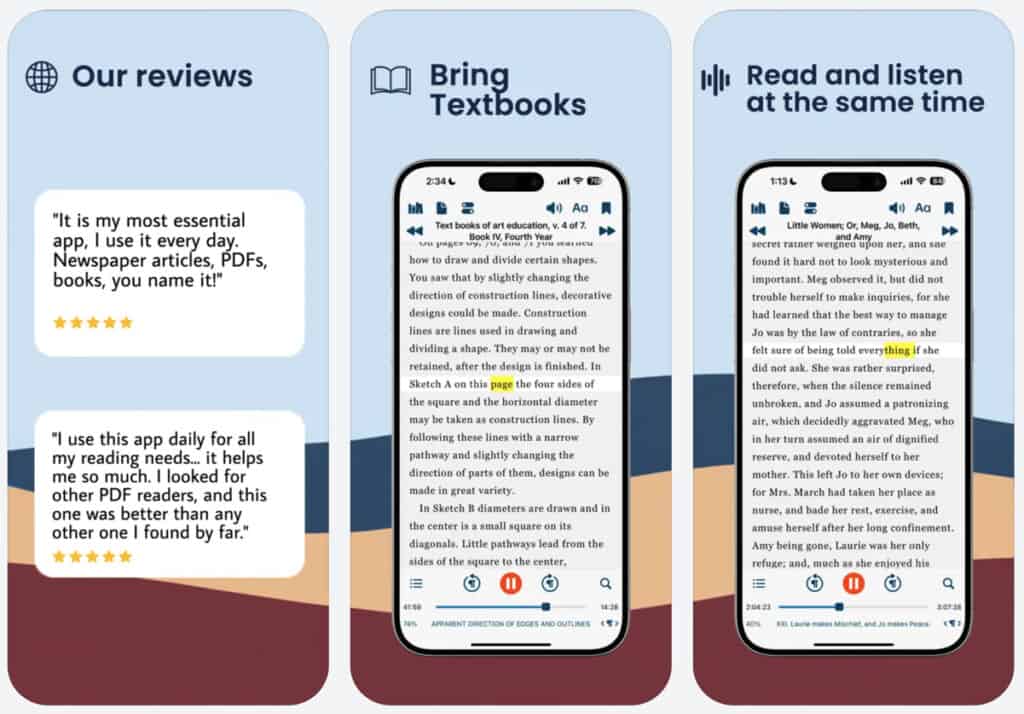
Voice Dream Reader originally launched on iOS as an accessibility-first tool for blind and low-vision users, built by Winston Fong and Voice Dream LLC.
Its deep format support, VoiceOver integration, and granular navigation controls—sighted users rarely notice—exist because accessibility users depend on them.
But for most, Voice Dream converts written text into spoken audio across a wide range of file formats, with synchronized word highlighting and variable playback speed. Thus, it is both a text-to-speech app and a reading app.
It supports iOS and Mac, holds its ground in an AI-crowded market, and still does things that well-funded competitors haven’t fully replicated.
So, let’s have a look. In my Voice Dream App review, we look at features, pros and cons, and whether you should download it or not.
Voice Dream App – The Voice Engine
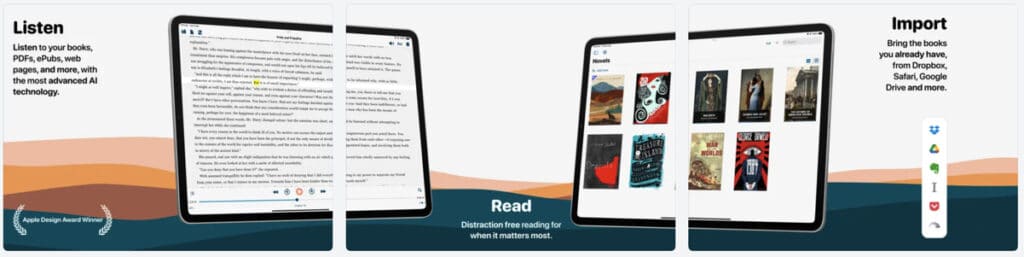
This is the part of the review that probably matters most for productivity readers, so I’ll start with the uncomfortable part.
Neural Voices
Voice Dream’s approach to voices was genuinely innovative in its early years. Premium licensed voice packs as add-on purchases gave users more options than any competing app at the time. That model has since evolved.
The official site now explicitly states that voices are “now better than ever with the power of AI,” and neural voice integration is confirmed at the product level.
What remains less clear is whether those AI voices match the current generation of competitors. User reports from accessibility communities describe the quality as underwhelming relative to the subscription cost.
One user praised a default voice called Heather as “the most human-like I’ve ever heard.” Others, particularly long-term users, describe the AI voice additions as incremental rather than transformative.
I’d encourage readers to test voices directly via the free tier before committing. Voice naturalness is deeply subjective. At this price point, it should be verified firsthand.
Speed and Intelligibility Under Pressure
For you guys, the question probably isn’t whether the voice sounds pleasant at 1x. It’s whether it remains intelligible at 2x, 3x, or beyond.
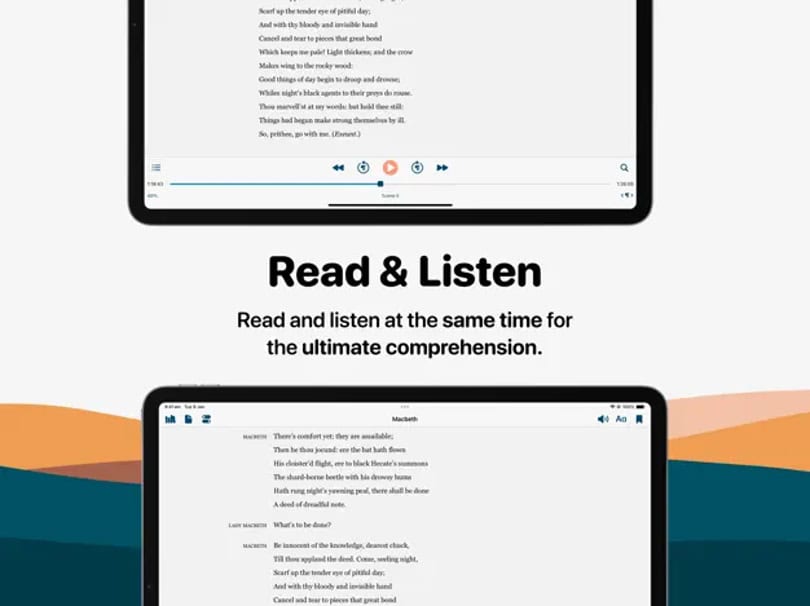
Voice Dream supports listening across a wide speed range, with synchronized word highlighting that meaningfully aids comprehension under pressure.
Audio and visual tracking together represent a genuine functional advantage over tools that offer high-speed playback without the visual anchor. For readers training to process information faster, that sync matters more than voice naturalness.
One long-term App Store reviewer reports reaching 500 words per minute after consistent speed training with the app. That data point is anecdotal. It reflects a real usage pattern the app was built to support.
Reading tip: If you want AI to actually save reading time, start with a focused overview instead of scattered tips. The main AI speed reading guide walks you through my 3‑Step AI Speed Reading Method and shows where tools, AI summaries, and listening apps realistically help.
From there, you can dive into tutorials on AI‑supported reading workflows such as our ChatGPT for speed reading guide — and compare carefully selected AI speed reading apps and text-to-speech apps or AI summarization tools before committing to any subscription.
Document and File Format Handling in Voice Dream
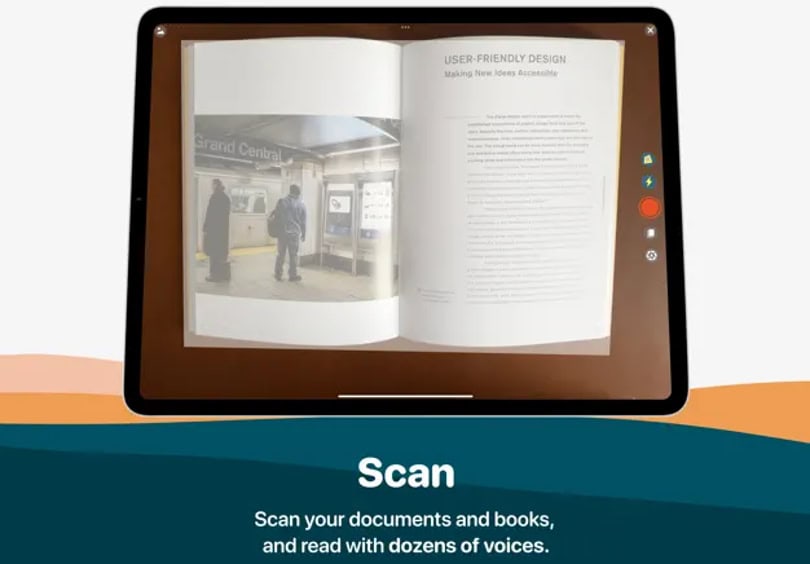
If the voice engine is Voice Dream’s vulnerability, document handling is its moat. That framing is accurate, and it’s worth understanding why.
Unusually Broad Format Support
Format support here is genuinely wide: PDF, EPUB, Word documents, DAISY format, plain text, web articles, and files pulled from Dropbox, Google Drive, OneDrive, iCloud, Instapaper, and Pocket. OneDrive integration was added within the past year. Most TTS competitors support a subset of this list.
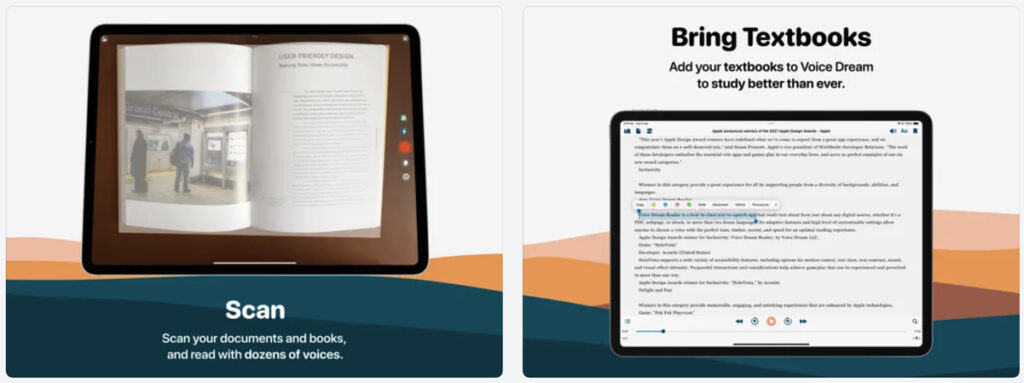
DAISY support and deep EPUB chapter navigation are areas where Voice Dream has historically had few peers. Consider a user who needs to listen to a structured textbook via DAISY, switch to a Dropbox PDF, then queue an Instapaper article, all in a single session. Web-first TTS tools simply aren’t built for that workflow. Voice Dream was.
For document-heavy professionals, researchers, and graduate students, that breadth is not a legacy feature. It remains a current reason to choose this app over alternatives with stronger AI credentials.
Where AI-Native Tools Are Catching Up
Format depth is Voice Dream’s clearest advantage. But the gap between “supports a format” and “reads it intelligently” is real and growing.
Tools like Speechify apply content recognition to PDFs, skipping headers, footnotes, and page numbers before reading begins. Voice Dream’s PDF handling is more mechanical.
It reads what’s there rather than understanding what matters. For a reader listening to a poorly formatted academic PDF, that distinction is genuinely consequential.
Key takeaways:
- Format breadth remains Voice Dream’s clearest competitive advantage
- DAISY and EPUB handling are category-leading features rarely matched by competitors
- OneDrive, iCloud, Dropbox, and Google Drive integration are all confirmed to be current
- PDF intelligence lags AI-native tools; the gap is real and widening
Reading Controls and Speed Features
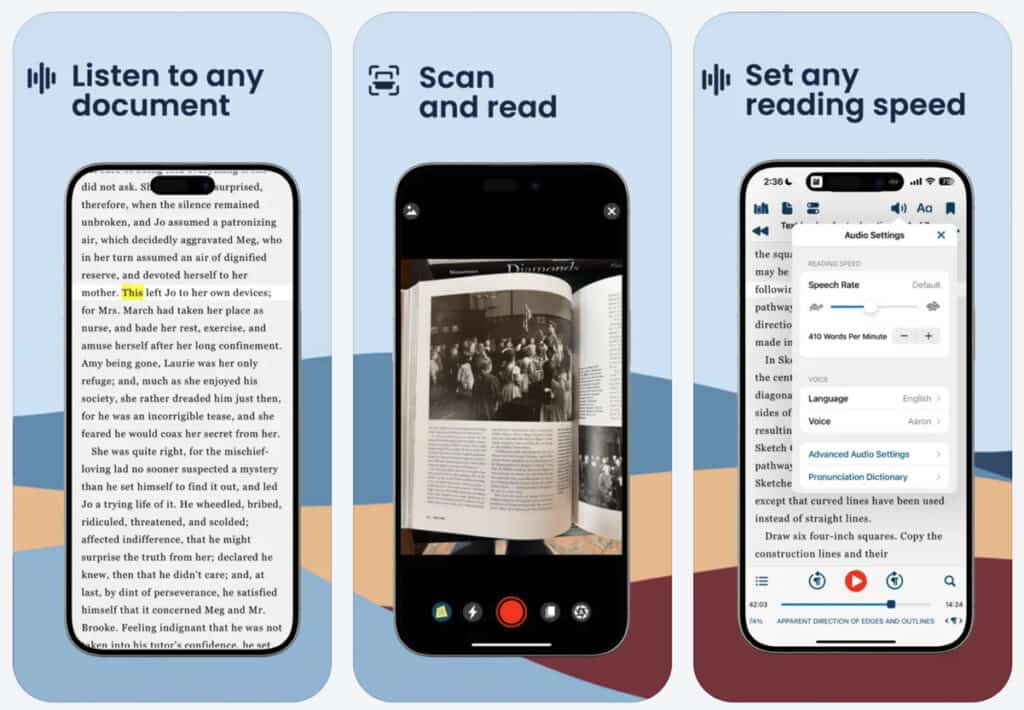
Speed controls in a TTS app are not just a playback feature. For anyone using audio as a reading productivity tool, the question is whether the app is genuinely useful or just pleasant background noise.
Variable Speed With Word Highlighting
Voice Dream offers fine-grained speed control across a wide range. Synchronized word highlighting, where the spoken word is visually marked in the text, is one of the app’s most consistently praised features.
At moderate speeds, it functions well as a comprehension anchor, keeping the reader visually engaged rather than passively listening.
At very high speeds, the critical question is whether the highlighting stays locked to the audio or begins to drift. Current App Store reviews note an occasional display bug when switching between apps. The screen jumps to a random position within the text while the audio continues playing correctly.
This is a known and unresolved issue. Any sync mismatch at high speed defeats the purpose of a reader using the feature as a focus tool.
Navigation Built for Serious Reading
Beyond playback, Voice Dream offers bookmarking, a sleep timer, skip controls for navigating between sentences or paragraphs, and customizable reading views. These controls reflect the app’s accessibility-first design. They were built for users who depend on them absolutely, not added as afterthoughts.
For sighted productivity readers, that considered depth translates to real workflow value. Re-listening to a specific paragraph, jumping ahead in a long document, stopping at a precise point without losing position: these are not minor conveniences.
Recent additions, including Notes exporting and Canvas customization, confirm that development of navigation and reading view remains active.
Key takeaways:
- Fine-grained speed control with word highlighting is a core and consistently praised strength
- Navigation controls are unusually thorough, built for reliance rather than decoration
- A known display-sync bug when multitasking has been reported by multiple users
- Sleep timer, skip controls, and Notes exporting add practical utility for long documents
Voice Dream – Accessibility and Vision Features
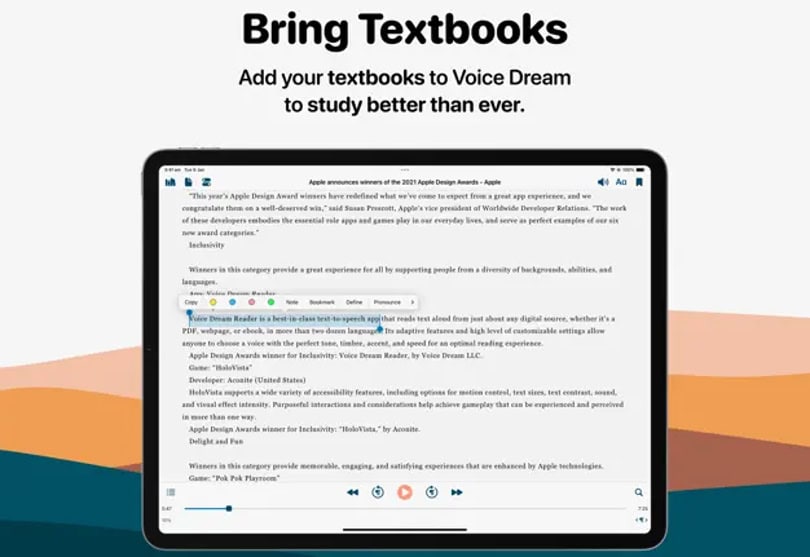
This part serves two different readers, and I’ll be honest about that distinction.
Accessibility-Grade Integration
Voice Dream carries genuine accessibility credentials. Its VoiceOver integration on iOS goes deeper than that of most competing apps, which offer only surface-level screen reader support.
For blind and low-vision users, this depth is not optional. It is the entire reason to choose this app over alternatives that treat accessibility as a compliance checkbox.
DAISY is the international standard for accessible digital books, used by national library services for the blind. Voice Dream supports it natively, with proper chapter navigation and structural integrity. That places it in a category with very few commercial competitors.
For this user group specifically, the app is not just good. It remains among the few serious options.
The Dyslexia-to-Speed-Reading Crossover
Voice Dream has unusually strong organic adoption among readers with dyslexia who use TTS not as an accommodation but as a reading speed and comprehension strategy.
These users listen while following word-level highlighting, processing text faster than silent reading allows, with audio supporting decoding. This describes a user type that sits precisely at the core of this site’s audience.
For that reader, the app’s accessibility DNA is not a mismatch. It’s an asset. Word highlighting, navigation precision, and format depth were built for reading challenges that dyslexic readers share with anyone who struggles to sustain concentration over long documents.
Key takeaways:
- VoiceOver integration is genuinely deep, not cosmetic compliance
- DAISY support is category-leading and directly valuable for library users
- Dyslexic readers using TTS as a productivity strategy are a natural fit for this app
- For full accessibility use, this remains among the most credible tools available
Voice Dream Reader AI Features and What’s Missing
I’ll be direct here because this section matters to readers specifically coming to SpeedReadingLounge.com.
What Voice Dream Does With AI
Voice Dream is not an AI-native application in the document-intelligence sense. It does not use large language models to summarize documents, extract key points, or generate adaptive reading experiences.
Content recognition that cleans up PDF formatting before reading? Absent. Its core architecture remains TTS playback with navigation controls.
Where AI has entered the product is at the voice layer. Neural voices are now confirmed as part of the offering. That closes the most glaring competitive gap from earlier versions. Whether those voices reach the quality bar set by leading neural TTS tools is a separate question, and user experience data on that remains mixed.
The absence of AI summarization or document intelligence is a genuine competitive gap. Readers who want AI-assisted analysis alongside their listening will not find it here. A review that doesn’t say so plainly isn’t serving its reader.
Where Competitors Have Pulled Ahead
Speechify has invested heavily in AI summarization, AI-generated voice clones, and content-aware document processing. NaturalReader has added AI voices across its platform. Voice Dream’s competitive position does not rest on matching these features.
It rests on doing a different set of things very well. That distinction is honest. It is also narrowing as competitors add format depth to their existing AI advantages.
Key takeaways:
- No AI summarization, content recognition, or document intelligence features
- AI voices are now confirmed; voice quality improvement is real but contested
- Absence of AI document features is a genuine competitive gap, not a minor omission
- Competitors are adding format breadth; the moat is narrowing
- See speed reading programs that teach you AI reading
Voice Dream Reader – Pros
Format Depth Nobody Has Matched
More than a decade in, format breadth remains Voice Dream’s most honest strength. Not because competitors haven’t tried, but because the app was built for a user community that genuinely needed every format to work, not just the popular ones. Necessity produced depth.
A PDF that a newer app can’t parse cleanly, a DAISY file that a productivity app has never heard of, an EPUB with nested chapters that a web-first tool flattens: Voice Dream handles these because its users couldn’t afford for it not to. That origin is not a marketing claim. It’s a design history.
Navigation Built Over Time
The controls feel considered rather than accumulated. Bookmarks, skip intervals, sleep timers, and highlight customization don’t read as a feature parade. They read as the result of listening to users who read for hours at a time.
Recent additions, Notes exporting, Canvas customization, and OneDrive integration confirm that the development team is still paying attention to that user type. For long-document productivity readers, who consider depth to mean fewer interruptions and more sustained focus.
Cross-Device Sync Is Now Real
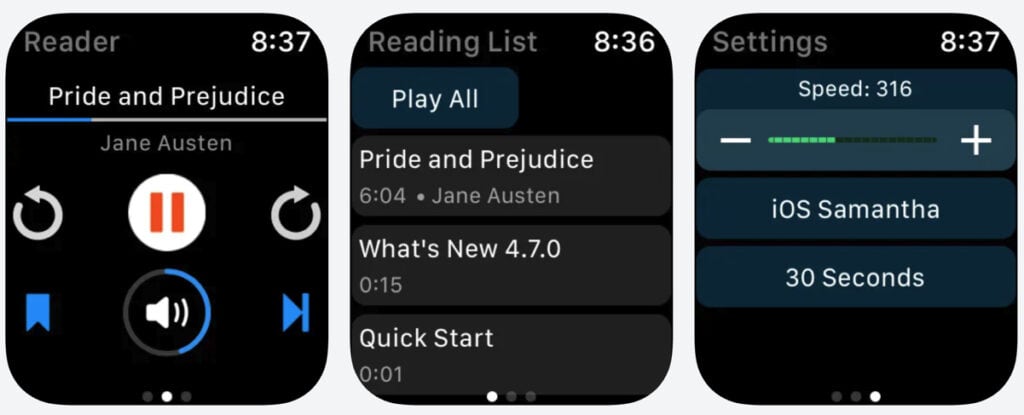
Voice Dream runs on both iOS and Mac, with synced libraries across devices. For readers who move between phone and desktop, that sync matters. Most mobile-first TTS apps don’t offer it. For a professional reading workflow, switching devices without losing your place isn’t a luxury. It’s a baseline requirement.
Voice Dream Reader – Cons
The limitations here are not edge cases. They affect large portions of the potential user base.
Voice Quality Is Still Contested
Voice Dream has added neural voices. Credit where it’s due. User feedback from accessibility communities and readers who depend on this app daily still describes the AI voice quality as underwhelming for the current subscription cost.
Speechify’s neural voices, available at their free tier, sound more natural to most listeners.
That’s not a minor aesthetic preference. At 1x or 1.5x speed, voice naturalness affects concentration and fatigue. Listeners using less natural voices tune out faster. Whether Voice Dream’s AI voice additions close the gap meaningfully is something a reader must test directly before committing to a subscription.
Android Availability Has Changed
Voice Dream Reader was an iOS-first product. Its original Android app has since been discontinued. The current Android offering appears under a separate brand. Any Android reader considering this app should verify current availability directly before purchasing.
I cannot recommend an Android version with confidence, not because the experience is weak, but because the product landscape has genuinely shifted.
Voice Dream App Pricing
Voice Dream Reader is currently free with in-app purchases on the App Store. The current subscription is $79.99/year, with promotional rates available for legacy users.
The Annual Cost in Context
Run the numbers against the main subscription competitors. Speechify’s premium tier runs roughly $139/year. NaturalReader’s paid plans follow a similar annual model. At $79.99/year, Voice Dream sits meaningfully below Speechify. For committed long-term users, that gap matters.
The calculation only holds if the app continues to develop meaningfully. Voice Dream has shipped new features over the past year, including Canvas customization, Notes exporting, OneDrive integration, Mac sync, and Apple Watch support.
That cadence is encouraging. It does not, however, erase the memory of what a subscription lock-in attempt would have meant for legacy users.
Accessibility Context
Voice Dream was priced and designed for users who genuinely need TTS. Sighted productivity readers now have free or cheap alternatives that are good enough for most use cases. Voice Dream is effectively priced at an accessibility-origin premium for an audience that didn’t create that value equation.
That’s not unfair. The product has genuine depth. It’s worth being conscious of, though, when evaluating whether the price is warranted for your specific needs. Verify current pricing directly at voicedream.com and the App Store listing before purchasing.
Voice Dream Alternatives Worth Considering
| App | Voice Quality | AI Features | Format Depth | Price |
|---|---|---|---|---|
| Voice Dream | AI voices, quality contested | None | Excellent (DAISY, EPUB, PDF) | $79.99/year |
| Speechify | Industry-leading neural voices | Summarization, voice clone, smart PDF | Good | ~$139/year |
| NaturalReader | Solid AI voices | Basic AI voices, limited extras | Moderate | Lower than both |
Speechify is stronger on AI voice quality and document features, at a higher cost, making it the better fit for mainstream productivity readers. NaturalReader offers a more accessible entry point, with less depth of formatting and navigation precision.
Verify current pricing directly at voicedream.com before purchasing.
Who Should Use The Voice Dream Reader App
The Right Reader
Voice Dream makes sense for readers who live in documents: researchers, graduate students, lawyers, and professionals who regularly consume PDFs, EPUBs, Word files, and structured academic formats.
It makes sense for blind and low-vision users who need accessibility-grade reliability and DAISY support. Furthermore, it certainly makes sense for dyslexic readers using TTS as a comprehension and speed strategy, where word highlighting, sync, and navigation control matter more than AI document features.
Cross-device users who move between iPhone, iPad, and Mac will find the synced library genuinely useful. That’s a realistic professional profile, not an edge case.
The Wrong Reader
Android users must verify current availability before attempting to purchase anything. Readers whose primary priority is voice naturalness may find that current neural-voice competitors serve them better, often for free.
Again, readers who want AI-assisted summarization, content extraction, or smart formatting cleanup will not find those features here.
New TTS users whose main use case is web articles and podcast-style listening will likely be well served by Speechify or the free NaturalReader tier.
iOS is the Intended Platform
Voice Dream was built on iOS. Both the iOS and Mac versions carry the longest feature history, the most complete native integration, including VoiceOver, iCloud, Shortcuts, and Apple Watch support, and the best-documented user experience. Buying the iOS version means getting the product as designed.
Android App Discontinued
Voice Dream Reader’s original Android app has been discontinued. The current Android offering operates under a separate brand. I cannot confirm that the Android experience matches the product’s iOS reviews.
Practical advice: if you’re an Android user, verify current availability directly before any purchase. A star rating on an older listing won’t tell you what you need to know.
Voice Dream in the AI Speed Reading Workflow
In our 3-Step AI Speed Reading Method used throughout this site, each step serves a distinct function.
Step 1 is AI Synthesis: using an LLM to build cognitive scaffolding before reading begins. Step 2 is Hybrid Consumption: choosing the right input channel, visual, audio, or both, based on material and context. Step 3 is Active Retrieval: using AI-driven quizzing to convert exposure into durable memory.
Voice Dream fits Step 2 well. Its strength is specifically in the audio consumption channel for document-heavy material. Because format support is so broad, the intake step doesn’t stall when source material is inconvenient.
A DAISY textbook, a Dropbox PDF, an EPUB with nested chapters: all enter the same listening workflow without conversion friction. Within the hybrid consumption framework on this site, format compatibility isn’t background infrastructure. It’s what makes Step 2 function at all for complex, multi-source reading loads.
The word-highlighting feature adds a dimension worth naming here. Listening while following the highlighted word is not passive processing. It’s an active dual-channel technique that combines the audio and visual input channels simultaneously.
Our guide identifies dual-channel consumption as a retention booster consistent with how working memory actually functions. Voice Dream’s word highlighting is one of the cleaner implementations of that technique available on mobile, and one of the few that works reliably across long-form documents and varied formats.
Where Voice Dream does not fit is at Step 1. No AI Synthesis layer exists here: no summarization, no structural extraction, no cognitive scaffolding before you begin listening.
For the full 3-step method, a separate LLM tool such as ChatGPT, Claude, or NotebookLM is required for the pre-read synthesis pass. Voice Dream handles Step 2 with genuine depth. Steps 1 and 3 require entirely different tools.
Voice Dream Reader – Review Verdict and Rating
Our Voice Dream Reader Review Rating: 7.5/10.
Voice Dream Reader is a genuinely excellent app for a specific kind of reader, and an overpriced or underpowered option for everyone else. That specificity is not a criticism. It is the product’s honest shape.
The Case For It
No competing app offers the same combination of format breadth, navigation precision, and accessibility-grade reliability at $79.99/year. For document-heavy professionals, DAISY library users, and dyslexic readers using TTS as a comprehension strategy, this remains among the most functional tools in its category. Confirmed AI voice integration, an active update cadence, and a synced Mac app all point to a product that hasn’t stopped developing.
The Case Against It
Voice naturalness remains contested despite AI advancements. Android availability has fundamentally changed. AI document features are absent entirely. The 2024 subscription attempt introduced a trust variable that any subscription product can ill afford to have.
Buy it if you use iOS or Mac, regularly work with PDFs, EPUBs, and DAISY files, and prioritize navigation control, format depth, and cross-device sync over AI features or cutting-edge voice quality.
Skip it if you’re on Android and can’t verify current availability, if voice naturalness is your primary criterion, or if you want AI-assisted summarization and document processing alongside your TTS.
| Product Name | Voice Dream Reader |
| Developer | Voice Dream LLC / Applause Group |
| Platform | iOS, Mac (primary); Android app discontinued, verify current status |
| Price | Free with in-app purchases; subscription $79.99/year, verify at voicedream.com |
| Free Tier | Yes, core features free; subscription unlocks full voice library and premium features |
| App Store Rating | Verify directly at App Store listing |
| Play Store Status | Original Android app discontinued; verify current availability |
| AI Features | AI voices confirmed; no AI summarization or document intelligence |
| Best For | Document-heavy iOS/Mac readers needing format depth and accessibility reliability |
| Not For | Android users without verified current access; readers prioritising neural voice quality or AI features |
| SPL Rating | 7.5/10 |
Interesting sources:
If you like to see what the evidence actually says about speed reading and reading tech, it’s worth dipping into original research rather than app marketing. These non‑commercial sources on RSVP reading, bionic reading, eye movements, regressions, comprehension, and retention are a solid starting point:
Curious what science says about RSVP, bionic reading, eye fixations, and regressions? These original studies and reviews are a good starting point:
- Modern Speed‑Reading Apps Do Not Foster Reading Comprehension (Rayner et al., 2016):
https://pubmed.ncbi.nlm.nih.gov/29461715/ - Perceptual Learning in an RSVP Reading Task (Chung, 2014):
https://pmc.ncbi.nlm.nih.gov/articles/PMC4274879/ - Guiding the Gaze: How Bionic Reading Influences Eye Movements (2025):
https://pmc.ncbi.nlm.nih.gov/articles/PMC12565662/ - Eye Movements and Fixation‑Related Potentials in Reading – Review (Schuster et al., 2020):
https://pmc.ncbi.nlm.nih.gov/articles/PMC7157570/ - A Cognitive Model of Regressive Eye Movements During Reading (von der Malsburg & Vasishth, 2020):
https://pmc.ncbi.nlm.nih.gov/articles/PMC7888242/