
NaturalReader Review 2026
NaturalReader – a TTS app for documents, not casual listening
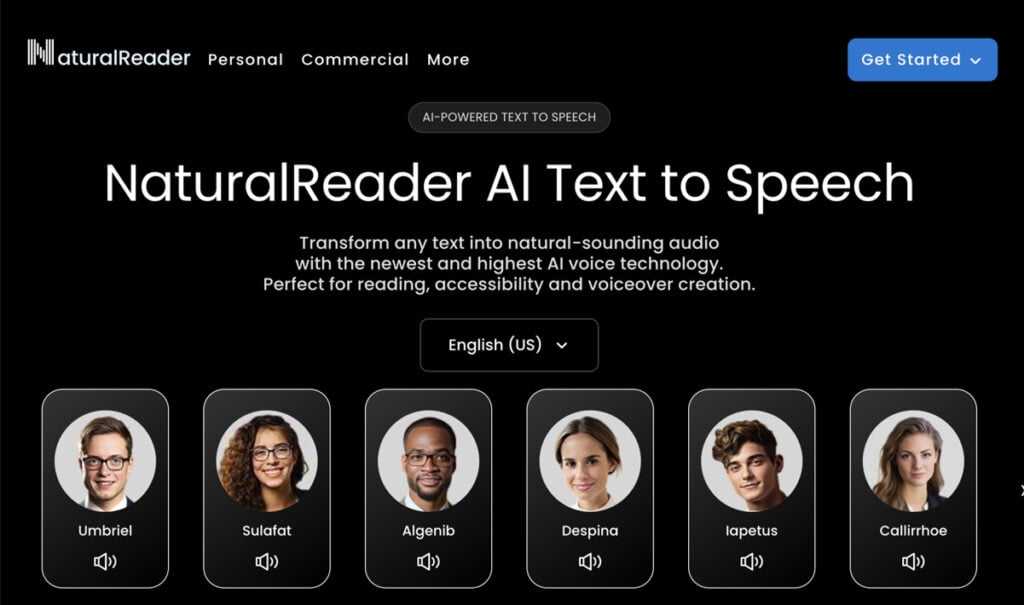
NaturalReader, a dedicated web-based and desktop text-to-speech reader, converts written documents into audio across more than 99 languages. And it has done so for over two decades.
The NaturalReader app markets itself as an accessibility tool, and the feature set genuinely serves that claim. However, its free tier does not include OCR or AI voices. Its most meaningful capabilities are behind a subscription.
Whether that trade-off makes sense depends entirely on how many documents you actually need to listen to.
My NaturalReader review covers the full feature set, pricing, AI capabilities, and real-world document workflow fit. So you can decide whether the app matches your actual reading needs.
NaturalReader – Overview
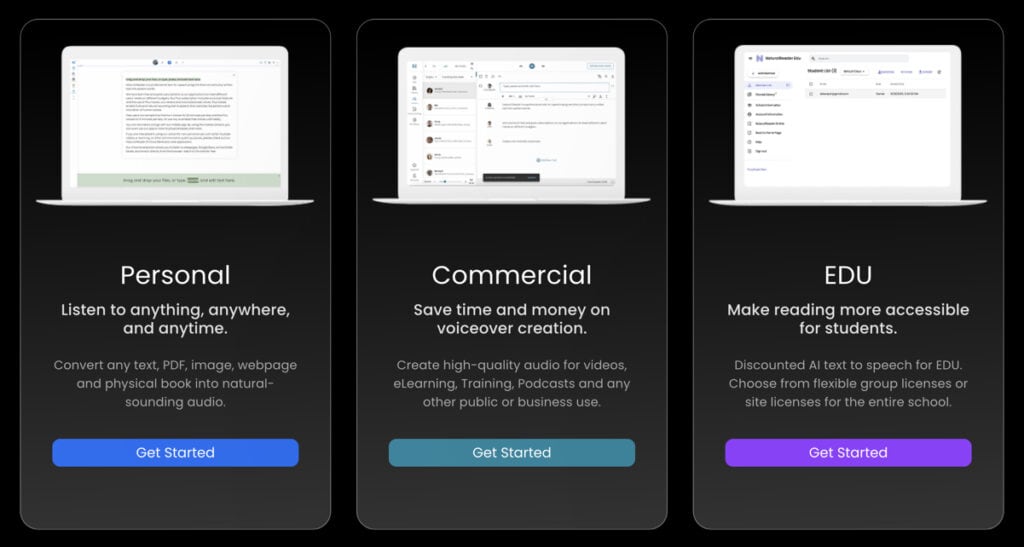
What NaturalReader is and where it came from
NaturalReader is a text-to-speech app developed by Natural Soft Ltd., a company founded in the early 2000s with a specific focus on accessibility and reading assistance.
That origin still shapes its identity today. Its primary positioning is as a reading aid for users with dyslexia, low vision, ADHD, and other reading differences, as well as for students and professionals who want to consume written content via audio.
The NaturalReader platform runs across four surfaces: a web app at naturalreaders.com, a Chrome Extension, desktop applications for Windows and Mac, and mobile apps for iOS and Android. Each platform has a meaningfully different feature set. That distinction matters more than most brief reviews acknowledge.
Who NaturalReader is for — and who it is not
Primary audience: Students managing heavy reading loads. Users with dyslexia or visual processing differences. Furthermore, non-native language learners and professionals are processing PDFs without reading them on screen.
Secondary audience: Casual listeners who want to convert web articles or documents into audio for commuting or multitasking.
Who should look elsewhere: Daily long-form audio consumers who prioritize voice naturalness above all else, content creators producing audio for public distribution, and developers seeking robust API access.
NaturalReader core capabilities:
- Text-to-speech playback for PDFs, EPUB, DOCX, TXT, PPT
- TTs for image-based files via OCR (paid)
- 1,000+ AI voices across 99+ languages and dialects
- Classic TTS voices bundled alongside AI voices
- Word-by-word highlighting synchronized to audio
- Variable playback speed from 0.5x to 4x
- AI Smart Filter to strip headers, footers, tables, and page numbers
- ReadAI: document chat, summarization, and podcast-style discussion (paid)
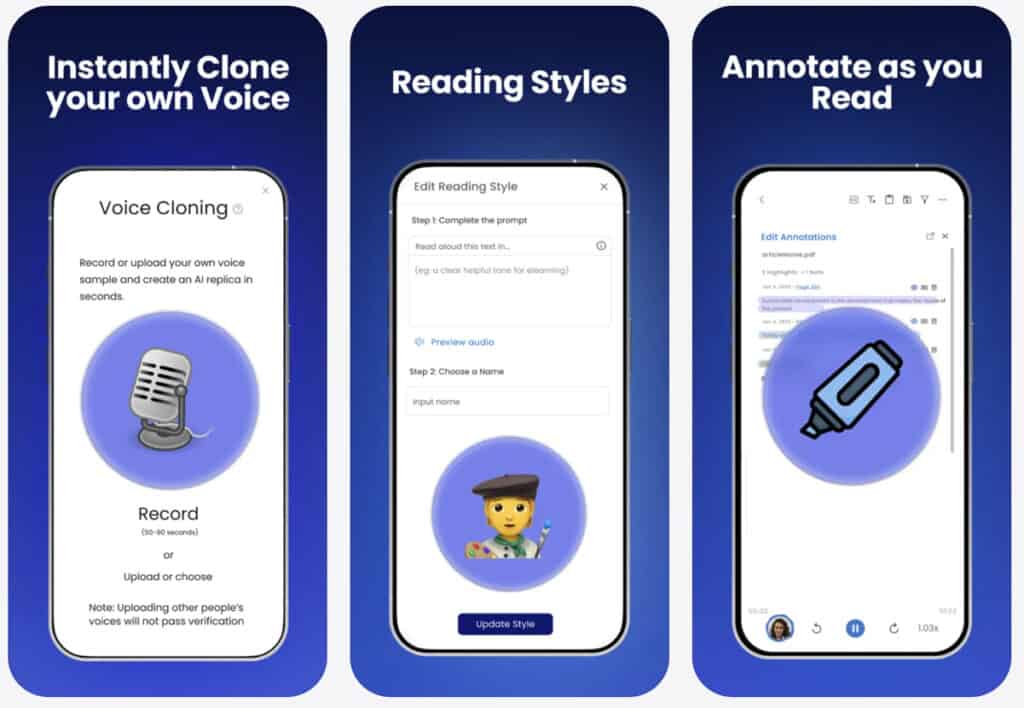
- Voice cloning for up to 2 voices on Plus and Pro plans
- NaturalReader Chrome Extension for browser-based reading
- Commercial voice licensing for content creators
Reading tip: Tools and apps are useful, but most lasting gains come from a few solid tutorials you revisit. If you suspect habits, not software, are holding you back, do this. Start with a fundamentals guide on how to speed read, then move into practical lessons on skimming and scanning, and reading word chunks.
NaturalReader – Features
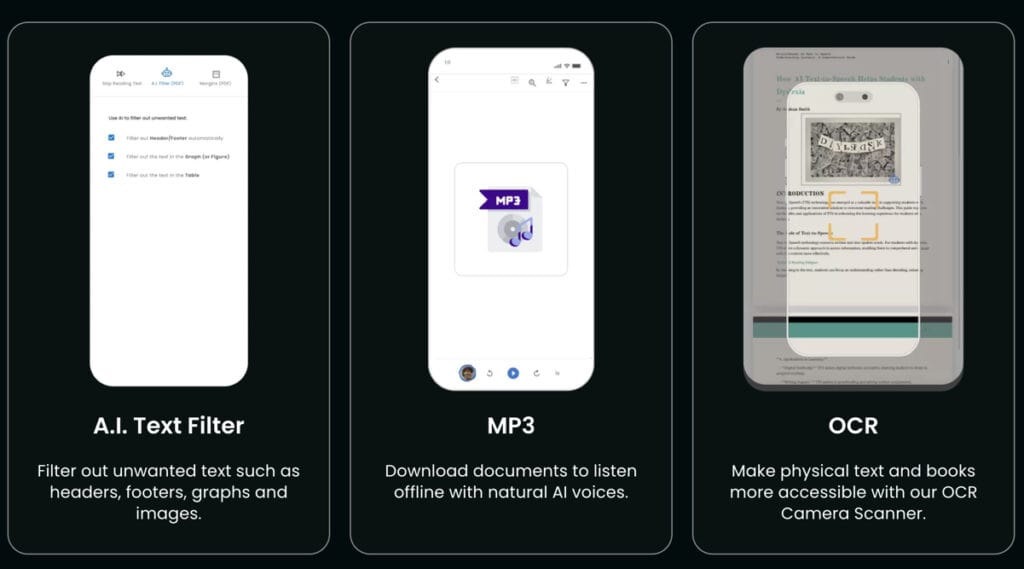
1. OCR document reading
The most practically significant feature in NaturalReader’s paid tiers is OCR (optical character recognition), which allows the app to scan and read image-based PDFs. Scanned textbook pages, photographed documents, and legacy PDFs that exist as flat images are all readable through this function.
For a student working with scanned course materials, this is not a minor convenience. It is the difference between a document being accessible and not.
Most competing TTS apps at comparable price points simply reject non-selectable PDFs or require manual copy-paste. NaturalReader processes them directly. Accuracy holds up well on clean scans but degrades on low-resolution images, which is a practical constraint worth knowing up front.
One point worth stating clearly: OCR is a paid feature. It is not available on the free tier. Users who use NaturalReader specifically for OCR need to switch to the Plus plan. The free version will not serve that use case.
2. Word-by-word highlighting
NaturalReader highlights each word as the audio plays. For accessibility users, that synchronization is the core mechanism that makes reading possible when visual processing is the obstacle. For speed-oriented readers, it is equally important: the highlight drives pace and trains attention in a way that audio alone does not.
The synchronization is accurate at moderate speeds. Above 2.5x, there is occasional drift between the highlighted word and the spoken word. I find this genuinely limiting for anyone trying to build a disciplined high-speed reading habit. That drift is small at 2x, manageable at 2.5x, and noticeable above 3x.
3. NaturalReader – supported file types and document handling
The web app accepts PDF, DOCX, TXT, EPUB, PPT, and image files. Web page reading works through the Chrome Extension or by pasting a URL into the web reader. The format range is broader than most TTS tools at this price point.
EPUB support is particularly useful for book readers. It allows chapter-level navigation rather than treating the entire file as one undifferentiated block. PPT support extends the NaturalReader’s reach to professionals who work with slide decks, a use case that competing tools rarely support.
4. AI Smart Filter
This feature deserves more attention than it receives. AI Smart Filter strips irrelevant content elements from the audio stream during playback: page numbers, table headers, bracket references, column labels, and footers. For academic PDFs and formatted reports, the difference is immediate and real.
Without it, you hear every structural artifact of the document’s layout read aloud in sequence. With it, the actual argument moves to the foreground. In my experience with dense research papers, this single feature in NaturalReader alone improves listening flow more than almost anything else. It is quite a usability upgrade.
5. Variable speed playback
Speed controls run from 0.5x to 4x, covering a wide range of listening modes. At 1x to 1.5x, the AI voices sound natural, and the highlighting sync holds well. Between 2x and 3x, comprehension is genuinely possible for practiced listeners. This is the zone where NaturalReader intersects most directly with audio-driven speed reading.
At 4x, most voices deteriorate toward unintelligible, depending on the voice chosen. Speed performance varies by voice type: classic TTS voices hold up mechanically at high speeds, while AI voices begin exhibiting quality degradation above 2.5x.
I noticed many people seem to think that choosing your voice with your target speed in mind is a preference. No, it is actually a part of using NaturalReader correctly.
6. Web page reading via Chrome Extension
The Chrome Extension lets NaturalReader read any webpage aloud via a floating toolbar. For article-heavy reading workflows, research, news, and long-form content, this reduces friction meaningfully. The extension works without opening the main web app.
The feature set in the extension is narrower than the full NaturalReader web app. There is no document upload, no fine-tuned speed control, and no persistent library. It is a lightweight entry point, not a full reading environment. However, I would not rely on it as a primary tool, but as a quick-capture mode for web content; it works well.
7. AI voices vs. classic TTS voices
NaturalReader offers both pre-neural classic TTS voices and newer AI-generated voices. The interface does not always clearly distinguish between them. Both appear in the same voice selector without categorical separation in some views.
This is the source of most negative voice-quality reviews, and in my opinion, it is a genuine design failure. A user who selects a classic voice, hears robotic output, and rates the app accordingly has not evaluated the AI voice quality at all.
They have evaluated a voice engine that predates modern neural TTS. The AI voices, labeled as such when you know to look, are significantly more natural. They do not reach ElevenLabs’ top outputs (visit website), but they are more than serviceable for daily document listening.
8. NaturalReader apps for iOS, Android
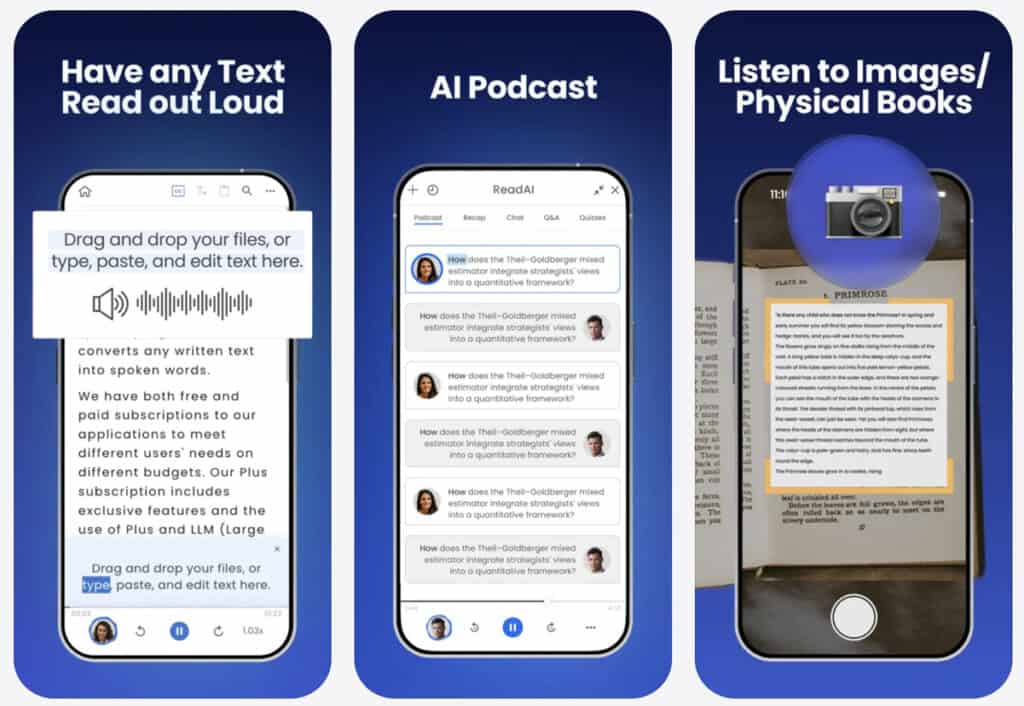
NaturalReader’s iOS and Android apps offer a reading library, voice selection, and document import. The mobile experience is functional but narrower than the web app. OCR on mobile exists, but some Android versions require camera capture rather than direct file upload.
The Android experience, in particular, draws consistent complaints in Play Store reviews: more aggressive upgrade prompts, OCR restrictions, and a UI that feels less polished than the web or iOS app.
For Android users, this is a meaningfully worse product than the cross-platform marketing suggests. Verify current App Store and Play Store ratings directly, as figures shift with each update cycle.
NaturalReader – Accessibility Review
NaturalReader has marketed to users with dyslexia, low vision, and learning differences since its founding. That positioning carries more ethical weight than most product marketing, and it is worth asking directly whether the interface actually serves this audience.
Where NaturalReader’s accessibility is great
The core TTS function is a genuine accessibility tool. Word-by-word highlighting combined with audio playback is not a nice-to-have for users with dyslexia. It is the mechanism that makes reading possible. OCR extends that to scanned materials that would otherwise be entirely inaccessible.
The dyslexia-friendly font option in the reader interface is a concrete implementation, not a checkbox. The 1,000+ voice roster across 99+ languages also matters to users who are more comfortable reading in their first language than in English. These are real features with real utility for this audience.
Where accessibility gets complicated
There is a documented tension in accessibility-focused software. NaturalReader, marketed to users with cognitive or visual differences, should itself be highly accessible. And while NaturalReader’s interface is certainly functional, it is not a model of WCAG-compliant design.
Keyboard navigation in NaturalReader’s web app is workable but inconsistent. Some controls require mouse interaction. The voice selector, one of the most frequently used interface elements, involves a multi-step process that adds cognitive load for users who already struggle with interface complexity.
These are not disqualifying gaps, to be frank. They are worth naming honestly for users who came to NaturalReader because of its accessibility positioning.
The educational endorsement question
NaturalReader’s website references use by students and educators. Specific institutional endorsements or clinical validation of the effectiveness of dyslexia interventions are not prominently documented.
For a parent selecting a dyslexia app for a child with a reading disability, “used by millions of students” is a weaker signal than a named educational endorsement.
The accessibility positioning is honest in intent. The feature set genuinely serves reading-difference users. But it is marketing language first and clinical validation second. That distinction matters when making decisions for a dependent user.
Reading tip: If you want AI to actually save reading time, start with a focused overview instead of scattered tips. The main AI speed reading guide walks you through my 3‑Step AI Speed Reading Method and shows where tools, AI summaries, and listening apps realistically help.
From there, you can dive into tutorials on AI‑supported reading workflows such as our ChatGPT for speed reading guide — and compare carefully selected AI speed reading apps and text-to-speech apps or AI summarization tools before committing to any subscription.
NaturalReader – AI Features and AI Reading Workflow
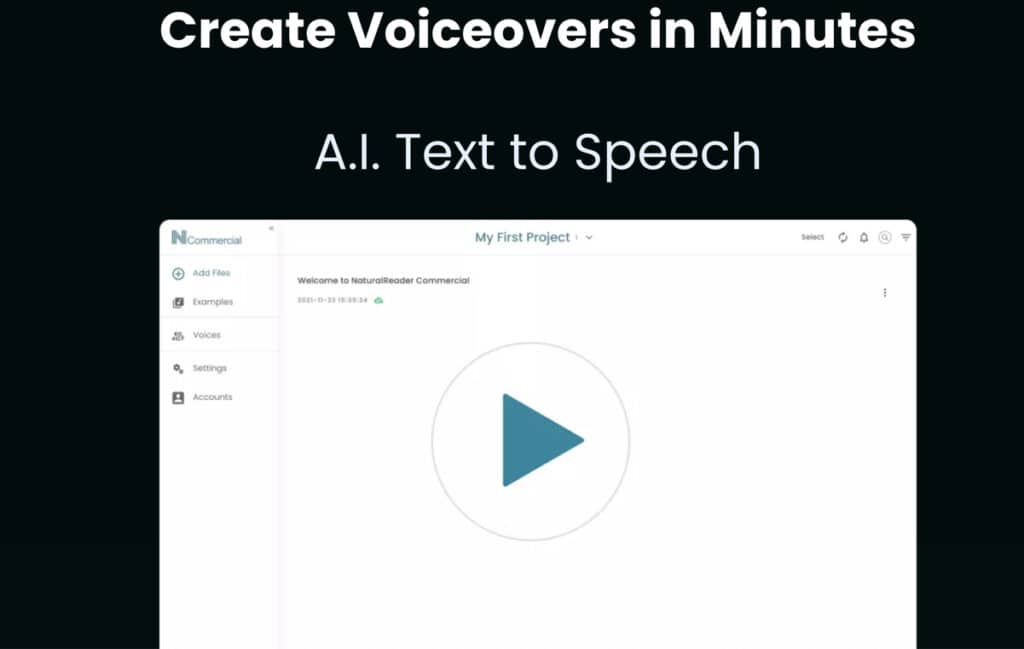
1. AI voices: what they are and what they are not
NaturalReader’s AI voices use neural text-to-speech synthesis, the same underlying technology category as Google WaveNet, Amazon Polly Neural, and Microsoft Neural TTS.
They reproduce natural prosody, intonation variation, and pacing in a way classic voices do not. For 20- to 60-minute listening sessions, the difference between classic and AI is the difference between tolerating the tool and using it daily.
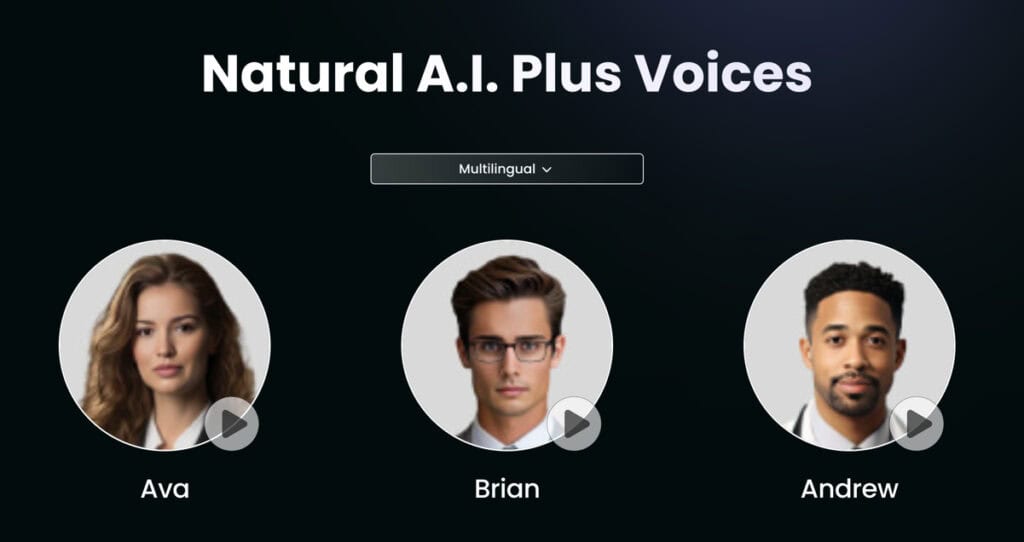
NaturalReader now offers over 1,000 AI voices across 99+ languages and dialects. That breadth is one of its most underreported strengths. The top tier of naturalness still sits below ElevenLabs’ premium outputs (visit website), and I notice that gap most clearly at sustained listening beyond 45 minutes.
2. ReadAI — the AI intelligence layer
NaturalReader is also no longer a pure voice engine. The ReadAI feature brings a meaningful AI intelligence layer to paid tiers. Users can now chat with documents, ask questions about PDF content, generate summaries, and trigger podcast-style discussions from uploaded material.
This changes NaturalReader’s position in any reading workflow, as it is no longer simply a voice delivery mechanism. For students and researchers who want both audio playback and document interrogation in one tool, ReadAI makes the Plus tier genuinely competitive with pairing a TTS tool and a separate AI summarizer.
In my assessment, this is the most significant recent development in NaturalReader’s feature set, and the one most underrepresented in existing reviews.
3. How AI features function in practice
The voice synthesis engine remains the core function. ReadAI is a real addition, but it operates within NaturalReader’s document-oriented frame.
It is not a general-purpose AI assistant, and it does not handle complex multi-document synthesis with the depth of Claude or ChatGPT. For users who arrived expecting that level of AI reasoning, it will feel bound.
For users who want reliable audio playback plus document-level Q&A in a single product, the current feature set is exactly sufficient. The boundaries are honest once you understand them.
4. NaturalReader vs the AI speed reading method
NaturalReader now fits across both Step 1 and Step 2 of my 3-Step AI Speed Reading Method. That is a meaningful shift from the product’s earlier, narrower positioning as a pure audio tool. But what does it actually mean?
Step 1, AI Scan (partial fit)
ReadAI’s summarization and document chat give NaturalReader a foothold in the pre-reading synthesis stage. You can upload a PDF, generate a summary, and ask clarifying questions before committing to a full audio session.
Our method recommends tools such as Claude or ChatGPT for this step because of their greater capacity for deeper reasoning. NaturalReader’s ReadAI covers basic scaffolding well enough for straightforward documents.
For dense academic papers or multi-layered reports, a dedicated LLM still does a more thorough job. NaturalReader fits here partially, not fully.
Step 2, Hybrid Consumption (primary fit)
This is where NaturalReader is most clearly at home. Using the app at 1.75x to 2.5x while following word highlighting combines audio processing with visual anchoring. Our guide describes this dual-channel approach as one of the most effective modes of consumption for familiar material.
NaturalReader’s AI Smart Filter further improves this by stripping out document noise before it reaches the audio stream. For research articles, reports, and EPUBs, this is a genuinely productive listening mode.
Passive processing use case: At lower speeds, NaturalReader works well for multitasking contexts. Listening to research articles during a commute or processing documents while handling low-cognitive tasks extends total reading volume without extending screen time. That fits naturally into our method’s audio-consumption option in Step 2.
Step 3, Active Retrieval
NaturalReader does not handle Step 3, but that’s not a criticism here. There is no spaced repetition, no quiz generation, and no retention scaffolding.
For that stage, a separate tool is necessary and better: ChatGPT, Anki, or Readwise, depending on your workflow. The SPL method works best here when NaturalReader handles Steps 1 and 2, and a dedicated retrieval tool closes Step 3.
That is a realistic, practical split — and being honest about it helps users build an AI reading workflow that actually holds up. To further increase efficiency here, consider taking a speed-reading course or class.
NaturalReader Pricing
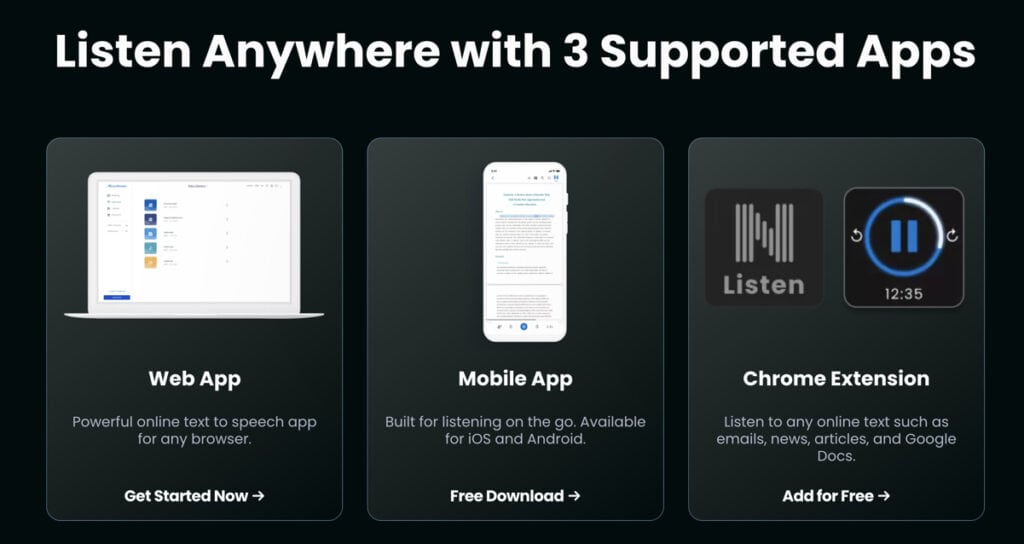
The NaturalReader platform operates on a freemium model with two primary paid tiers for individual users.
NaturalReader Free Tier
Includes basic TTS with non-AI classic voices, document upload, and the Chrome Extension. OCR, AI voices beyond limited previews, MP3 export, ReadAI, and AI Smart Filter are not included. The free tier works for light text listening. Users evaluating NaturalReader for OCR or AI voice quality will need to upgrade to find the product’s actual value.
NaturalReader Plus Tier (from $119/year)
Unlocks OCR, 500,000 AI voice characters per day, 1 million characters per month for MP3 conversion, AI Smart Filter, ReadAI, Pronunciation Editor, and voice cloning for up to 2 voices.
This is NaturalReader’s primary tier for students and regular document users. At $9.92 per month on the annual plan, I find it reasonable given what it delivers — particularly for users who consolidate TTS and document Q&A into a single tool.
NaturalReader Pro Tier (from $159/year)
Adds access to HD Pro Voices and Reading Styles on top of all Plus features. The voice quality ceiling is higher on NaturalReader Pro. For users who spend 60 or more minutes per day in the app, that difference is audible, and the upgrade has a defensible case.
A separate Commercial License tier exists for content creators who need to publish audio generated by NaturalReader’s voices. NaturalReader’s pricing for this tier sits substantially higher and is outside the scope of this review.
A one-time desktop license was historically available. Verify current availability directly, as the product has shifted its emphasis toward web and subscription.
Always confirm current pricing at naturalreaders.com before purchasing. Regional variations apply through the App Store and Google Play.
NaturalReader Pros and Cons
NaturalReader Pros
- ReadAI changes the value proposition. Document chat, summarization, and podcast-style discussion are now built directly into the NaturalReader app. Users who previously paired a TTS reader with a separate AI tool can now consolidate both inside NaturalReader’s Plus tier. That is a meaningful efficiency gain.
- OCR on the Plus tier is a clear practical advantage over many competitors at a similar price. Uploading a scanned PDF and having it read aloud without switching tools is not matched by Speechify or ElevenLabs at the Plus equivalent price. For students and researchers working with real-world document sets, this alone justifies a serious evaluation of the paid tier.
- Multi-platform presence is broader than most competitors. Web app, desktop on Windows and Mac, iOS, Android, and Chrome Extension all exist as maintained surfaces. For users who move between environments, the cross-platform continuity is genuine, even if feature sets differ by platform.
- Voice breadth across 1,000+ voices in 99+ languages covers more ground than Speechify’s standard tier. For non-native English speakers, or users reading content in multiple languages, that roster depth matters in ways that single-language reviews typically understate.
- Accessibility-specific features — dyslexia font, word highlighting, speed controls, OCR, and AI Smart Filter — form a coherent package. No single feature is class-leading, but the combination at the NaturalReader Plus tier price point is competitive and honest about its purpose.
- Low barrier to entry. The web app works without creating an account for basic use. The Chrome Extension installs in under a minute. For someone evaluating TTS for the first time, the entry friction is minimal.
NaturalReader Cons
- The AI voice quality gap is real and matters at scale. NaturalReader’s AI voices are good — better than classic TTS, usable for daily listening. They are not at Speechify’s top tier or ElevenLabs’ standard output.
For a 10-minute article, the gap is tolerable. For a daily hour of document listening, voice naturalness becomes a fatigue variable, and spending 200 or more hours per year with a voice that is “good enough” is a meaningful quality-of-life cost.
- The legacy voice problem is a genuine interface failure. Classic TTS voices still appear alongside AI voices in the same selector without clear categorical separation.
A new user who picks a classic voice, hears robotic output, and rates the app accordingly has not evaluated NaturalReader’s AI capabilities. They have formed an impression that the product is no longer available. This is a design decision with rather real consequences.
- Android experience lags the web. Play Store reviews reflect a consistent pattern: more aggressive upgrade prompts, OCR restrictions on some Android builds, and a UI that feels less polished than the web or iOS app. For Android users, NaturalReader is a more frustrating product than its marketing suggests.
- The free tier is narrower than it appears. OCR, AI voices, ReadAI, AI Smart Filter, and MP3 export all require a paid plan. Users drawn in by the free tier may find the most useful features sitting behind a paywall. The free version is a preview, not a long-term solution for document-heavy users.
- Speed-highlighting synchronization drift above 2.5x means the tool is less reliable as a speed-reading training aid at the upper end of its speed range. That is precisely the use case most relevant to this site’s audience, and the limitation is worth holding clearly.
NaturalReader Alternatives
| Feature | NaturalReader | Speechify | Eleven Reader | Google Read Aloud |
|---|---|---|---|---|
| OCR | ✓ (paid) | ✓ (paid) | ✗ | ✗ |
| AI voice quality | Good | Excellent | Excellent | Moderate |
| Price (annual equivalent/mo) | ~$9.92 | ~$24.99 | ~$5–11 | Free |
| Mobile experience | Moderate (Android lags) | Strong | Strong | Browser only |
| Speed range | 0.5x–4x | 0.5x–4.5x | Variable | 0.5x–2x |
| Document AI (Q&A/Summaries) | ✓ ReadAI (paid) | Limited | ✗ | ✗ |
| Dyslexia features | ✓ | Limited | ✗ | ✗ |
| Offline use | Desktop app | Limited | ✗ | ✗ |
| Voice cloning | ✓ (Plus/Pro) | ✗ | ✓ | ✗ |
Speechify (visit website) — If voice quality is the primary decision variable and price is secondary, Speechify’s AI voice quality at its paid tier is meaningfully better than NaturalReader’s.
The pricing gap is real: Speechify’s premium tier costs approximately 2.5x as much as NaturalReader’s annual equivalent. For daily high-volume users, the per-hour quality difference justifies it. Read the Speechify review on SPL for a full comparison.
Eleven Reader (read review) — For users who want the most natural-sounding AI voices in a consumer TTS product, ElevenLabs is the current benchmark. Its speed reading app is newer and narrower in feature set than NaturalReader: no ReadAI, no OCR, no dyslexia font. The voice realism is class-leading.
NaturalReader Pros and Cons Summary
- NaturalReader’s Plus tier is the most capable mid-price option for document-heavy users who need OCR and document Q&A in one tool
- AI voice quality is good but not class-leading; fatigue becomes a factor at high daily volume
- ReadAI makes the Plus tier genuinely competitive for students who want TTS and document intelligence together
- The legacy-voice interface problem is a real design failure with disproportionate impact on first impressions
- Android users face a noticeably worse experience than web or iOS users
- NaturalReader’s free tier is a preview; the product’s real value begins at Plus
NaturalReader – Review Verdict
Our NaturalReader review rating is: 8/10. NaturalReader earns that score through a genuinely capable paid tier, the broadest document format support in its price range, and a 20-year track record that translates into platform stability and institutional familiarity.
It does not earn higher because the voice-quality ceiling is real, the legacy-voice interface problem remains unresolved, and the Android experience underperforms the marketing.
ReadAI is a meaningful addition. It arrived late, and the interface still carries the friction of a product that has accumulated features across two decades without fully redesigning around them.
Who should use NaturalReader
Students, accessibility users, and document-heavy professionals who need to read scanned PDFs, EPUBs, and mixed-format document sets.
If your primary use case is converting a messy document library into listenable audio — and you also want to query and summarize those documents without switching apps — NaturalReader’s Plus tier is the most defensible choice at its price point.
The same applies if you are evaluating TTS for a user with dyslexia who needs word highlighting, OCR, and dyslexia font support in a single product. That combination is genuinely coherent in a way most competitors do not replicate.
Who should skip NaturalReader
Daily high-volume listeners who will spend 60 or more minutes per day in the app. At that usage level, voice naturalness becomes a genuine quality-of-life variable, and both Speechify and ElevenLabs pull ahead on the dimension that matters most.
Also, Android-primary users who find upgrade friction irritating, and anyone who expected the free tier to include OCR and AI voice access.
One final observation
NaturalReader’s most honest competitive advantage is not being the best TTS product. It is the most comprehensive mid-priced document-listening tool for users who actually have documents to read.
That is a narrower claim than its marketing makes. It is also a real and defensible one. Know which category you belong to before you subscribe.
| Field | Detail |
|---|---|
| Product name | NaturalReader |
| Developer | Natural Soft Ltd. |
| Platform | iOS / Android / Web / Desktop (Windows, Mac) / Chrome Extension |
| Price | Free / Plus $119/yr (~$9.92/mo) / Pro $159/yr (~$13.25/mo) |
| Free trial | Yes — functional free tier (classic voices only; OCR and ReadAI require paid plan) |
| AI features | Neural AI voices; ReadAI (document chat, summaries, podcast-style discussion); AI Smart Filter; Voice Cloning |
| Best for | Students and accessibility users reading scanned or mixed-format documents |
| Not for | High-volume daily listeners prioritizing voice naturalness; Android-primary users |
| SPL rating | 8/10 |
Interesting sources:
If you like to see what the evidence actually says about speed reading and reading tech, it’s worth dipping into original research rather than app marketing. These non‑commercial sources on RSVP reading, bionic reading, eye movements, regressions, comprehension, and retention are a solid starting point:
Curious what science says about RSVP, bionic reading, eye fixations, and regressions? These original studies and reviews are a good starting point:
- Modern Speed‑Reading Apps Do Not Foster Reading Comprehension (Rayner et al., 2016):
https://pubmed.ncbi.nlm.nih.gov/29461715/ - Perceptual Learning in an RSVP Reading Task (Chung, 2014):
https://pmc.ncbi.nlm.nih.gov/articles/PMC4274879/ - Guiding the Gaze: How Bionic Reading Influences Eye Movements (2025):
https://pmc.ncbi.nlm.nih.gov/articles/PMC12565662/ - Eye Movements and Fixation‑Related Potentials in Reading – Review (Schuster et al., 2020):
https://pmc.ncbi.nlm.nih.gov/articles/PMC7157570/ - A Cognitive Model of Regressive Eye Movements During Reading (von der Malsburg & Vasishth, 2020):
https://pmc.ncbi.nlm.nih.gov/articles/PMC7888242/
Disclosure: This post contains affiliate links to some partners. Speed Reading Lounge may receive a commission for purchases made through these links. It does not add any extra costs. All reviews, opinions, descriptions, and comparisons expressed here are our own.