Bionic Reading Method: Does It Actually Work for You?
Bionic reading: how it works, how to set up, how to test it
Reading with bionic reading enabled is a bit like walking through a city where someone has quietly painted the first brick of every building yellow.
You still see the whole street, but your eyes land on those bricks first, as if the city is whispering, “Start here, then fill in the rest.”
Most people who try this formatting usually do it after someone tells them it will double their reading speed. They install the extension, toggle it on, read a paragraph, and feel something. The text looks different. It moves differently. Something about it feels easier.
Then, curious, they do some research. But the insights and conclusions of controlled studies arrive like cold water. There are no significant speed gains. Jeez.
In some tests, readers even understood the text less well with bionic reading. Eye-tracking data show that the eyes move in exactly the same way regardless of technical setup or formatting. The science, on paper, looks fairly clear and free of misunderstandings: bionic reading seems fake.
And yet the experience of millions of readers does not lie either. If bionic reading works for me, forget the science, right?
Well, this guide will not pick a side. It will explain exactly what the bionic reading method is, what it claims, and what the research actually found. Most importantly, who this technique genuinely helps and how to use it well.
By the end, you will know whether bionic reading belongs in your reading practice, which settings to start with, and how it fits alongside the other speed reading techniques you already use.
What Is the Bionic Reading Method?
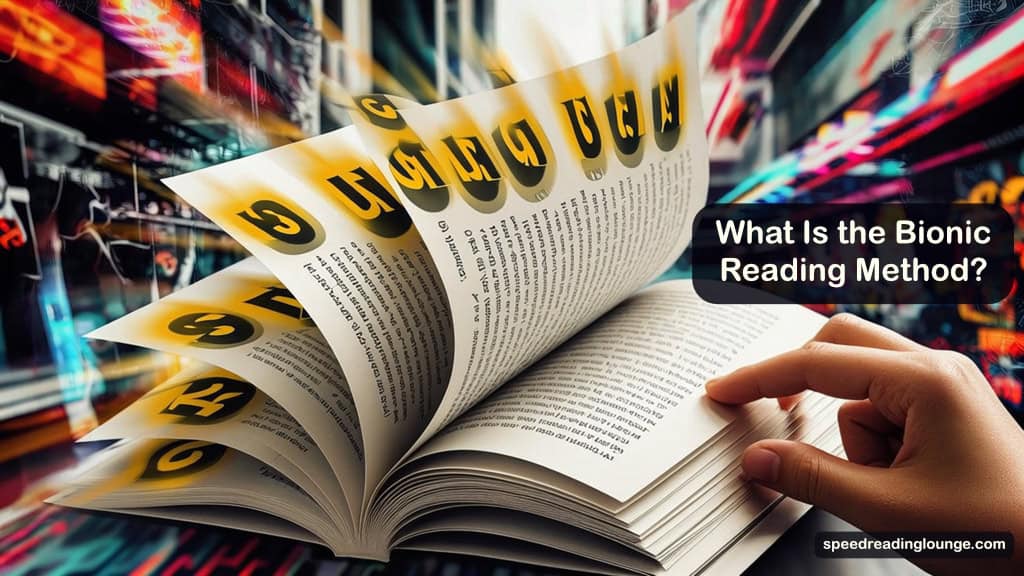
1. Tiny typography hack: bolding the first letters
Swiss typographic designer Renato Casutt began developing the bionic reading method in 2018. It stayed largely unknown for years, then a wave of social media attention in 2022 pushed it into mainstream conversation almost overnight.
The idea is surprisingly simple. Take any block of text and bold the first portion of each word. Bionic reading works by bolding the first letters of each word and letting your eyes hop from one dark anchor to the next.
The brain, Casutt argued, already stores learned words as whole patterns. Given a strong enough visual cue at the start of each word, it can complete the rest without processing every single letter. Therefore, reading becomes less like spelling and more like recognizing shapes.
This connects directly to classic speed reading ideas. Chunking words and eye-movement training both try to reduce how often your eyes stop and how much work they do at each stop. The bionic reading method attacks the same problem from the formatting side rather than the training side.
2. Three sliders that control how bionic reading feels
Bionic reading gives you three adjustable parameters. You will see these in every app and browser extension that applies the method:
- Fixation controls how many leading letters get bolded. At a low setting, only the first letter or two are highlighted. Higher settings bold up to half the word.
- Saccade controls the rhythm. Not every word gets a fixation point, so this setting determines the spacing between them. Think of it as: how often should the next bold anchor appear?
- Opacity controls how faded the un-bolded portion of each word becomes. Turn it up, and the second half of each word nearly disappears. Keep it low, and the contrast stays subtle.
A sentence with default settings looks something like this:
Bionic reading works by bolding the first letters of each word.
You can almost feel your eyes land on the bold segments before you consciously decide to. The anchors form a trail. Your gaze follows.
3. Brand name vs bionic reading method
One naming detail trips people up at first. Bionic Reading® is the official brand and app ecosystem. It includes mobile apps, a web reader, and an API for developers who want to build the formatting into their own tools.
The bionic reading method, on the other hand, refers to the underlying formatting idea itself: bold anchors at the start of words, shaped by fixation, saccade, and opacity.
Tools like Jiffy Reader and Bionify apply the same bionic reading method without using the official brand or API.
Throughout this guide, the term “bionic reading method” refers to the technique itself, regardless of which tool implements it. You are testing the method first. Choosing an implementation or tool comes later.
The Science: What Bionic Reading Claims and What Research Found
You now know what the bionic reading method looks like on the page. The real question is whether this typography trick actually delivers when people sit down and read for real.
Why the bionic reading idea sounds so convincing
The promise ties into something genuine about how reading works. Skilled readers do not decode every letter the way a beginner sounds out a new word.
They recognize shapes and patterns. The first few letters of a word carry more weight than the last few in the recognition process.
Casutt’s bet was that emphasizing those letters would give the brain a head start on each word, reducing the effort required at every fixation point.
If that held true in practice, you would expect two outcomes:
- Fewer or shorter fixations per line
- Faster reading at the same level of reading comprehension
Researchers set out to measure exactly that.
What the studies on bionic reading really found
Several independent studies have now tested the bionic reading method on real readers. Here are a few interesting studies, takeaways, and results.
1. Controlled experiment results.
One controlled experiment asked participants to read 100 paragraphs in either bionic or normal font. Reading times between the two versions were statistically indistinguishable. On average, the bionic reading method did not lead to faster reading than a standard font in this setup.
2. Large-scale user study.
A large study recruited more than 2,000 readers to work through essays in both formats in randomized order. The average speed difference for bionic reading was slight and did not reach statistical significance.
More strikingly, comprehension dropped on easier text when the bionic format was used, and that drop was statistically significant rather than noise.
3. Device and medium tests.
A later paper measured reading time across different devices and formats. In some conditions, bionic text actually took longer to read than standard text, particularly on printed material. No clear advantage emerged for the bionic reading method when readers moved away from purely digital screens.
4. Eye-tracking evidence.
An eye-tracking study sought to capture the bionic reading method in action by observing eye movements moment by moment. If the bold anchors genuinely redirected the eyes, the data should have shown fewer fixations, shorter pauses, or different jump patterns across each line.
Instead, the eye movements in bionic and normal text looked almost identical, suggesting that the formatting changed how the page appeared but not where the eyes actually landed.
5. Overall research picture.
Put together, these results point to a consistent finding: for average readers on normal prose, the bionic reading method does not reliably increase speed and may make easy text slightly harder to understand.
This is the backdrop against which the individual reader experiences, and your own 7-day experiment needs to be interpreted.
Why bionic reading can still feel helpful even when the data is lukewarm
That is not the end of the story. This is where your own experience will matter more than any single graph.
Picture opening a long article after a full workday. The language is not difficult, but your attention is frayed. Your eyes land on a word, drift, jump back, and revisit the same sentence again and again. The problem is not that the words are hard, but rather your focus keeps sliding off them.
When you switch on bionic reading, the bold segments act like a metronome for your gaze. They break up the uniform grey of the text. They give you something solid to land on in each word.
Sure, you still read every word. And, yes, you still need to understand the sentence. However, the experience just feels less slippery.
That difference — feeling more anchored, spending less effort on micro-corrections — rarely shows up in words-per-minute charts, let alone in studies.
It shows up in (your) questions like:
- Did I finish the article without stopping?
- Did I re-read fewer sentences than usual?
- And, did I feel less tired after twenty minutes?
When you run the 7-day experiment later in this guide, these are the questions that will tell you whether the bionic reading method earns its place in your toolkit.
Who the Bionic Reading Method Actually Helps
Those studies mostly recruited average readers and ran short, controlled sessions. Real reading lives are messier, and some people sit well outside that average.
How does it help you in real life
Several groups report that the method makes a noticeable difference:
1. Readers with ADHD or attention drift.
The bold fixation points give attention something to lock onto at the start of each word. Many report fewer episodes of backtracking and longer sustained focus during heavy reading sessions.
2. Some readers with dyslexia or visual stress.
Bolded anchors can stabilize the point where the eye begins processing each word, particularly for longer or unfamiliar words. Read our dyslexia tips for advice.
Worth noting: this does not solve line-tracking problems. If your eye slips from the end of one line to the wrong start of the next, BeeLine Reader’s color-gradient approach is better suited to that. Bionic Reading and BeeLine Reader address different problems.
3. Readers dealing with screen fatigue.
Long hours of digital reading build up micro-fatigue. The bold anchors can reduce the effort required at each word, making long sessions feel slightly less draining even when measured speed stays the same.
4. Second-language readers.
When a word in a foreign language is partially familiar, a bolded first syllable provides a stronger starting point for recognition.
For these readers, the bionic reading method is not a speed multiplier. It is a tool that makes hard sessions more sustainable.
Who probably won’t benefit from it
Other readers are less likely to see any meaningful change:
1. Proficient, focused readers of standard prose.
They already move efficiently through text. The added visual complexity can feel like clutter rather than support.
2. Readers tackling dense academic or technical material.
Scientific papers, legal documents, and code all rely on precise symbols, abbreviations, and terminology. Bolding the first portion of a technical term or equation can interfere with recognition rather than help it.
The cognitive load of complex content is already high. Extra formatting competes with that load rather than easing it.
3. Print readers.
Studies found no meaningful advantage on paper. The argument behind the Bionc reading method is tuned for digital screens.
Simple self-test before you commit
Before installing anything, pick a long article you would normally find tiring or hard to stay focused on. Read halfway through in normal formatting and notice:
- How often do you re-read the same sentence
- Whether your attention drifts away from the page
- How do you feel at the halfway point
Then run the same test with a bionic reading tool enabled. The goal is not to calculate words per minute. The goal is to notice whether the session feels different enough to matter.
If you finish more easily, re-read less, and feel less drained, the bionic reading method deserves a proper place in your reading stack.
If the experience feels the same or more distracting, you can walk away knowing you tested it honestly.
How to Configure Your Bionic Reading Settings
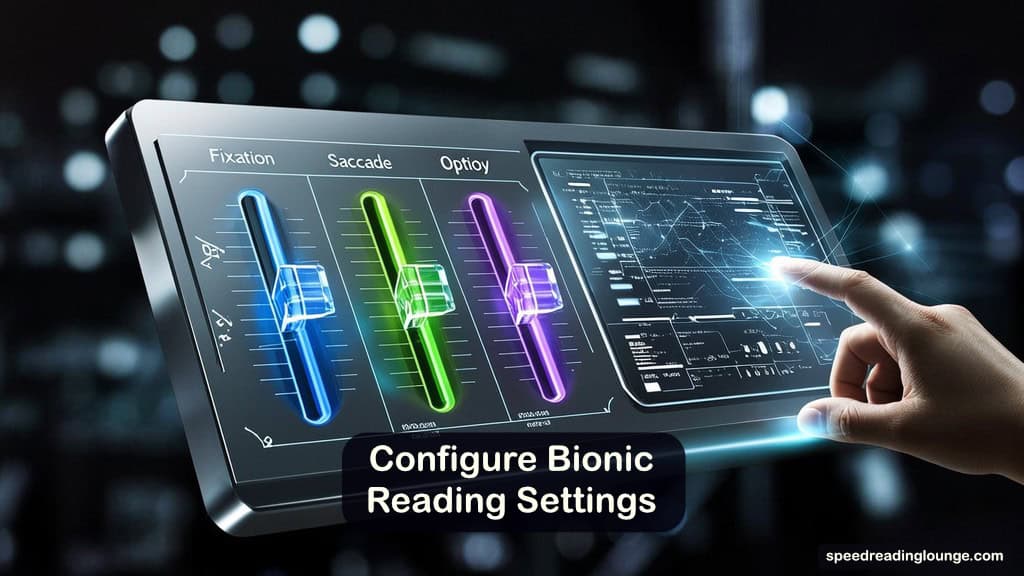
If you decide to give bionic reading a fair trial, the next step is to make the settings actually work for you. Most people leave the sliders exactly where they started, then write the method off when something feels off.
1. Fixation: how much of each word gets bolded
Start at the default fixation level, usually somewhere near the middle of the available scale.
If the page starts to feel heavy or visually noisy, drop fixation by one step. Too many bold letters pull your eye everywhere at once, which is the opposite of what the method is supposed to do.
If the anchors feel faint or pointless, raise fixation by one step. You want the leading segments to be clearly visible without making the rest of each word feel like it has vanished.
For dense, long-word text — technical writing, compound words, academic prose — a slightly lower fixation setting often works better. For shorter, casual text, nudging fixation up slightly can make the anchors more effective.
2. Saccade: how often anchors appear along the line
Saccades control the frequency of fixation points across a line of text.
Wide columns and long lines often work better with a slightly higher saccade value. Anchors appear less often, so the line breathes a little.
Narrow columns and short lines usually benefit from a lower saccade; more frequent anchors help maintain momentum across the shorter span.
If your eyes feel yanked along the line too quickly, lower saccade. If the line feels crowded with bold clusters, raise it.
Think of a saccade as the rhythm of the bionic reading method. You are finding a tempo that feels steady without feeling rushed.
3. Opacity: level of contrast between bold and unbolded text
Keep opacity in the middle range when starting out.
If you find yourself squinting at faded letters, the opacity is too high. Lower it so the full word stays legible.
If the bold segments barely stand out from the rest, increase opacity until anchors are obvious at a glance. The goal is a contrast that guides the eye without making half the word disappear.
4. Simple tuning protocol for your bionic reading settings
- Open an article that matches what you actually read day-to-day. A demo paragraph tells you very little.
- Read for 10–15 minutes on default settings. Notice how it feels compared to your normal reading experience.
- Change just one slider by a single step. Read another 10–15 minutes on similar material.
- Repeat with a different slider if needed, always one change at a time.
- After three or four sessions, keep the configuration that felt easiest to read with.
Quick reference when something feels wrong:
- Too much visual effort? Lower fixation or reduce opacity.
- Too much clutter on the line? Raise saccade.
- No noticeable anchoring effect? Raise fixation by one step and retest.
5. Common bionic reading mistakes that make it worse
Pushing fixation and opacity too high is the most frequent error. Words turn into dark blocks with ghosted endings, and the brain ends up working harder, not less.
Using the bionic reading method on equations, code, or symbol-heavy documents creates confusion rather than clarity. The method was designed for natural language prose. Outside that context, it tends to interfere.
Expecting the formatting to fix comprehension problems rooted in weak background knowledge or genuinely difficult material is the most common misunderstanding of all. Bionic reading helps the visual pass. It does not compensate for content that is hard because of what it says, not how it looks.
How the Bionic Reading Method Fits with Other Speed Reading Skills
Bionic reading is one layer in a larger toolkit. Understanding where it sits prevents both over-reliance and unfair dismissal.
How bionic reading compares to chunking and subvocalization
Chunking trains your eye to read groups of words as single units. One eye fixation, one phrase, one unit of meaning.
Bionic formatting still works at the individual word level. It can make each word easier to latch onto, which may support chunking practice — but it does not create chunk-level reading by itself.
Subvocalization is the inner voice that reads along with your eyes. The bionic reading method operates only at the visual layer. It does not affect the phonological loop, the part of working memory where the inner voice runs.
If subvocalization is your main bottleneck, you will need methods that target that system directly: hand pacing, speed listening, or guided RSVP drills, for example.
Skimming and scanning work at a much larger scale — how you move across a whole page to find structure, arguments, or key information. Bionic formatting is a micro-level tool.
It can make the selective reading phase of a skim pass feel slightly lighter, but it has no effect on how you preview a document or decide where your attention should move.
Where to put bionic reading inside a full reading session
A practical, AI-supported reading workflow looks like this:
AI-supported reading workflow
- Use an AI summarizer or chat assistant to map the content before you start. Identify the key sections, main arguments, and anything likely to need close attention.
- Switch on bionic reading for the sections you plan to read carefully. Keep normal text for quick scanning, headlines, and light preview passes.
- Take brief notes or questions as you read. Feed them back into your AI tool or spaced repetition system afterward.
The bionic reading method belongs in step two. It supports the focused reading pass. It does not replace the intelligence of the preview or the retention work that follows. You can read our guide on AI speed reading here for full context.
Bionic reading and retention
Retention strategies need a foundation. You cannot meaningfully retain what you were not really present for. Readers who constantly re-read sentences due to attention drift or visual fatigue are not building clean memory traces.
Bionic formatting can help those readers stay engaged enough during the reading pass to give the retention work something solid to build on.
If you already use a spaced repetition system or active note-taking routines, think of bionic reading as the tool that keeps you in the text long enough for those systems to do their job.
Bionic Reading vs BeeLine vs Jiffy Reader: What’s the Difference?
These tools often get mentioned in the same breath. They are not doing the same thing.
| Tool | Mechanism | Best for | Price |
|---|---|---|---|
| Bionic Reading® | It bolds leading letters (Fixation / Saccade / Opacity) | Within-word recognition, fatigue, and ADHD focus | Free tier + paid |
| BeeLine Reader | Colour gradient from line end to next line start | Line-tracking errors; dyslexia; accessibility needs | Free / paid tiers |
| Jiffy Reader | Same bold-anchor method (open-source) | Within-word recognition, fatigue, and ADHD focus | Free |
| Bionify | Bold-anchor method, browser-based | Quick trial with no account needed | Free |
Bionic Reading® gives each word a bold starting point to support within-word recognition. BeeLine Reader draws a color gradient from the end of one line to the beginning of the next, guiding the eye across the line break.
If your difficulty is losing your place between lines, BeeLine is more directly aimed at that.
Jiffy Reader applies bionic-style bold formatting as a free, open-source browser extension. It is a practical first step for testing the bionic reading method before committing to a paid option.
Bionify offers similar formatting directly in the browser with no account required, good for a quick, low-friction trial.
Once you know whether the method itself works for you, a dedicated guide to bionic reading apps covers each option in detail. Alternatively, some popular speed reading apps include bionic reading features.
Your 7-Day Bionic Reading Experiment
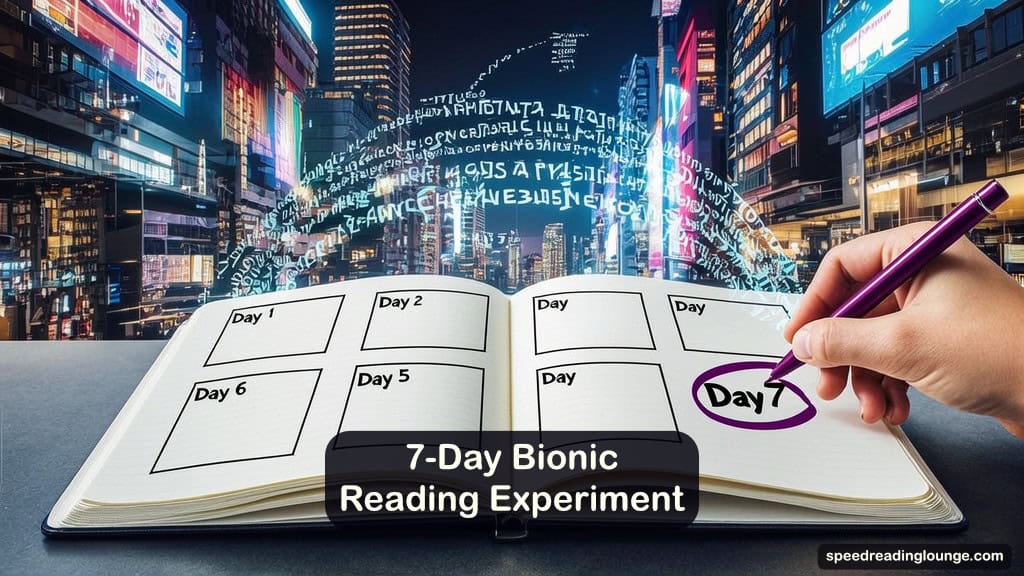
Knowing about the bionic reading method is one thing. Knowing whether it works for you is something else. This 7-day experiment gives you a structure for finding out honestly.
Days 1–2: Default settings on real reading
Install one tool — Jiffy Reader is a good low-friction start with no account required. Leave fixation, saccade, and opacity at their defaults.
Each day, read one article you would normally find tiring or hard to stay focused on. Notice whether you reach the end without stopping, and whether you re-read sentences more or less often than usual.
Day 3: Fixation adjustment
Based on how days 1 and 2 felt, raise or lower fixation by one step. Test on a similar article. Notice whether the anchors feel more useful or more distracting.
Days 4–5: Different content types
Try bionic reading on denser material — a research article, a long report, or a detailed tutorial. Compare that experience to your easier prose sessions.
This shows you where the bionic reading method earns its place in your reading life and where it probably does not.
Day 6: Split article test
Read the first half of an article in normal text. Switch to bionic reading at the halfway point. The contrast makes the difference — or lack thereof — much clearer than using a single format throughout.
Day 7: Keep or drop
Review your week. If bionic reading made difficult sessions easier and reduced your tendency to re-read, keep it for those content types. If it makes no difference or makes things harder, you can turn it off and focus your energy elsewhere.
Three words per session is enough for a log: easier, same, harder. Seven honest sessions will tell you more than any controlled study can about how the bionic reading method fits your particular reading brain.
Summary: When to Keep Bionic Reading and When to Drop It
Bionic reading is not the speed-doubling trick that went viral in 2022. The bionic reading method is a typographic technique that highlights the first portion of each word and gives your eye a series of anchors to follow throughout the text.
Controlled studies on average readers suggest it does not reliably increase speed and may reduce comprehension on easier material.
The other side of that story is just as real. Readers with ADHD, visual stress, or heavy screen fatigue often feel a genuine difference — one that timed tests tend to miss.
For them, the bold anchors turn a uniform wall of text into a path. The reading does not get faster. It gets less exhausting.
Think of the bionic reading method as one small layer in a larger reading system. AI summaries, skimming and scanning, chunking, good note-taking, and spaced repetition still carry the real weight for comprehension and retention.
Bionic formatting can support the focused reading pass for the right reader on the right content. Nothing more, and nothing less.
Your task is not to decide whether the method works in general. It is to find out whether it works for you.
Run the 7-day experiment, tune your settings with patience, and pay attention to how your reading actually feels. If bionic reading earns its place, keep it. If it does not, now you know.
FAQs Bionic Reading
Does bionic reading actually work?
For most readers, controlled research shows no significant improvement in speed and some evidence of worse comprehension on easier text.
For readers with ADHD, reading fatigue, or visual tracking difficulties, the experience is often meaningfully different in ways that timed tests do not capture well. The honest answer: it depends on the reader, not the technique.
Is bionic reading good for ADHD?
Consistent user reports suggest it helps with focus and reduces backtracking during longer reading sessions. Controlled research specific to ADHD readers is still limited.
Try the 7-day protocol and assess your own result rather than relying on either enthusiastic claims or flat dismissals.
How is bionic reading different from BeeLine Reader?
Bionic reading works within words, anchoring the eye at the start of each word using bold fixation points. BeeLine Reader works between lines, using a color gradient to guide the eye from the end of one line to the beginning of the next.
They solve different problems. Knowing which problem you actually have determines which tool is worth trying.
What are the best bionic reading settings to start with?
Default settings are a sensible entry point. Fixation near the middle of the scale, saccade low to moderate, opacity at medium.
Run the tuning protocol and adjust one slider at a time based on 10–15 minute reading tests.
Is bionic reading a speed reading method?
Not exactly. It is a visual formatting technique. It may support a reading session by reducing fatigue or improving focus, but it does not train the underlying skills that produce lasting speed gains — chunking, reduced subvocalization, or efficient eye movement patterns.
Treat it as a support tool within a broader strategy, not a standalone method.
Is bionic reading good for textbooks and research papers?
Generally not. Dense technical material already demands a high cognitive load. Adding bold formatting to precise symbols and terminology creates visual complexity where clarity is critical.
Use standard text for technical reading and reserve bionic formatting for long-form prose where fatigue or attention drift is the actual problem.
Does bionic reading help with comprehension?
The evidence suggests it does not improve comprehension and may reduce it slightly for proficient readers on easier material.
For readers who struggle to stay engaged, reduced fatigue can allow better sustained focus, which indirectly supports comprehension over a longer session.
What is Jiffy Reader?
Jiffy Reader is a free, open-source browser extension that applies the same bold-anchor formatting as the official Bionic Reading tool. It works across major browsers and requires no account to use.
For readers who want to test the bionic reading method without committing to a paid app, it is a practical and honest starting point.
Credits and Further Reading
- Scientific evaluation of bionic reading – Acta Psychologica: “No, Bionic Reading does not work” – ScienceDirect
- Author summary and institutional page – “No, Bionic Reading does not work” – Vrije Universiteit Amsterdam
- Overview of multiple bionic reading studies and EEG findings – “Does Bionic Reading Work? What Research Says” – Studyory
- Official description of the BR Method (fixation, saccade, opacity) – Bionic Reading – BR Method
- Usability and reading-time comparison of bionic vs non-bionic formats – “Usability of Bionic Reading on Different Media” – SAGE Open
- Eye-tracking and reading research context – “Eye Tracking and NLP” tutorial – ACL Anthology
- BeeLine Reader and line-tracking support for attention and dyslexia – “Reading Bee-tween the Lines: BeeLine Reader and Spritz …” – BehavioralScientist
- Accessibility-focused summary of BeeLine’s line-tracking benefits – “BeeLine Reader” – Northern Arizona University Disability Resources