
QuillBot Review 2026
QuillBot Review — The AI Writing and Paraphrasing Suite
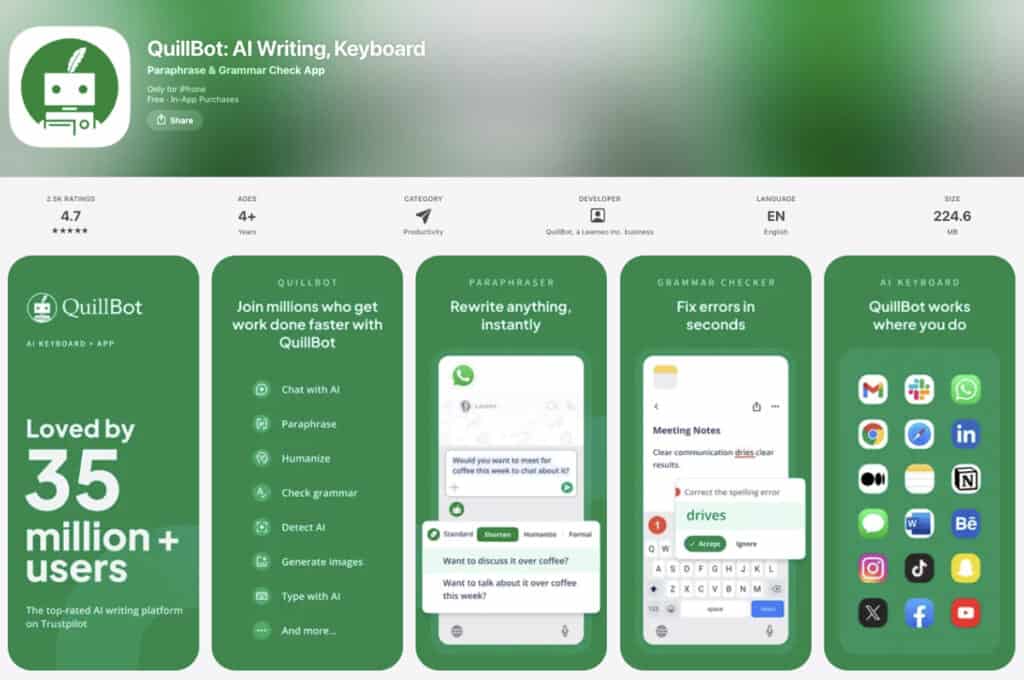
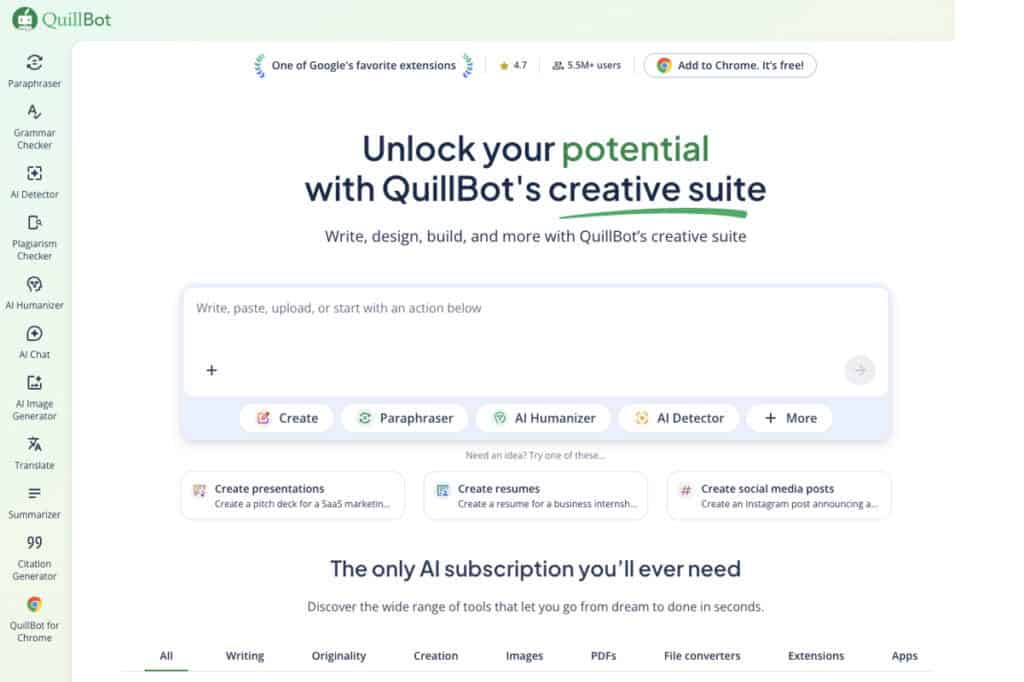
QuillBot is an AI writing assistant built around one unusually specific capability: rewriting text rather than generating it. Within a single platform sit nine paraphrasing modes, a grammar checker, a summarizer, a citation generator, a humanizer, a translation tool covering 52 languages, and an AI detector.
Its core audience—students, ESL writers, and researchers—finds appeal in that breadth of function, which is, in many ways, the product’s entire pitch.
But there’s a question worth asking: can a tool originally designed to paraphrase a single sentence really sustain itself as an all-in-one writing suite? That tension between an ambitious feature set and the lived experience of using it warrants a closer look.
For its main users, QuillBot genuinely delivers—bringing paraphrasing, humanizing, grammar checking, citation formatting, and summarization into one cohesive workspace. For everyone else, though, the story is a little more complicated.
This Quillbot review explores each feature directly—what it does well, where it falls short, and whether upgrading to Premium makes sense in a world where frontier AI tools are increasingly free.
QuillBot Overview — From Paraphrasing Tool to AI Creative Suite
QuillBot launched in 2017 and was acquired by Course Hero in 2021. That transition hasn’t visibly reshaped the product, though its place within a commercial education company is worth keeping in mind. Especially for academic users, thinking about how submitted content is handled.
Platform availability
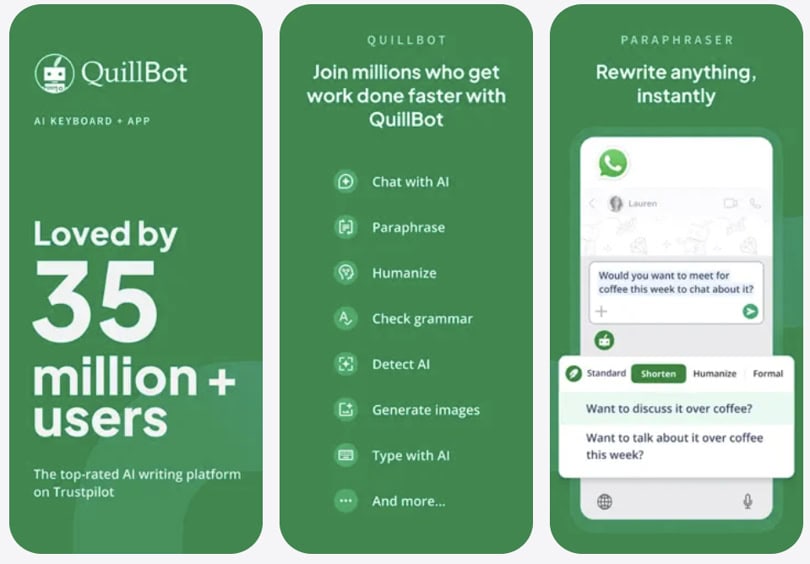
QuillBot runs primarily as a web app at quillbot.com, where its full feature set is most accessible. It also extends into a Chrome extension with over 5 million installs, a Microsoft Word add-in, and mobile apps on iOS and Android.
Those mobile versions cover core paraphrasing and grammar functions, but they still feel like lighter companions rather than complete replacements for the desktop experience.
- App Store rating: 4.6/5
- Play Store rating: 4.4/5
- Chrome Web Store: 4.7/5 (5M+ installs)
Who QuillBot is for
The primary audience is students, ESL writers, and non-native English speakers. They need fluency correction, cleaner rewrites, and academic writing support. Nearly every feature decision reflects this orientation.
Secondary users include content writers who need quick restatements of source material. Researchers managing citations across multiple formats also benefit here. Professionals working across languages will find practical value in the translation tools.
Who it is not for: Native English writers seeking voice-preserving rewrites will frequently find QuillBot’s output flattened. Writers who need generative AI, building original arguments from nothing, will find nothing here. Anyone evaluating QuillBot as a Grammarly substitute will be disappointed by its grammar-checking depth.
Main highlights at a glance
- Nine-mode paraphrasing engine (Standard, Fluency, Formal, Academic, Simple, Creative, Expand, Shorten, Custom)
- AI grammar checker with tone and style suggestions
- AI Humanizer, converting AI-generated text into natural prose
- Summarizer in key sentence and paragraph modes
- AI Chat for brainstorming and writing assistance
- Translator supporting 52 languages
- Citation generator in APA, MLA, Chicago, Harvard, and more
- Plagiarism checker (Premium, 25,000 words per month)
- AI Detector and AI Image Detector
- Cover Letter Generator and Social Media Post Writer
- Chrome extension and Microsoft Word add-in
QuillBot Features
1. The paraphrasing engine
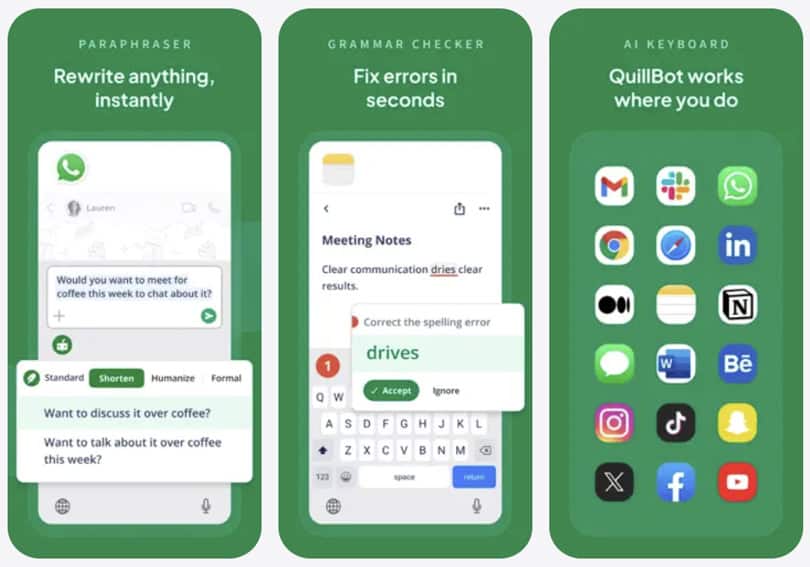
The paraphraser is QuillBot’s original feature. It remains the most technically specific tool in the suite. Nine modes sit across the interface. Standard, Fluency, Formal, Academic, Simple, Creative, Expand, Shorten, and user-defined Custom modes give experienced users a real range.
2. Paraphrasing modes in practice
In practice, the differentiation is real but uneven. The Fluency mode produces the cleanest, most readable output. I find myself reaching for it first on nearly every task. Standard and Formal behave similarly enough that switching between them on a typical paragraph produces marginal variation.
The Academic mode introduces more passive voice and subordinate clauses. That’s contextually appropriate for formal writing.
On the other hand, the Simple mode measurably reduces sentence complexity. I think this matters more than reviewers tend to acknowledge, particularly for ESL users navigating register.
Last but not least, the Creative mode is the most variable of the nine. Occasionally, it surprises. And occasionally, the output is also unusable. I’d treat it as an experiment, not a workhorse.
3. Expand and Shorten controls
The Shorten mode is genuinely underrated. Feeding a bloated paragraph into it and watching it compress without destroying meaning is satisfying. It’s faster than manual editing and more consistent.
The Expand mode is useful in narrower contexts, fleshing out a thin draft sentence or adding register-appropriate language to a skeletal point. It doesn’t replace thinking. But it meaningfully accelerates the scaffolding phase.
- Fluency is the most reliable mode for ESL and general use
- Shorten compresses without logic loss, outperforming casual LLM prompting
- Creative mode requires editorial judgment before use
- Free tier limits users to Standard and Fluency only
4. QuillBot grammar checker
What it catches
QuillBot’s grammar checker identifies spelling errors, grammatical mistakes, punctuation issues, and some style problems. It’s fast and reliable on surface-level corrections. For a student running a final pass before submission, it does its job cleanly.
Where it stops short
Where it doesn’t compete is in Grammarly’s territory. Deep style analysis, readability scoring, tone detection, and contextual suggestions that improve prose rather than just correcting it are all absent. I’ve run both tools on the same document. The depth gap is real and consistent.
For native writers seeking to elevate their writing, that gap matters. For non-native writers who need correctness before fluency, QuillBot’s checker is sufficient. Knowing which category you fall into is the decision this section is meant to help you make.
5. QuillBot AI Humanizer
Why this feature matters
The Humanizer takes AI-generated text and rewrites it to sound natural and human. It adjusts word choice and sentence structure without altering the underlying meaning. For writers who draft with AI and need output that reads authentically, this closes a real gap.
QuillBot also offers the Humanizer as a custom GPT inside ChatGPT. That means users can run it without leaving their existing workflow. That integration decision shows a clear awareness of where their users actually work.
6. QuillBot Summarizer
Summarizer modes
QuillBot’s summarizer operates in two modes. Key sentence mode extracts the most important sentences from the source text. Paragraph mode synthesises those into a shorter narrative. Both work on pasted text and, with some file format limitations, on uploaded documents.
The free tier allows summarization of up to 1,200 words per input. Premium raises that to 6,000 words.
Research pre-reading use case
Testing it against a long-form article, key sentence mode reliably surfaces the thesis and main supporting points. Paragraph mode produces a serviceable compression, though it occasionally misses nuance in argument-heavy texts.
For research pre-reading, scanning a document before deciding whether to read it fully, the summarizer is genuinely useful. I’ve used it to triage a stack of PDFs before a writing session. The output is consistently good enough to make a read-or-skip decision with confidence.
7. QuillBot Citation Generator
What it handles well
QuillBot supports APA, MLA, Chicago, Harvard, and several additional formats. Users paste a URL, DOI, book title, or journal name, and the tool auto-populates citation fields. The output is formatted and downloadable.
For students writing standard academic papers from conventional sources, the generator saves real time. It handles clean, well-structured sources reliably and quickly.
Where it needs supervision
Auto-generated citations should always be verified manually. Edge cases, such as unusual publication types, missing metadata, and preprint servers, can cause errors that require correction. For high-stakes academic work, this is a starting point, not a finished product.
8. QuillBot plagiarism checker
The plagiarism checker is a Premium-only feature. It scans up to 25,000 words per month against published web content. It operates at consumer grade rather than institutional grade.
Universities using Turnitin run deeper checks against academic archives. QuillBot’s tool is useful for self-checking before submission. I wouldn’t treat it as a substitute for an institutional scan. As a first-pass sanity check, though, it is honest about what it does.
9. QuillBot translator
Translation and the Humanizer workflow
QuillBot’s Translator supports 52 languages. It handles text and document translation while preserving tone. The free tier caps at 5,000 characters per input. Premium removes that limit entirely.
For students and researchers working across language communities, this is practical rather than decorative. The integration with the Humanizer is worth noting. After translation, the output can be passed directly to the Humanizer to smooth unnatural phrasings.
That two-step sequence addresses one of the persistent weaknesses of machine translation: technically accurate but stilted output, without requiring a second tool.
10. QuillBot AI Chat
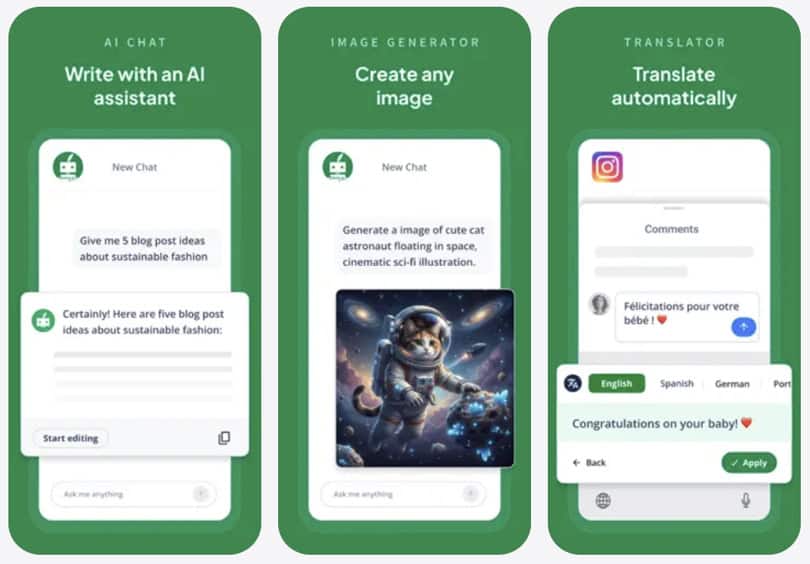
QuillBot now includes an AI Chat tool for brainstorming, drafting, and answering questions inside the platform. It’s a meaningful shift from a purely transformational tool to something more generative.
And yet, it doesn’t replace ChatGPT or Claude in depth or flexibility by any means. But it removes the need to switch platforms for users who want AI assistance alongside their editing workflow.
11. QuillBot AI Detector
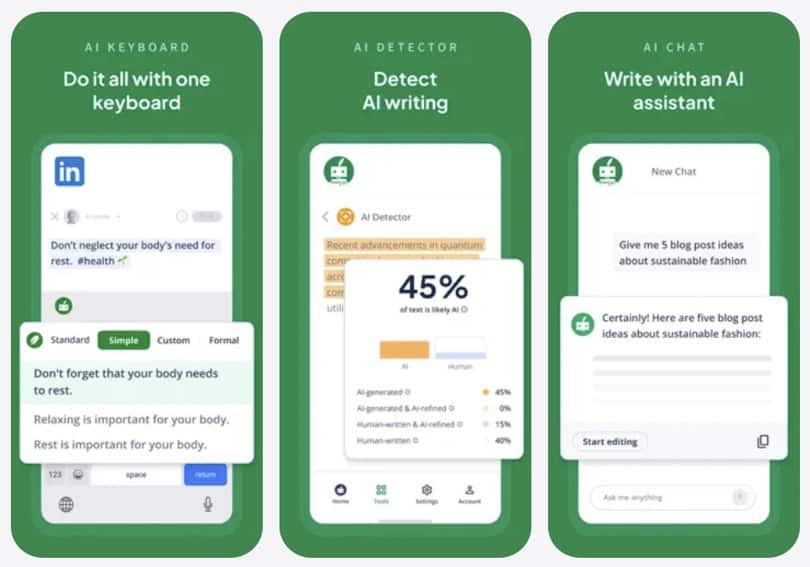
The AI Detector identifies AI-generated content in submitted text. Free-tier access is capped at 1,200 words. Premium users get unlimited detection.
For academic users concerned about inadvertent AI content in their work, or for educators reviewing submissions, this closes a self-checking loop. Few single platforms bundle it this cleanly alongside a full writing suite.
12. QuillBot Chrome extension and Word add-in
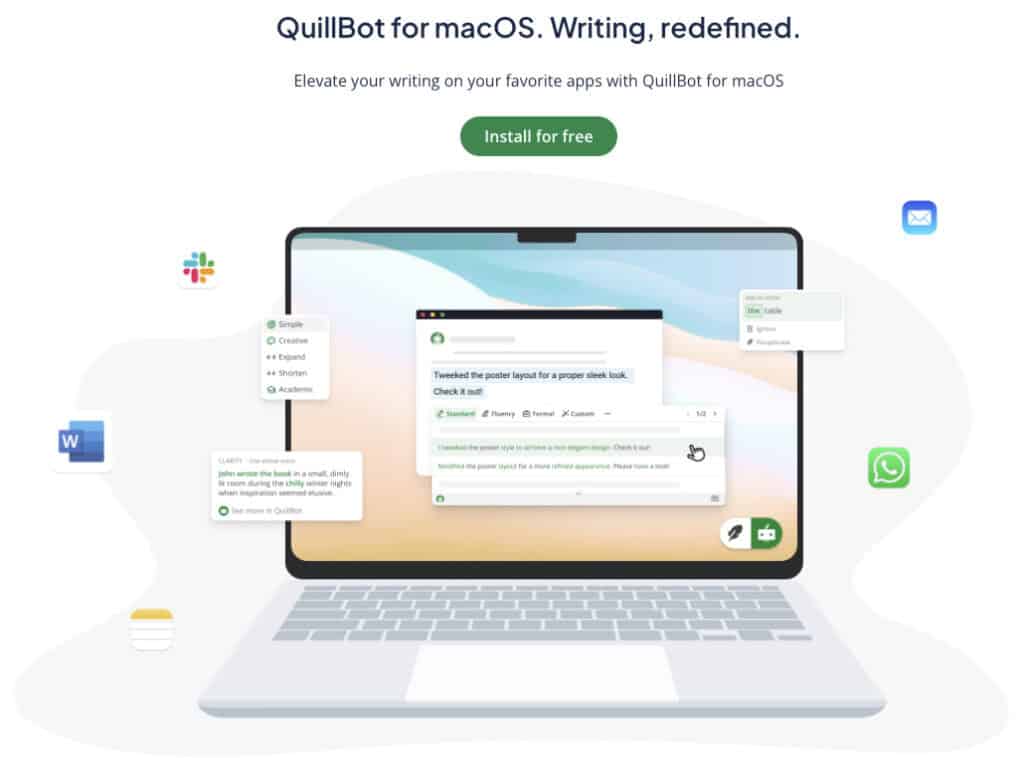
The Chrome extension integrates QuillBot’s paraphraser and grammar checker into browser-based writing environments. Gmail, Google Docs, and web forms are all supported. It works reliably and removes the friction of copying text into the web app.
The Word add-in brings similar functionality to Microsoft Word. Installation is straightforward, and the sidebar interface doesn’t disrupt the writing workflow.
That said, users have reported slow performance and stability issues, specifically with longer documents. For writers who rely on Word as their primary environment, this is worth factoring into the decision before committing.
QuillBot and the AI Detection Question
This warrants its own direct treatment because it dominates the product’s online conversation. Evasiveness here would be an editorial credibility failure.
QuillBot does not officially market itself as an AI detection evasion tool. The company’s position is that paraphrasing serves legitimate purposes. Fluency improvement, style adjustment, and academic clarity are the stated use cases.
That position is accurate and defensible. Paraphrasing has existed as a legitimate writing practice for decades. But somehow the lived reality is different. A meaningful portion of QuillBot’s user base uses it to rewrite AI-generated content specifically to reduce AI detector flags.
Whether this works against current detectors such as Turnitin’s AI module, GPTZero, and Copyleaks is empirically contested. It shifts as detector models update.
What can be stated plainly is that QuillBot does alter text in ways that affect AI detector scores. Whether it does so reliably, consistently, and ethically is a question this review cannot answer on QuillBot’s behalf.
Academic users should certainly read their institution’s academic integrity policies before using any rewriting tool on assessed work. That is the factual, non-evasive answer this question deserves.
QuillBot AI Features and AI Reading Workflow
AI feature assessment
QuillBot is AI-powered throughout, but its intelligence is specialized rather than broadly generative. The paraphrasing engine runs on a transformer-based model fine-tuned specifically for rewriting tasks. Its grammar checker relies on language model analysis to surface structural and stylistic errors, while the summarizer employs both extractive and abstractive methods, depending on the mode.
The addition of AI Chat introduces a more generative layer. It’s a meaningful step toward a more complete writing environment, though it doesn’t yet function as a deep research or reasoning assistant on the level of Claude or ChatGPT.
QuillBot’s AI remains best understood as applied intelligence—designed for targeted text transformations, with a generative assistant thoughtfully layered on top.
That’s not inherently a weakness if your needs align with QuillBot’s focus. It only becomes one when you compare its paraphrasing quality to frontier models, which often match or surpass it with a single, well-phrased prompt—typically without word limits or paywalls.
How QuillBot fits into an AI reading workflow

Our 3-Step AI Speed Reading Method structures reading into three phases. The AI Scan phase synthesises content before reading. Hybrid Consumption covers visual or audio reading. Active Retrieval locks information into memory.
QuillBot doesn’t cover all three phases. But what it covers, it covers purposefully.
Step 1: pre-reading and triage
The summarizer slots into Step 1. The goal is to reduce the reading load before you begin. I paste a dense research paper section and use paragraph mode to extract a compressed version.
From that, I decide whether the full text warrants my attention. The 1,200-word free limit and 6,000-word Premium limit define the ceiling. For very long documents, Claude handles full-length input more comfortably.
Post-reading: writing and restatement
The paraphraser enters the workflow after reading. In the writing stage, restating a source idea clearly is genuinely fast and useful. For readers who also write, researchers, students, and content professionals, this makes QuillBot a bridge between the reading phase and the output phase.
The Humanizer adds a third moment. After drafting with AI and before submitting, it converts output into natural prose. That sequence, summarize, then read, then paraphrase the response, then humanize the draft, is a specific hybrid workflow QuillBot supports end to end. Most single tools cover only one step.
What the app doesn’t cover
The grammar checker, citation generator, and AI Chat sit adjacent to the reading workflow rather than inside it. They serve the task of producing polished written output from what you’ve read. Relevant to this audience, but one step removed from reading efficiency itself.
QuillBot fits partially, not fully, into the AI Speed Reading framework. That’s not a flaw. It’s an honest description of a tool built for the writing phase, not the reading phase. The summarizer is its only direct entry point into Step 1.
Reading tip: If you want AI to actually save reading time, start with a focused overview instead of scattered tips. The main AI speed reading guide walks you through my 3‑Step AI Speed Reading Method and shows where tools, AI summaries, and listening apps realistically help.
From there, you can dive into tutorials on AI‑supported reading workflows such as our ChatGPT for speed reading guide — and compare carefully selected AI speed reading apps and text-to-speech apps or AI summarization tools before committing to any subscription.
QuillBot Pricing Options
QuillBot runs on a freemium model. The free tier is functional but meaningfully gated.
Free tier
Free tier includes paraphrasing in Standard and Fluency modes only, with a 125-word cap per cycle. Summarizer access is capped at 1,200 words per input. The AI Detector is limited to 1,200 words. The Translator is capped at 5,000 characters.
Premium
Premium is available on three billing cycles. The annual plan runs at $8.33 per month, billed as $99.95 per year. The quarterly plan runs at $13.31 per month, billed as $39.95 every three months. The monthly plan costs $19.95. A Team Plan for two or more users starts at $3.75 per user per month on an annual billing plan.
Premium unlocks all nine paraphrasing modes and removes word limit caps across tools. It enables the plagiarism checker to check 25,000 words per month, expands the summarizer input to 6,000 words, and adds advanced grammar features.
The value question is real. At $99.95 per year, the suite is defensible if you regularly use paraphrasing, humanizing, grammar, summarization, and translation together. It is harder to justify if paraphrasing is your only need.
Because a well-structured ChatGPT or Claude prompt produces comparable output at zero cost. The differentiator lives in UX speed, integration depth, and the absence of prompt-crafting friction. Whether that friction saving is worth $100 annually depends entirely on how you work.
You can verify current pricing directly at quillbot.com/pricing.
QuillBot Pros and Cons
What QuillBot gets right – Pros
Mode range and Shorten function.
The nine-mode architecture gives experienced users real control over the output register. Shorten mode outperforms what casual LLM prompting typically produces. It compresses without destroying sentence-level logic, which manual editing often can’t match for speed.
ESL and fluency correction.
For non-native writers who need sentences to sound natural in formal English, Fluency mode does exactly what it advertises. The output is consistent, clean, and rarely produces the obvious errors that make AI-assisted writing identifiable.
This is the use case QuillBot was built for. In my experience, it still handles it better than any general-purpose tool.
Chrome extension integration.
The Chrome extension works reliably across Gmail, Google Docs, and web forms. It breaks the copy-paste loop that keeps standalone web tools from gaining adoption. For browser-based writers, this is a genuine differentiator.
Summarizer depth for research pre-reading.
Paragraph mode produces more coherent compression than key-sentence extraction alone. For a reader pre-screening a long document, the output is consistently good enough to make a read-or-skip decision with confidence.
Humanizer as an AI workflow bridge.
The Humanizer fills a gap that no general-purpose rewriting tool handles as cleanly. For writers working with AI-drafted content who need it to read naturally, this is a specific and real capability.
Suite breadth for academic workflows.
No single competitor bundles paraphrasing, humanizing, translation, citation generation, plagiarism checking, and AI detection at this price point. For students managing multiple writing tasks in one place, that consolidation has genuine practical value.
Where QuillBot falls short – Cons
Output naturalness is a real limitation.
This is the critique of the draft that initially understated. Independent comparisons consistently show that QuillBot’s paraphrased output can sound robotic, particularly at the sentence level. Wordtune produces more natural rewrites on the same input. For a tool whose core identity is paraphrasing, this is a foundational weakness worth naming clearly.
Free tier is a narrow window.
At 125 words per paraphrase cycle and two modes out of nine, the free tier is less a trial and more a demonstration. Most real writing tasks exceed 125 words. Users who feel the trial misrepresented the product’s usability are responding to something real.
Mode differentiation is inconsistent.
Formal and Academic modes frequently produce output that a careful reader could not reliably distinguish. The promise of surgical precision across nine registers does not consistently survive contact with ordinary paragraph-level input.
Grammar checker doesn’t compete at the top.
Against Grammarly Premium, QuillBot’s grammar checker is noticeably shallower. It catches errors. It doesn’t elevate writing. For native writers seeking prose-level improvement, this gap matters significantly.
MS Word add-on has documented stability issues.
Users have reported slow performance, awkward handling of long documents, and stability issues, specifically with the Microsoft Word add-on. For writers who rely on Word as their primary environment, this is worth factoring into the decision.
LLM commoditization pressure.
ChatGPT and Claude can paraphrase, summarise, fix grammar, and adjust register in a single prompt, at the free tier. QuillBot’s interface simplicity and integration are real advantages. But the underlying capability gap has narrowed, and the premium price requires honest justification.
Quillbot alternatives worth considering
| Tool | Strongest feature | Weakness vs. QuillBot | Best for |
|---|---|---|---|
| Wordtune | Most natural sentence-level rewrites | Fewer academic tools, no citation generator | Native writers, content pros |
| Grammarly Premium | Industry-leading grammar and style analysis | No dedicated paraphraser | Writing quality improvement |
| ChatGPT / Claude | Unlimited rewriting, fully generative | Requires prompt crafting | Users comfortable with AI prompting |
| Scribbr | Academic citation and editing services | Not a paraphrasing tool | Academic writers, citation focus |
For writers who need voice-preserving rewrites that sound natural, Wordtune is the closest direct competitor and handles native English prose more reliably at the sentence level. See the AI Writing Tools section for broader context.
For speed-reading-focused summarization specifically, several dedicated AI summarizers outperform QuillBot’s summarizer in this role. The AI Summarizers guide covers the field in detail.
Pros and Cons summary
- ✔️ Best-in-class for ESL fluency correction
- ✔️ Shorten mode is genuinely fast and effective
- ✔️ Chrome extension integrates reliably across key platforms
- ✔️ Summarizer is a solid research pre-reading tool
- ✔️ Humanizer closes the AI-to-human writing gap cleanly
- ✔️ Broadest academic tool bundle at its price point
- ✖️ Output can sound robotic compared to Wordtune
- ✖️ Free tier word limit is functionally restrictive
- ✖️ Mode differentiation is inconsistent in practice
- ✖️ Grammar checker lags Grammarly in depth
- ✖️ Word add-in has documented stability issues
- ✖️ Late 2025 price increase damaged user trust
QuillBot Review 2026 – Verdict
Our QuillBot review rating is 7.5 out of 10. After a critical re-evaluation against independent user data, that score holds. But for more specific reasons than this review initially stated.
No single competitor bundles paraphrasing, humanizing, translation, citation generation, plagiarism checking, and AI detection at this price point.
For its core audience — students and non-native writers navigating academic workflows — that consolidation has real, practical value. User sentiment in that cohort is consistently positive across review platforms.
The weaknesses, however, are harder to dismiss than most reviews let on. Output naturalness remains a genuine problem at the time of writing. Wordtune consistently produces more natural sentence-level rewrites. And a paraphrasing tool that can sound robotic in its primary task carries a foundational quality gap.
And those weaknesses add up. Recent backlash over price increases, recurring Word add-in stability issues, and inconsistent differentiation between modes are all hard to ignore. Together, they paint a picture of a product that delivers strongly for a specific audience while falling measurably short for everyone else.
In conclusion, an 8.0 review rating would overstate Quillbot’s UI polish. A 7.0 would understate its genuine utility for the people it was actually built for. Therefore, the 7.5 is earned, honest, and — importantly — audience-conditional. Hope it makes sense.
Download QuillBot if:
You’re a non-native English writer who needs consistent, register-appropriate fluency correction. If you write in an academic context and want a single tool handling paraphrasing, citation formatting, and grammar checking without switching platforms.
Or if you primarily work in a browser environment and want frictionless integration with Google Docs and Gmail.
Skip QuillBot if:
You’re a native English writer who needs natural-sounding, voice-preserving rewrites. Wordtune handles that use case more reliably. If you’re primarily looking for AI summarization, dedicated summarizers outperform QuillBot’s summarizer as a sole function.
Consider alternatives if you’re comfortable prompting ChatGPT or Claude directly, since output quality is comparable or better with no word limits and no subscription cost.
QuillBot’s brand recognition is doing meaningful work in its pricing justification right now. The product is good. Whether it’s a $99.95-per-year good depends entirely on how precisely it matches your workflow, and how comfortably you prompt a general-purpose LLM as an alternative.
| Product Name | QuillBot |
| Developer | QuillBot (owned by Course Hero) |
| Platform | Web, Chrome Extension, iOS, Android, Microsoft Word Add-in |
| Price | Free tier available; Premium from $8.33/month (annual) to $19.95/month |
| Free Trial | Yes — limited (125-word paraphrase cap, 2 modes, 1,200-word summarizer cap) |
| App Store Rating | 4.6/5 |
| Play Store Rating | 4.4/5 |
| Chrome Web Store Rating | 4.7/5 (5M+ installs) |
| AI Features | Paraphrasing engine, grammar AI, humanizer, AI chat, summarizer, translator, AI detector |
| Best For | ESL writers, students, academic writers needing paraphrasing and citation tools |
| Not For | Native writers seeking voice preservation; users comfortable with free LLM prompting |
| SPL Rating | 6.5/10 |
Interesting sources:
If you like to see what the evidence actually says about speed reading and reading tech, it’s worth dipping into original research rather than app marketing. These non‑commercial sources on RSVP reading, bionic reading, eye movements, regressions, comprehension, and retention are a solid starting point:
Curious what science says about RSVP, bionic reading, eye fixations, and regressions? These original studies and reviews are a good starting point:
- Modern Speed‑Reading Apps Do Not Foster Reading Comprehension (Rayner et al., 2016):
https://pubmed.ncbi.nlm.nih.gov/29461715/ - Perceptual Learning in an RSVP Reading Task (Chung, 2014):
https://pmc.ncbi.nlm.nih.gov/articles/PMC4274879/ - Guiding the Gaze: How Bionic Reading Influences Eye Movements (2025):
https://pmc.ncbi.nlm.nih.gov/articles/PMC12565662/ - Eye Movements and Fixation‑Related Potentials in Reading – Review (Schuster et al., 2020):
https://pmc.ncbi.nlm.nih.gov/articles/PMC7157570/ - A Cognitive Model of Regressive Eye Movements During Reading (von der Malsburg & Vasishth, 2020):
https://pmc.ncbi.nlm.nih.gov/articles/PMC7888242/
Disclosure: This post contains affiliate links to some partners. Speed Reading Lounge may receive a commission for purchases made through these links. It does not add any extra costs. All reviews, opinions, descriptions, and comparisons expressed here are our own.